Monday, January 02, 2006

DICOM Your CD-ROM!
Another AuntMinnie Thread


Periodically, the issue of why Amicas (and Stentor, oops, I mean Philips, iSite) don't burn DICOM CD-ROMS comes up on AuntMinnie.com. The fact is that neither PACS system does this, at least for now. I do believe Amicas will be adding this functionality shortly. In the meantime, there are a few options:
  1. Buy an eFilm License from Merge (if you didn't get one as a QC station originally), at a cost of $950 per year or $3100 for an unlimited time license.
  2. Use the FREE product from K-PACS that does more or less the same thing, and includes a viewer.
  3. It is actually possible to open a study from within Amicas LightBeam and then save it and manually burn it, but this has too many chances for error.

The thread got rather contentious, which seems to happen a lot on AuntMinnie. Even David Clunie weighed in on this; apparently he receives a very large number of non-DICOM disks from Amicas sites and it makes his life miserable. Dr. RW cited a case of something missed because someone had to compare a non-DICOM study on one machine to the DICOM study on their PACS workstation. (This is exactly why I think the Napster PACS idea has come of age.) Mr. Clunie actually advocated avoiding Amicas and others that don't burn DICOM CD-ROMs.

Given the other methods that exist to get the DICOM CD-ROM, I think it is a little drastic to tell people to avoid a PACS system on that criterion alone. Remember, never buy a PACS based on one particular bell or whistle (even a very important one), or you'll end up with a ScImage or ITL type product. Avoiding a system on the same basis will exclude some good companies. Still, I DO think Amicas and Philips need to get their DICOM-burning software finished yesterday.

For those CD's already out there, I wonder if there is a translation program that will convert an examination from Amicas or iSite (or for that matter Siemens proprietary ECAT PET) to regular ol' DICOM format? I know a few people that would gladly pay a reasonable amount for something like that. I have found a few pieces of software over the years that will do the conversion to some degree, although the process is rather painful and not worth it in the end. Once someone creates this, they may feel free to pay me a 10% royalty for the idea.

News Flash!!!

Andreas Knopke just posted this on the AM thread:

Hi Dalai,

We already contacted Stentor in order to get some information on their proprietory image format but without any luck. They answered with something like "DICOM will be supported soon". Amicas' JPEG2000 + XML template format will be supported soon by our DICOMReader ( free download at http://www.dicomreader.com) because it is quite easy to "dicomize" it.

Regards, Andreas

Thanks, Andreas! Great minds think alike, huh? Don't worry about my royalty, just make sure everyone knows about this!

An AuntMinnie Thread about Siemens Syngo PACS


Sometimes, discussion threads on AuntMinnie.com become a little contentious. Take in point this thread about Siemens Syngo PACS. I won't copy it here, but suffice it to say that a question about this product morphed into a rather long discussion with an entrepreneur by the name of Stephen Levkoff, PhD.

Dr. Levkoff started out in the financial world, and amassed a great deal of expertise in computers and databases. His fame was tarnished somewhat by a famous failure, Decision 2000, which he created for Reuters. The Observer notes:

But Reuters' attempts to compete with Bloomberg led to financial disaster and a series of lawsuits. In 1989 the company hired a former Smith Barney executive, Stephen Levkoff, to devise a bonds analysis database to rival Bloomberg. But the product, released as Decision 2000, was regarded as a technological disaster and cost $10m after Levkoff sued.
Another lawsuit, from brokerage house Cantor Fitzgerald, followed over a failed joint venture through which Cantors would provide Reuters with a live feed of US Treasury securities prices.
Even worse was to follow with Reuters' next project, codenamed 'Armstrong', an ambitious attempt to correct what it had failed to achieve with Decision 2000 - fusing real-time market data with legacy information. Armstrong proved to be another huge disaster and cost the company some $20m.


In the interest of fair and balanced reporting, Dr. Levkoff responded thusly when I posted this snippet:

In response, I saw the Observer many years ago. It was an attempt to hammer Reuters for its incompetence in financial markets other than foreign exchange. Reuters failed in two major deals with two industry experts: Cantor Fitzgerald (government bonds) and me (multicurrency analytic systems). In my case, they wanted to integrate D2000 functionality into ALL Reuter terminals –but with no royalty payments. The business landscape is littered with numerous other IP vendor lawsuits against Reuters for various material breaches of contracts, bad, faith and lack of fair dealing. Cantor Fitz and I had the wherewithal, strong legal position and balls to fight back. We won – more than you will make in a lifetime as a radiologist in private practice.
I didn't respond to the Observer nor will I now. I consider the Observer article libelous – incorrect and uninformed. D2000 was extremely successful. Clients in 30 countries were serviced by 6 redundant data centers via a failsafe global network. It significantly undercut the "Reuters Terminal (RT)" - a proprietary PC platform that delivered nothing but real time data that was only a small part of D2000.
Decision 2000, a highly viable multi-lingual Bloomberg competitor with operations in 30 countries, subsumed the RT functionality and offered more advanced real-time analytics than Bloomberg has today - in an industrial strength platform. D 2000 became a $250 million disaster for Reuters AFTER I sold it to them - they mistakenly did not understand the financial markets or the expertise necessary to compete. They hired 1000+ (semi-competent) people to attempt to do what I had done with 150. They bombed badly and attempted to blame me long after I left the company. If you can read, you should review the federal case that we brought against and books written by insiders at Reuters. D2000 comes out very well.

Dr. Levkoff's goal is to "develop and acquires very high end multi-modality imaging centers." What differentiates him from a hundred other similar operations is that he wishes to apply his years of expertise to the world of health-care informatics, PACS, RIS, and so forth. His analysis

"...found that Siemens Syngo Suite offers the only fully integrated, industrial strength RIS/PACS solution in the market. The platform - Fujistu Siemens servers, Sun Solaris (UNIX), Oracle (db), EMC (storage) - is the only one in the industry capable of supporting multiple, fully redundant data centers with real-time database replication and synchronization. At the June 2005 SCAR meeting in Orlando, most vendors not only completely failed our platform requirements but scoffed at our requirements for a completely fail-safe, multi-data center integrated health care information environment. However, post-Katrina, the need should be obvious to all health care executives."


Interesting analysis, but when I posted this, Dr. Levkoff decompensated:


If bullet-proof, uncrashable hardware was the end-all to end-all, we would all still be using UNIX on Sun boxes. Somehow, Katrina or no, that has not been first and foremost in everyone's mind. Wintel boxes are considerably less expensive, and with off-site storage, you should be covered. The best Unix box hooked up to the best SAN becomes inoperative when immersed in water, last time I checked.
The Siemens Syngo/eSoft approach is very esoteric (read: strange) although it does work well once you get used to it. They have unified the appearance of their modality controls and workstations, and from a very brief peek at RSNA, their PACS uses the very same interface. That is a good thing to some extent, but how many rads are going back into the control room and running the CT scanner? I personally don't think this interface is the easiest or the most straight forward for PACS use. It has certainly been a long time in coming. I would be curious to hear from any rad who is using this product.


His response:

Hello Dalai Lama - You sound like a weak Siemens competitor. Your Wintel comments are extraordinarily naive - typical of the industry. Microsoft does not offer an industrial strength operating system for zero-downtime environments - particularly across data centers. Further, you obviously don't understand the concept of running multiple, fully redundant data centers with real time database replication....On the user interface issue, you may find it "strange" because you are accustomed to doing things a certain way. Loosen up - it’s very intuitive and flexible. Additionally, commonality of user interface across applications and modality is essential for training, cross-training, quality control, and leveraging personnel for operating efficiency. As a CEO, I would not make a purchase decision that did not offer all of the characteristics of the Siemens Syngo Suite, given its availability. Also, I wouldn’t hire a radiologist who couldn’t scan.


Just a little bit over the top. I won't keep quoting the thread, but suffice it to say that things went straight downhill. He became more and more angry and condescending with every post. I finally gave up and invoked the "Dalai Shroud", declaring Dr. Levkoff deceased with respect to my future interaction with him.

Daniel Braga, another AuntMinnie poster, has the last word so far on the thread, asking the most pertinent questions of all:

How many radiologists did you meet with to discuss their impressions of the viewer? How many hospitals did you visit using the product that you would be buying?
Dr. Levkoff is obviously a very brilliant man, and has done a great deal research in PACS and healthcare informatics. Unfortunately, his wisdom has manifested itself into tunnel vision, and he has sandbaged himself into a particular corner. Even more sadly, he cannot tolerate the disagreement over his choice of, well, corners, and he has lashed out to the point of destroying his credibility, at least to me. He had much to contribute, but in trying to change the entire industry in one fell swoop, he lost his chance to do so meaningfully. RIP.

Predictions for 2020 by Digital Doctor

Digital Doctor has posted several incredibly eloquent messages on AuntMinnie.com. Here are his predictions for 2020, which I suspect will turn out to be right on target:


The Future of Medical Imaging - 2020’
By: Digital Doctor
Sat 31 Dec 2005


My Predictions for 2020!


Government Regulations
In the United States, we will face a healthcare CRISIS on or before 2017 due to a lack of funding for Medicare and Medicaid. As Medicare and Medicaid are the "insurers" for approximately 30% of all medical care in the United States, you can perhaps only imagine the potential for havoc. The United States CARE Act will be passed prior to 2012, which will mandate federal registration of radiologic technologists. PACS Systems Analyst (a radiographer with minimal certification in PACS), PACS Administrator and PACS Manager will become recognized growth opportunities for radiographers. Registration will be required as part of the CARE Act. Many clinicians will truly question the necessity of radiologists (but not for the first time) and a political struggle will ensue for the future of medical imaging. Ultimately, radiologists will win for several reasons despite the overwhelming anti-radiologist movement. Radiologists will put more weight behind the radiographer role as well so that the two professions will be inseparable to better support their own role.


Expansion of Services
Medical Imaging will, of course, become an even more integral component of healthcare as (in the United States) utilization will continue the trend of expansion of 7% every year. Medical Imaging will assume as much as 25% of total hospital revenue on average.


Expansion of Roles
The Radiology Practitioner (introduced in 2003) will become an essential role in the United States due to expanded utilization of services and a reduction in reimbursement. Physician Assistants have been assigned to Radiology Departments since least 1995, which I would argue fulfills a similar role, as both the Radiology Practitioner and Physician Assistant are "physician extenders." The Radiology Practitioner will require a Masters Degree and two years residency (in addition to four years practice and registration in a Medical Imaging specialty).


Technology
The "One Touch" scan will revolutionize technologist workflow. Technologists will be able to focus attention on patient care and post-processing. OLED monitors (displays) will be the predominant technology of the day; however, OLED will soon be replaced by 3D Holographic displays which will offer the first "true" 3-Dimensional views of the human form in medical imaging.
"Personalized Medicine" (the most overused medical "buzz" phrase of the current decade) will finally be a reality at about the same time as healthcare in the United States nears collapse. Driving "Personalized Medicine" will be the introduction of several new "multi-modality" scanners. An “Omni Scanner” will be introduced that is able to perform diagnostic radiographs, Computed Tomography, as well as Magnetic Resonance and Nuclear Medicine scans.


TRIP (Transforming the Radiology Interpretation Process) by SCAR will become an extended initiative. By 2020 radiologists will interact visually, verbally and tactilely with PACS (renamed Medical Imaging Informatics in 2008). The radiologist will don gloves that will act as a virtual keyboard, a mouse and a multimedia controller (think the "Shuttle Pro" by Contour Design) "all-in-one." PACS systems will offer, "Visual memory cues" (not CAD) that will act as mnemonic prompts for radiologists and clinicians to remember specific patients and abnormalities. PACS will track and respond the eye movements so that visual fixations will result in image zoom and pan or will activaate functions upon which the user has a visual fixation.


AN ENTIRELY NEW MODALITY WILL BE INTRODUCED which will assume much of the workload of Computed Radiography and Digital Radiography. The new modality will not utilize ionizing radiation as a means for imaging. The new modality that will (possibly) continue to be known as Digital Radiography will undergo the most dramatic changes, as "unlimited" radiographers will utilize equipment that is more similar to Computed Tomography than Computed or Digital Radiography. Radiography Equipment will become much more portable so that the "Radiography Suite" (not the portable machines of today) will be portable. Computed and Digital Radiography will often acquire tomographic images from which 3D images will be automatically constructed by the modality. Computed Tomography will "top off" at 2048 "slices" which will become the new "unbreakable barrier" for years to come. Computed Tomography will automatically generate any required MPR, MIPS and even 3D volumetric series.
Nuclear Medicine and Magnetic Resonance (and likely Computed Tomography to some degree) will be the true driving force of the "Personalized Medicine" trend. Nuclear Medicine, in particular, will lose the moniker "Unclear Medicine" as images will begin to resemble the image quality captured in the 256 "slice" Computed Tomography images of 2008.
Computer Aided Detection will become so ubiquitous that CAD will be a standard feature on every modality. Every modality will utilize CAD for nearly every conceivable procedure that will increase in-office utilization of Cardiologists and nearly every medical specialty group.
Structured Reporting will become a reality and will drive major changes to the workflow of radiologists. In fact, Structured Reporting will be hailed as the "saving grace" of Radiologists. The innovations related to Structured Reporting and CAD will so alter the job function of radiologists that the profession of radiologist will either disappear (not likely) or become more interventional (especially as radiation therapy and nuclear medicine take on many new roles) or radiologists will offer "value added interpretation" (very likely).


Educational Trends
In response to the CARE Act and technological innovations the minimum educational requirement for radiologic technologists will be an Associates Degree (two years post primary school). More offerings of advanced degrees will be available for technologists seeking to specialize. Magnetic Resonance will have been recognized as a "primary modality" by the ARRT before 2012.


Even more COOL stuff on the horizon in 2020
BEYOND SIMPLE IMAGE DATA...Radiologists will utilize tactile and auditory senses by donning a suit that will provide additional sensory data to perform diagnosis - this data will be derived from image data (or data collected during the scan). Surgeons and Interventionalists will be able to utilize this data to perform remote surgeries. WAVELET COMPRESSION utilized by nearly every PACS and modality will be replaced very soon with "Fractal Compression" which will finally compensate for the overwhelming data sets generated.

Seen at the Westin Savannah


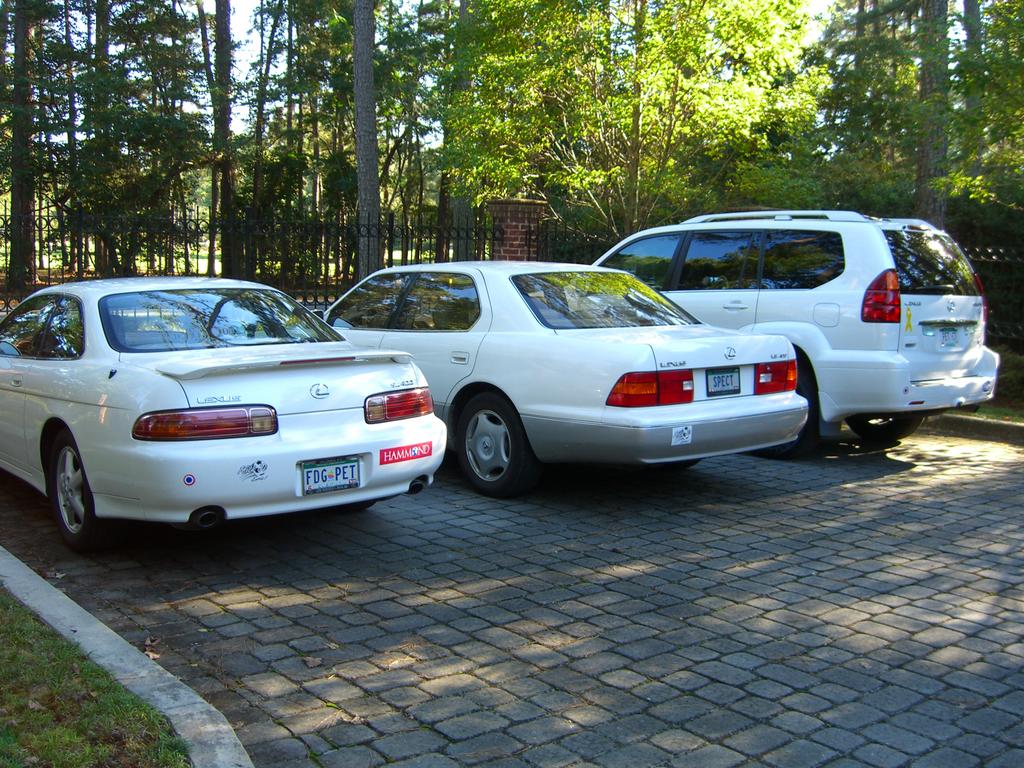
Forgive me, but I saw this vehicle and its, um, accessories, in the parking lot of the Westin Savannah, and I just had to share. If anyone is offended, I'll remove this post, but hey, it isn't my truck!

And while I'm at it, is this a case of X-Ray Vision?

Wednesday, December 28, 2005

Some Up-and-Comers..
Building a Better Mousetrap?
Chapter IV: Epilogue

The latest KLAS reports were very favorable for Intelerad and Dynamic Imaging, (and DR) and somewhat less so for Amicas, and Stentor/Philips. Now, neither Amicas or iSite did badly, but they aren't at the top anymore in several categories, and their trend indicators show downticks since Summer and Fall, 2005. We have seen similar patterns before with up-and-comers. In iSite's case, the problem likely has to do with the acquisition by Philips. This represents a major change in the way they do business, although I'm not really in a position to say if this will be a good or a bad thing.

Amicas likely has suffered from its success. When you grow too fast, there is some lag time before you can get adequate infrastructure in place, and I'm guessing that is the reason behind some of the changes in their KLAS indicators. Note that they are still showing a vast majority of green, and the report is not bad, but speaks a bit less enthusiastically than it has recently. Not that I believe totally in the (somewhat subjective) KLAS report.

I had some privacy over at the Intelerad booth, with just me and the VP going over the demo, although he was very interested in my reactions. For the Dynamic Imaging demonstration, just about the entire staff was gathered around me. They seemed to be hanging onto my every word and gesture...didn't they realize that I'm just an average radiologist in an average practice in an average town in the South? Oh well. Guys, you both have excellent products. From the user standpoint, they are both quite usable, although I have to give the nod to IntegradWeb for having a number of nice additions.

Now, here is where I make everybody mad at me, and I'll give my apologies up front.

Both InteleViewer and IntegradWeb, as well as Emageon, and even Impax 6.0, suffer from one common problem: they are hyperconfigurable. I am going to call this the Lego PACS syndrome. Keep in mind, Lego was my absolute favorite toy growing up, and my children love it as well, so that is not a derrogatory term by any means. In this setting, I am referring to the fact that you can make a tremendous number of adjustments to the interface of these PACS products, and I'm not sure I like that idea. This is why I am going to stubbornly stick to Amicas LightBeam as my favorite interface. Their initial approach is clean and clear, and it doesn't get in my way. Any radiologist smart enough to be reading films in the first place can be up and running in 5 minutes with minimal training. There is easy access to very powerful tools, but there is only a minimum of set-up necessary. I have no doubt that the other systems could be configured to work in similar fashions, or maybe even to work better, but sometimes less is more. (I hope my friends at Intelerad and Dynamic Imaging will remain my friends after that.)

I sit on the Amicas Physician's Advisory Committee, and I will actually have a say in where they go with their future PACS products. (If you are wondering, my compensation for attending the Committee meeting at RSNA was a very nice breakfast with juice, coffee, eggs, and turkey sausage.) There were distinct voices in favor of moving toward a Lego PACS with the next generation; several members wanted the system to allow more customization and various options, which would require more and more set-up time. Some of us, including yours truly, want the old approach, a simple, straight-forward clean interface, though revamped to take advantage of some of the newer software technology. This is what has always distinguished Amicas from everybody else, and this is what must be leveraged to stay ahead of the game.

Having seen some of the other stuff out there, I do have to cite a few deficiencies that Amicas has to address, and frankly I would like to see this done as a service release(s) to the existing LightBeam. First, they have got to start burning DICOM CD's. This is really an industry standard, with Amicas and iSite being among the last holdouts. I hear this is coming soon. Second, there needs to be one-button integration with Voxar3D. Apparently there was delay in acquiring the Voxar ActiveX controls, but these are now available, as seen with the IntegradWeb interface. If the embedded "baby Voxar" is still there, we need to have some way to save the images it produces back to PACS. Third, there needs to be an improved comment/note field, which I think could be tied to the order window. Finally, there should be detection of monitors with subsequent deployment of windows and hanging protocols. I have discussed these little problems with Amicas, and I am under the impression that most will be fixed shortly, even before the latest and greatest comes out this time next year.

I actually have a rather bold idea, although I doubt anyone involved will like it. The folks at Dynamic Imaging have some good ideas, and they have an installed base of 100 clients with 300 sites. What do you think about Amicas buying Dynamic Imaging? Hey, if it works for GE.....

Sigh. I met a fellow radiologist at the DI booth, Dr. B., who summed up everything perfectly. He said, "We need to line up all the radiologists and all the PACS vendors in front of a firing-squad, and make them come up with ONE single way to do all this." I couldn't agree more, as long as I get to hold the rifle.

In any case, let me wish everyone Happy New Year! May your PACS never crash, and your drives always spin. See you in 2006!

Some Up-and-Comers..
Building a Better Mousetrap?
Chapter III: Intelerad and Dynamic Imaging


Here we have two companies who were not well-known (at least to me) until the past few years, but are now topping out the KLAS surveys. Their "current performance" screens on KLAS are a sea of green lights like I haven't seen in a while, and both are showing major upticks in their indicators since Fall, 2005. I took a long look at Intelerad's InteleViewer and Dynamic Imaging's IntegradWeb systems at RSNA. Both are impressive products, and to give away the punch-line, I give both the Dalai Stamp of Usability.

Superficially, InteleViewer and IntegradWeb are fairly similar. Both interfaces resemble Amicas LightBeam to some degree, although their worklists use flags and other indicators rather than the more pronounced color-changes we see with Amicas.

Let's deal with Intelerad first. I was given a disk with a limited, but still very functional viewer embedded, and I have included some clips below. (To my friends at Intelerad: please let me know if you don't want these online...) For those so inclined, Intelerad offers a free beta version of their full viewer if you agree to help test it. To sign up, click here. I'm going to do it myself, although I'm not sure how much time I can devote to the project.

Intelerad began as a company creating a backend PACS system using eFilm as their viewing client. Rather what Merge/eMed/Cedara has become today, I guess. They now have 300 installations, including many in Canada and Australia. This is a Canadian company, after all. Today, they use a Linux backend, and a Java applet for the client. The Intelerad VP assigned to "Dalai-duty" tells me that their architecture is distributed, and that the product is considered web-enabled. There is auto-routing and pre-fetching, both sounding more like the older approach to PACS database architecture that the unified web-based database I am used to seeing today. There is streaming of the image once selected to allow faster downloading.

The worklist reminded me somewhat of an Excel spreadsheet, rather spartan compared to the Amicas Rainbow, I mean RealTime Worklist, but still functional. Once in the viewer, you are presented with a toolbar having nicely-done, simple and clear 3D color icons.

The study is deployed into the usual viewports, i.e., frames in the window. Multiple patients can be selected and are accessed by right-clicking or from the Patient menu on the toolbar. The overall appearance belies some eFilm heritage. Thumbnail views ala Amicas are optional. A comparison/prior exam will have the date highlighted to clearly define it as a prior. Hanging protocols can be set up with great detail, but configuration requires a bit more work than the WYSIWYG approach. Monitors are detected and hanging protocols are deployed accordingly. All the needed tools are available, with simple orthogonal and more advanced MPR, and there is integration with Voxar or TeraRecon. Measurements work in context with the image being viewed, and the viewer remembers what you used last time. Scroll wheel will activate either "next image" or "cine" depending on the examination. There is a cute little indicator at the bottom right of the screen which displays the current assignments for the three mouse buttons.

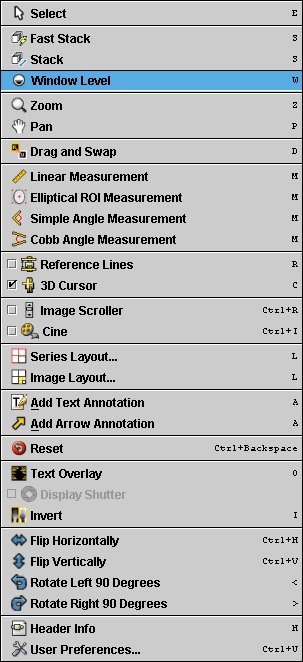
Right-clicking brings up either a limited tool menu, or this more prodigious menu if you so choose:


I have been known to call this sort of thing right-click-o-rhea, and it's still somewhat overwhelming, but then I'm not at all certain where else to put these functions. At least the layout is clear. Note the small letters in Courier font that are clues to the hot-key equivalents.

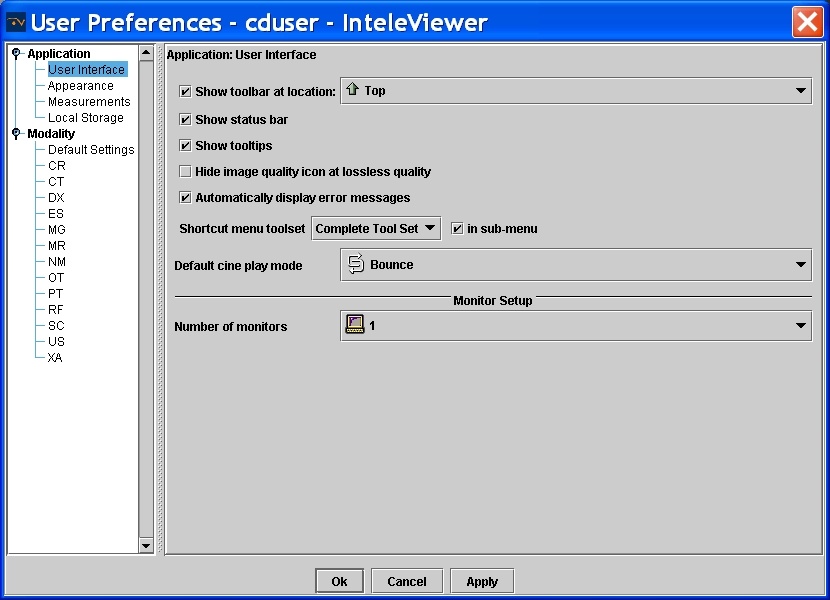
As with Emageon, there is a tremendous degree of customization possible. In fact, there are "three ways to do everything." The configurations are based on modality and user login. You can have the machine always remember the last tool used, or always do thus-and-so in a given circumstance. Below are screen-shots from the CT configuration window including overlay construction and more general intereface controls. I didn't include a shot of the control panel for fonts and colors, also customizable to the nth degree.


There are remote administrator tools, and a well-done comment tool is found in the report viewer. Comments are time-stamped and indelible. There is a teaching file module.

Intelerad creates an online "virtual PACS" as a training and configuration tool before actually deploying the product.

Dynamic Imaging began life as a Canon dealer. Various customers asked them to create a Windows/Intel client, and so they did. DI had four goals in this endeavour:

  1. The client would be the same at all locations.
  2. It would be web-deployable...no CD installation for them.
  3. The interface would be customizable with specifications on the user, group, or system-wide level.
  4. Access would be priviledge-based.

DI has met these goals. Today, DI claims 100 sites with 300 installations (obviously differentiating between number of customers and the number of places they cover.) The latest iteration, IntegradWeb, looks somewhat similar to InteleViewer on first blush. Under the hood, however, it is totally web-based, although they note the use of a "core clustered architecture", which I assume is a server cluster of some sort. Upon sign-on, you are presented with the worklist page, and different worklists are tabbed at the top of the frame. As with Emageon, there are small flags to the left of the patient name indicating read-status, report status, dictated, etc. These flags are color-coded. The "search" function is a separate worklist tab, and it is very intuitive, using some boolean variations such as "CONTAINS", rather like the Impax 6.0 version.

The viewer itself leverages the windows of Windows to great advantage. Each open patient study is a separate collection of individual windows, not just panes within one window. This allows something I haven't seen before, the deployment of multiple windows of any size as part of a hanging protocol. DI used a knee MRI for an example of how this would benefit the reader: wide, short windows were used for meniscal display, and regular square panes were used for the rest of the study. You can set this up literally any way you can think of. Hanging protocols are similarly flexible; any window can be anywhere with any image. You can even set an MRI portal to display the sequence with a certain TR/TE range, bypassing the need to have the sequences labelled correctly (although I hope they are anyway.) The icons on the toolbar are larger and more elaborate 3D renditions.

Unlimited measurements are allowed, and the tools are very intuitive. The Cobb-angle tool is very nicely done, requiring that you simply draw two lines parallel to the vertebral end-plates in question. The spine-labelling tool has a first to my knowledge: it detects the interspaces and does the labelling at least semi-automatically. However, the sagittal labels do not yet propagate to the axial slices. There are fetal measurement tools and a built-in database of standard values, another first in user interfaces as far as I am aware.

There is a proprietary MPR program and images can be saved back to PACS. There is a "slab scroll" function that yields a thick-slab MPR in a clone window that tracks with the main window, most helpful for 1000(s) slice studies. DI has surrounded the Voxar 3D ActiveX controls (at least partially) with its own interface, yielding a good blend of the two. Linking between two CT's can be set to automatically occur (or not, for that matter), and can be based on relative position or bed position (or even image number if you want, although I don't know why you would). Only one prior can be displayed.

Window/level settings are set to cycle via the space-bar, and this actually works pretty well, at least as fast as using F-keys or number keys for selecting an individual setting. Navigation between patients is accomplished simply by clicking the tab on the taskbar, just like switching applications in Windows XP.

Monitors are automatically detected (both their number and whether or not they can display color) and changes can be made even on-the-fly, without rebooting.

Streaming plays a very important part in the viewer, and DI was confident that IntegradWeb would allow one to be able to read sooner than any other system given their "SmartLoading" approach. DICOM printing and DICOM CD creation can be performed from any location. The CD's include a DICOM-push application. Online administration is available from any web-connection.

Key images are well done, and can include any individual image or a saved 3D recon. There are three levels of notes available to facilitate interdepartmental or interdisciplinary communication. An email can be automatically sent to the clinician with links back to the image in the viewer. Web-access can be anonymized, and they showed me a live feed from a site in New Jersey that I could safely view with this accessory. Teaching file creation works with anonymization as well.

PET/CT can be accommodated by integration to the Mirada 7D program (although this was purchased by CTI which was in turn purchased by Siemens, and I don't know if this is still available). DI has a more limited proprietary fusion module. General Nuclear Medicine can be enhanced with MedImage.

IntegradWeb is VERY customizable, more so than I have seen elsewhere. It is so adjustable that you can relabel menu items and right-click options if you so choose. I could, if I were so inclined, relabel the window/level control as Bass and Treble, the ruler as "How Big IS It?" and the Save as "Terminate Patient". But of course, I would never even think of such a thing. Of course, everything else can be reconfigured as well, including hot keys and so forth. You don't even have to keep the space bar as the window/level cycler if you don't want to, but apparently most folks don't change this.

I'm sure I've missed a number of features of both Intelerad and Dynamic Imaging's offerings, and I would welcome their comments. Suffice it to say that both viewing clients are very nicely done, and I would consider each one Usable with a capital U. It is said that he who dies with the most toys wins, and I guess that means Dynamic Imaging's tour de force, IntegradWeb, would certainly be the winner here.

Stay tuned for the epilogue of this whole RSNA opus.

Friday, December 23, 2005

Some Up-and-Comers..
Building a Better Mousetrap?
Chapter II: BRIT Systems


In reading over the Emageon post, I realize that it is next to impossible to do any of these products justice in the space of one short post. I will apologize for any omissions on any of these "mini"-reviews. I'll try to hit the highlights from my somewhat limited perspective.

The good people at BRIT were most anxious to have me over to their booth. Yassin, in particular was my contact, and made me feel very welcome. I was able to meet many of the BRIT engineers and execs.

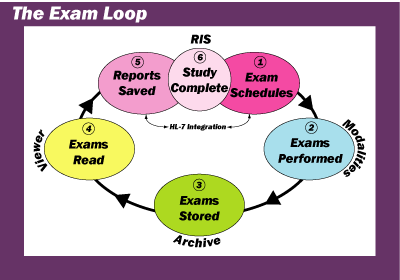
I must confess that I did not get to see as much of the BRIT product as I would have liked. There is an entire RIS and workflow strategy that I just didn't have time to demo. They present an approach that "closes the exam loop":


Well, that's basically how most systems do it, I think, but when you have your own RIS incorporated, that may make the cycle run a little smoother.

BRIT calls most components "Workbenches"... you have your Capture Workbench, the Scanning Workbench, and most important for me, the Viewing Workbench. (The way things are going lately at my place, it might be more appropriate to call my station an eSweatshop or something like that, but I digress.) BRIT offers three versions of the Viewing Workbench, the Radiology Workbench for diagnosis, the Clinical Workbench for those other docs, and the Web Viewer for remote. All are similar, though they are indeed separate applications.

I spent most of my time looking over the Radiology Workbench. The "look and feel" of the GUI is significantly different than that of any other product I have seen, although I think I could get used to it quickly (it is nowhere near as esoteric as Siemens' Syngo interface.) The worklist layout is a little spartan, but still very functional, with black type on white background. The worklist is very flexible, and you can deploy different worklists to different monitors if you so choose. The worklist(s) update(s) dynamically in real time. BRIT uses what they affectionately call "Collaberative Rodent Technology": the worklist has little caricatures of mice as status indicators. If someone else is looking at a particular exam, the mouse pops on with red-colored sunglasses. There is a facility to place messages within the worklist, and one can reply directly to those messages, good for physician to tech communications, for example. If you choose an individual study off the worklist, you can drag it to the monitor where you want it to display, or alternatively to an icon representing that monitor. Alternatively, there is a Power Read mode which will pull the next study on the worklist in the background. Exams are tabbed at the bottom of each monitor, and prior studies are tabbed as well.

Once in the viewer application, there are large buttons off to the right side of the monitor. I noticed that the buttons were on the large side, and the icons within them were kind of small, but still clear. Button layout is customizable per logon ID and modality. Simple MPR is available, with a more advanced version to come later. Hanging protocols are set up in WYSIWYG fashion, and are saved by name.

There was much more, and I'm doing BRIT an injustice by not being more complete. However, the bottom line is this: although their approach to the interface is somewhat different than most, it is still very usable, hence earning the Dalai Stamp of Usability. (As I've mentioned, there are certain LARGE companies that can't earn that.)

Now, a discussion about BRIT would not be complete without mentioning this little guy over to the right.....

BRIT is the only major company using Linux for all operations, front and back-end. Why is that a big deal? Isn't Win-Tel the end-all-to-end-all in this venue? In a word, no. Despite some unpleasantness on an AuntMinnie.com thread, I am no big fan of Windows. It is not as stable as Linux, or its cousin UNIX, but it has taken over the market, I believe for purely economic reasons. (Consider Beta vs. VHS in the video world...Beta was better, but VHS was perceived to be cheaper, and guess who won that battle.) No one can convince me that Windows is more solid than Linux (or even as solid), and in fact, the BRIT team very proudly told me that some of their workstations out in the field have continued to run perfectly for years without rebooting. I have to reboot every Windows machine I own or use at least daily. Maybe BRIT is bucking the trend, but given the mission-critical nature of PACS, rock-solid stablilty is something that deserves a second (and a third) look. Rather than a liablilty, I think BRIT's use of Linux is a true asset. Hear that, Bill Gates?

Merry Christmas from Doctor Dalai


The Politically-Correct crowd is out of control. Here are some examples of the fear of offending gone haywire:


Microsoft Small Business Center tells how to "Make it a politically correct holiday season: 7 tips".... absolutely serious article!

CNN reports on "Tiptoeing around 'Merry Christmas,' er, 'Happy Holidays'"

ABC News Original Report: "Calling Christmas by Its Name"


This is ridiculous, folks. I'm Jewish, and I guess I'm one of those who is supposed to be offended if someone wishes me "Merry Christmas". I wish someone had asked me about that, because nothing could be further from the truth. While I don't share the beliefs of my Christian friends, I certainly respect those views. It warms my heart to know that my friends want to share their joy at this season. I take the greeting in the loving spirit in which it is offered. No more, no less.

And so to all my readers, I wish you a very Merry Christmas, Happy Hanukkah, Happy Kwanzaa, and a Happy New Year. Sorry if I left anything out, but you get the idea.

Wednesday, December 21, 2005

Some Up-and-Comers..
Building a Better Mousetrap?
Chapter I: Emageon


I've been dawdling about writing this post, mainly because there is so much information I should include. The longer I wait, the more the details ebb from my declining memory, so I'm going to buckle down and get 'er done.

I had the chance to see several PACS systems on display at RSNA. I had very brief looks at McKesson and eMed products, really not enough to provide blog-fodder. It is of note that the eMed/Merge/Cedara booth featured eFilm 2.1 all over the place and hid the much more elegant Matrix product deep inside. I'll never understand marketing.

I took a fairly in-depth look at Emageon, Intelerad, and Dynamic Imaging, and Brit Systems. Superficially, the first three look fairly similar. Brit's Workbench interface looks a little different, and I'll deal with that shortly.

To keep your appetites whetted (and because it might be next year until I finish it otherwise) I am going to divide the post into individual sections. We'll start with Emageon.

Emageon is the brainchild of some neurosurgeons from UAB, my old stomping ground. It uses a web-based Oracle database approach, with a Java applet as the viewing client. It is said to use "Open Standards", although I don't think they are accepting revisions ala Linux. Interestingly, they are the first company I know of to use Open GL for rendering, an idea that has been a long time in coming to the mainstream PACS market.

Emageon's worklist looks like, well, a worklist, with flags for "study in progress" and the like. It does not use color to the extent that Amicas does with the RealTime Worklist, but then no one else does that. It has a new twist, set for introduction early next year, a group of folders set off to the left side. One can drag studies into a folder for your own customizable organizing. If you drag to a "teaching file" folder, the examination will be anonymized. The viewer also has a twist, it uses tabs (which they refer to as "fly-out's) over on the right side for various controls, somewhat reminiscent of the GE Centricity Web client, although Emageon's work a bit more smoothly. Click here for a nice Flash demo of this function. Everything is customizable for every modality...zillions of permutations are possible. Hanging protocols are relatively easy to deploy. One can customize the DICOM overlay, but to do so you have to know the various codes, e.g. {PatientBirthDate}. Notes can be added at the patient, study, or series level, and voice clips are available.

Emageon purchased UltraVisual, and is using their 3D components. These can be deployed in various windows like any other sequence, and can be included in hanging protocols. (Emageon has recently purchased Camtronics, and so will now provide cardiac imaging tools. Apparently, this purchase just about wiped out their piggy-bank, and it remains to be seen how this will affect their future.)

You will have to wait until the end of this mini-series to hear my editorializing, but I would give this product the Dalai Stamp of Usability: All in all, it is a usable product (I don't have to tell anyone which products I deem unusable...)

Stay tuned for the next exciting chapter!

Wednesday, December 14, 2005

6000 Hits!

Courtesy of the Mighty Shakers
Congratulations to Visitor 6000 from Accelerated Data Works of Gainesville, Florida, who seems particularly interested in my ScImage postings. I'll be glad to answer any questions directly. Just post a contact address in the comment field below.

Sunday, December 04, 2005

Another Look At Impax 6.0

I don't think anything I have ever authored has stirred up as much interest (trouble?) as the post about Impax 6.0. My blog received hundreds of hits from Agfa sites around the world, including Belgium, Ontario (my friends at the old Mitra operation in Waterloo), Massachusetts, and even right here in South Carolina. Wow. If only I got paid per view.

Meeting with the Agfa folks at RSNA was somewhat surreal. Everyone on the Agfa staff could not have been nicer and more helpful. My questions were answered promptly, and several folks spent a great deal of time with me, which I truly appreciate. However, there was obvious tension in the air. I don't really think they are afraid of lil' ol' me, but I know they would have been happier if I hadn't posted my little ditty on the web. I felt rather as though (please forgive me, gentle reader) I had, um, passed flatus in front of everyone. We could all smell it, but no one wanted to actually mention it. There were one or two rather cryptic references to "stuff posted on the internet" to which I demurely replied, "no one really looks at the internet, do they?" So, before I go farther, I will ask a favor of all of you. If you look down a bit, you will see a comment button. That is your connection to me. If you have something to say about what I post here, by all means let me know. If I find I have written something in error, or there is more information germaine to the problem at hand, a retraction or addendum will be posted ASAP. I am not doing this for money or even fame. I get great enjoyment out of sharing my thoughts and observations, and I hope I've helped clarify things here and there. It never ceases to amaze me that people really do read this stuff.

Another preamble...I need to clarify as well my position on Agfa. Given the limitations placed on our PACS selection by IT (we had to choose between Agfa, Fuji, and GE to replace our Impax 3.5), I was convinced that Agfa was the lesser of the evils, and the 6.0 demo gave me hope that they were on the right track for the future. Bob Pryor's "we dropped the ball" speech really "got me right there", as they say, although some of our upper level administrators have since laughed at my naivety, suggesting that this is a common tactic. Oh well, it sounded good at the time. We will have lived with Impax 4.5/5.2 for 15 months before we are to get 6.0. The older product is rather uninspired compared to the up-and-comers today, and has glitches that have not been fixed, and apparently will not be fixed with 6.0 coming online. These glitches include little annoyances like the cursor disappearing from the screen when you type a comment (I accidently discovered that you bring it back by pressing the "TAB" key), impossible-to-deploy hanging protocols, cryptic approaches to worklist wizards, intermittent prefetching of priors, waits of 5-55 minutes for manual retreival of priors, and a host of other things. Add to that promises of rapid database migration and merger of a whole lot of data from our two Agfa hospitals that now need to be on one system which so far appear significantly delayed at best (all the more poignant since my group now has the contract at the other place as well) and you can see why I continue to be wary.

All that being said, what follows serves mainly to add additional information. In my opinion, I actually had the majority of it right the first time, and that without any direct data from Agfa. Here is more of the story, this time with their help.

You may find it amusing that Agfa has finally posted information about Impax 6.0 on their site, which was not there when I wrote the original article. Within you will find actual screen-shots, although they are rather small and do not reproduce well (I tried, obviously.)

OK. First off, let's talk fundamentals. Impax 6.0 is built on the .NET platform, and is written in Common Runtime Language. For better or worse, this is the main approach Microsoft is pushing, and since we are all running Windows, that does represent an advantage. As with all things Microsoft, there will be a torrent of updates. Agfa tells me that CRL 1.1 is currently shipping with .NET, but 2.0 is in the works. Therefore, "....we intend to stay current with Microsoft updates. We'll need to, since many Windows users have computers set to autodownload updates from Microsoft." What happens, I wonder, if CRL x.x gets downloaded before Impax is ready? I guess that isn't supposed to happen. The .NET/CRL approach does indeed get rid of Java, but don't think there won't be some similar problems with CRL.

Early users had reported stablility problems; one site told me their Impax 6.0 (which was used in appended fashion on top of 4.5) was up "at least 80% of the time". This is what scared me the most. At RSNA, Agfa assured me that the problem was solved with "a Microsoft patch". To be fair, Impax 6.0 was deployed at most of the computers in the Agfa booth, and I didn't see any obvious crashes. Our demo went off without a crash or a lock-up.

There are three beta sites currently running in the US, with 20+ sites in Canada and Europe. The deployment strategy (and of course it was planned this way all along) is that new sites get 6.0 starting early 2006, with us groady old legacy sites set for upgrade June 2006 or so.

At least three servers will be required: one to for the SQL database, one for HL7 traffic, and one managing curation of the data and the .NET structures. I have seen examples of a five server configuration with an additional .NET server. The system is supposed to handle approximately 100 concurrent users per server (I assume per .NET server). Yes, it is web-deployable, and you can set it to work with anything from one through five monitors.

Once you sign on to the system, the main screen is the worklist and messaging center. I had forgotten that it has a dark grey-green theme, which is a little easier on the eyes that total black and white. There is a "Communication" tool that gives login messages, tip of the day (e.g., don't buy GE), case of the week, etc. This is controlled by the role of the user, and much of what you can access also is based on your role, i.e., physician, tech, CIO. You can edit how each role works, allowing easier adjustments than if you had to change the functions of each individual.

To the left on the main screen are found the worklists, which are customizable by the user. You can set it up just about any way you like and have it change by the day, or maybe even the hour. I can establish Dr. Dalai's Special worklist, for example, that pipes all MRI studies to me on Thursdays from 10:00AM to 10:14:32AM, sends me all Nuclear Medicine, and retains every exam on patients with insurance, leaving the uninsured to be read by my colleague down the hall. OK, I'm joking about that last one, but you get the idea. There are "pseudo-Boolean" operators available to allow something like, "Study CONTAINS CT, or Patient Name IS NOT Joe GEUser. You can drag an individual study from one worklist to another, say to set up a peer consultation or something like that. You can drag the columns around and they "stick" where you left them. In an article to come, I'll share my views about this sort of hyper-customization. It does give the user unprecedented power to create really detailed worklists, but to be honest, I probably won't do much more with it than simply select "Everything New Today".

A button labeled "Relevance" (should this be "Relevants"?) determines if prior studises are listed. There is also a "Refresh" button. Although I assumed the worklist would refresh instantly via Instant Messenger-type mechanisms, we were told that one might set the system to poll for new studies every 5 minutes or so, and you might want to "refresh" to catch a study in between. Hmmmmm. OK.

When you actually get to the point of double-clicking a study, the viewer launches, and the main display shifts to show study highlight, the order, the study information, report and key-images if these exist, and a list of prior exams. The study highlight box is supposed to be everything you need at one glance to get rolling, like reason for study, ordering jerk, I mean honored clinician, the tech that performed the study, etc. This can be individualized to the role or even the individual level with dragging and dropping various elements. Same with the Order pane. "Study" shows modality information. All panes can be resized ad nauseum, much like a web-page with movable frames.

The viewer itself has a new look as compared to older Agfa products. There are 9 BIG buttons on top, 5 of which have adjacent drop down arrows (actually inverted triangles) in buttons almost as big. These are supposed to cover most functions. This toolbar can be set to autohide, much like the Windows Task-Bar. There is still deep access to a myriad of functions with a heirarchical right-click menu. Multiple patient windows can be opened and you keep track of them with tabs on the bottom of the screen. The system keeps track of the last 20 patients, so if you get that lightning bolt a hour later that a particular bone probably shouldn't be in three pieces after all, you can go back and review said study. There is one-click access to Voxar 3D, and images generated within can be saved as additional sequences of the study. There is right-click access to export by CD-ROM, e-mail, and disk-save, the latter in whatever format you choose (jpeg, tiff, crayon, etc.) There is nearly infinite customization possible, somewhat like 4.5/5.2 today, and hopefully it is a little easier to set up. I did not ask about hanging protocols, but they couldn't be worse than what we have now, which is totally unusable.

My earlier post noted that spine-labelling, CT linking, cross-referencing on orthogonal planes, remote administrative access, etc., were going to be available only on a later version. These were present on our demo (or were said to be in the case of remote admin, and I do not doubt that this is so). My information may have related to a much earlier beta version, perhaps, or they did a whole lot of work on the thing before RSNA. Spine labelling is still pretty primitive however, and I was told that they were getting "beat up" over this by everyone who looks at it. Expect improvements eventually. There is no longer a "simple" MPR tool; if you want MPR, you use Voxar.

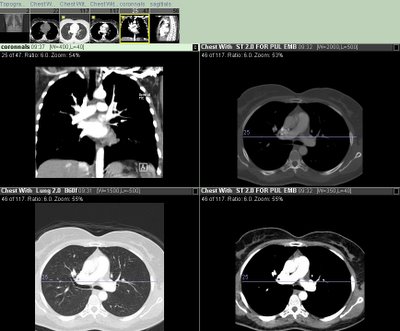
When I first saw the Impax 6.0 demo, way back in 2003, I had not had any time on the older 4.5/5.2 systems. In the end, the 6.0 viewer, while certainly improved, does show deep down its heritage. Case in point: the clone window. With the majority of new systems, you can drag a sequence to any frame/pane/viewport, and do so as many times as you want. Personally, I like to view my CT's with multiple windows. I view a chest CT, for example, with the same sequence displayed in triplicate, using lung, mediastinal and bone windows. The fourth port in a 2x2 display gets the scout or coronal reconstruction with cross-reference lines. Here is what that looks like (NOTE...this is a screenshot from Amicas LightBeam, NOT IMPAX!!!):

Agfa doesn't work this way. You can do something similar with their "clone window" concept, that does link the windows together (which it should since it is the very same data), but doesn't let you link them to a prior. This is a serious lack in my book, and this is exactly the way the older Impax platforms function. I am left with the nagging sensation that Viewer 6.0 is much closer to Viewer 4.1/4.5/5.2 than I would have guessed.

Our demo was choreographed by Bob, Agfa's Senior Marketing Manager, and he did a very good job, I might add. He made one statement that I keep replaying in my mind: "We worked with 12 doctors on this, and they agreed it was perfect!" I can't get any two of my partners to agree that the sky is blue, let alone anything of more substance. I will make a little side-wager that those 12 docs had used mainly Agfa PACS for a long time. We all tend to become a little inbred, and happier with the familiar. That would explain the "perfect" designation of a product that does things in somewhat similar manner to the old way. This is a path to stasis. There are a lot of new ways of doing things that are work very well, and it is important to seek opinions of those who use the "other guys'" stuff as well as your own loyal customers. Now don't feel like I'm picking on you, guys, I've told this to Amicas and GE and everybody else who will listen.

Impax 6.0 is without question a significant improvement over its predecessors. Will it really become my favorite PACS? Likely not, but I will give it a fair shot, I promise. We have yet to see whether or not it will get in my way.......
Sunday Morning Rants:
Sour Fuji Apples, and Meditech Blues

Fuji Apple Photo Courtesy of New York Apple Association
© New York Apple Association

It's easy to find an image for Fuji, but I had to search far and wide for something to go with Meditech. Here is a Russian blood pressure cuff, and I could stand to have my BP checked about now.

For over a year, I have complained to our powers-that-be about our Fuji CR. The images show poor contrast and cannot be adequately adjusted on my workstation. Many are just barely of diagnostic quality, and some don't even make the "barely" category.

As usual with this sort of thing, there is much finger-pointing. Fuji says their system works, but the Amicas PACS is the culprit. Amicas, of course, says just the opposite. Numerous posts on AuntMinnie.com indicate that there are settings within the CR that make it work better with Synapse; these have to be enabled (or disabled or whatever) for the CR to work with other vendors.

After a year of whining, I am fed-up, and I am really frightened by the possibility that I'm missing things due to the poor image quality. Therefore, I recently had a tantrum and declared that if this thing isn't fixed by the end of 2005, it's outta here. By that, I mean forklift removal and full refund. Enough is enough, guys. We have had much better luck with our Agfa CR over at the Agfa hospital. Could that be due to the fact that we have Agfa PACS over there? Could be, but they may get the chance to show how well their CR works with Amicas PACS in the near future. In the meantime, I would suggest that anyone considering the purchase of Fuji CR put that idea ON HOLD until I can tell you that our problem has been resolved.

Meditech gives me a different set of frustrations. The IT types at our Amicas/Meditech hospital decided in their infinate wisdom to purchase the Magic HIS/RIS instead of the client-server version. They felt the latter was not stable. Naturally, we were told about the purchase after all decisions were made; why would anyone want input from the people who will be using the product? (We actually do use the client-server flavor at a little suburban place, and it works just fine, thanks.) Magic is anything but. Basically, it is a port of their very old dumb-terminal software. Only the shortest reports can be seen on one (minature) screen, and it takes several key-strokes to view an entire report. Basically, sign-off time is tripled or quadrupled because of this antiquated approach. Trying to find an old report is an exercise in agony.

So, all I want for Christmas (or Hanukkah) is (to keep) my two front teeth, and to replace the Fuji CR and the Meditech Magic systems. Do I need to ask Santa for all this? At least I could get a candy-cane with that approach.

ADDENDUM: After having my tantrum to our imaging director this morning, I come to find that Fuji had already "fixed" the system last week. It seems that numerous settings were incorrect, including an interesting situation of the CR trying to send 14-bit data into an 8-bit PACS display. That's the good news. The bad news is that a very significant portion of the 200 or so studies I read over the weekend were still pretty awful. We would have tried to work on this more today, but it seems that Fuji won't let us have any of the manuals. Oh well.

NEW ADDENDUM, 12/21/05: Fuji has been slaving away on this problem, and the CR images are tremendously improved to the point that I can remove my "ban". I do have to admit that the prettiest images I have seen to date are from the combination of Agfa CR and GE Centricity PACS. See? I do give credit where credit is due...

Fuji still seems to harbor thoughts of blaming Amicas for the problems. I think that would be somewhat of a mistake. First, Amicas does not post-process the data, and secondly, we displayed a Fuji CR through an eFilm viewer, and it looked just as bad. Add this to the fact that Fuji was able to effect some improvement, and I must conclude that the problems lie with Fuji alone. Sorry, folks.

Saturday, December 03, 2005

Pictures At An Exhibition...

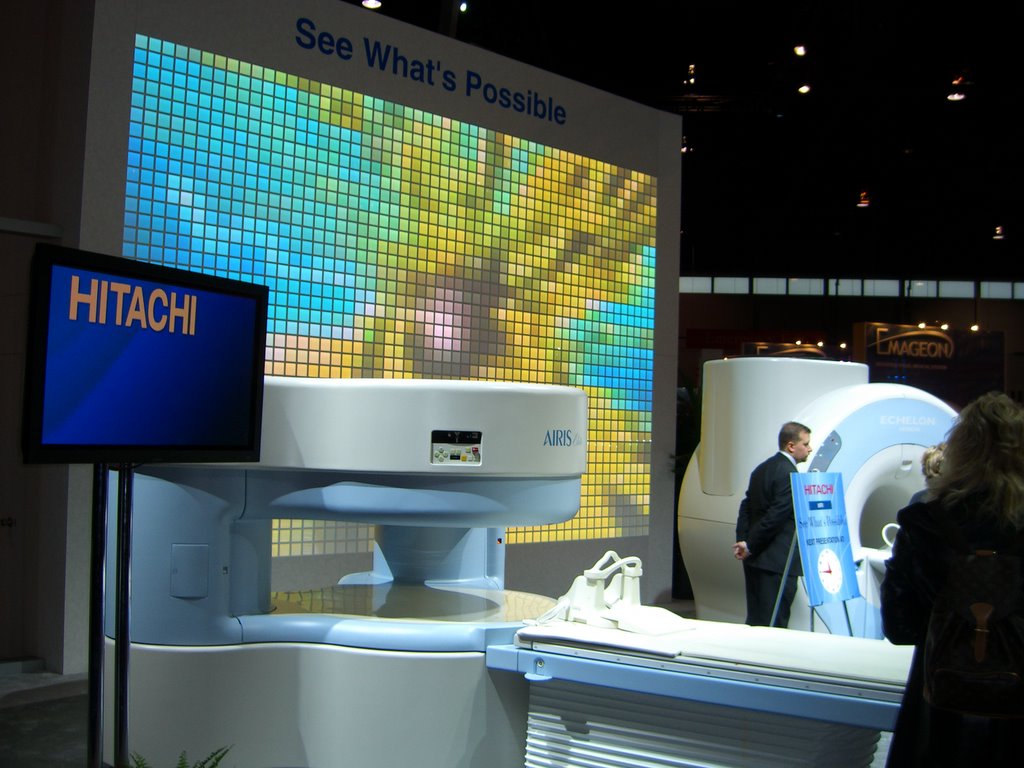
Here are a few of my photos from RSNA:


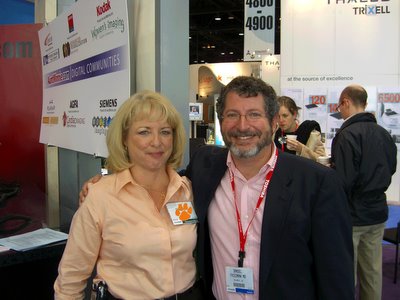
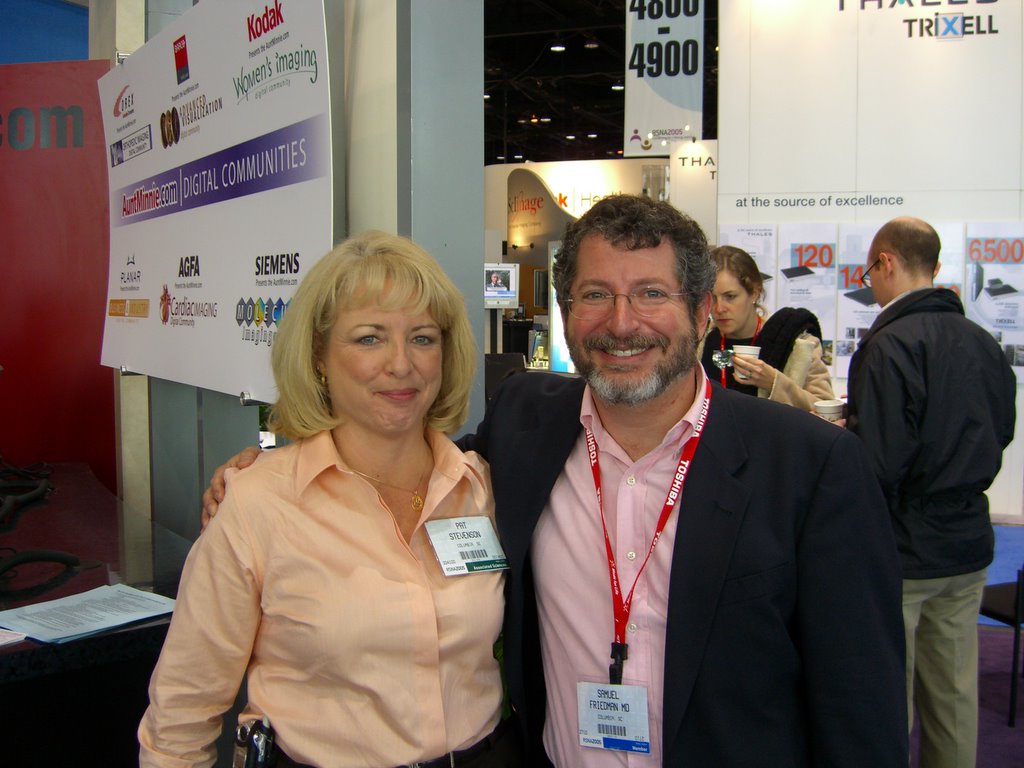
First, of course, we have the PACSMan, Mike Cannavo, and Dr. Dalai, together at the AuntMinnie.com booth. We were overwhelmed with visitors for our "Meet and Greet" session...at least three or four of our fans showed up, and fortunately none brought rotton vegetables. Maybe the close proximity to the ScImage booth (visible just to my left) drove the rest away.


MissPat, one of our PACS administrators did come by to lend moral support, for which I will be forever grateful.


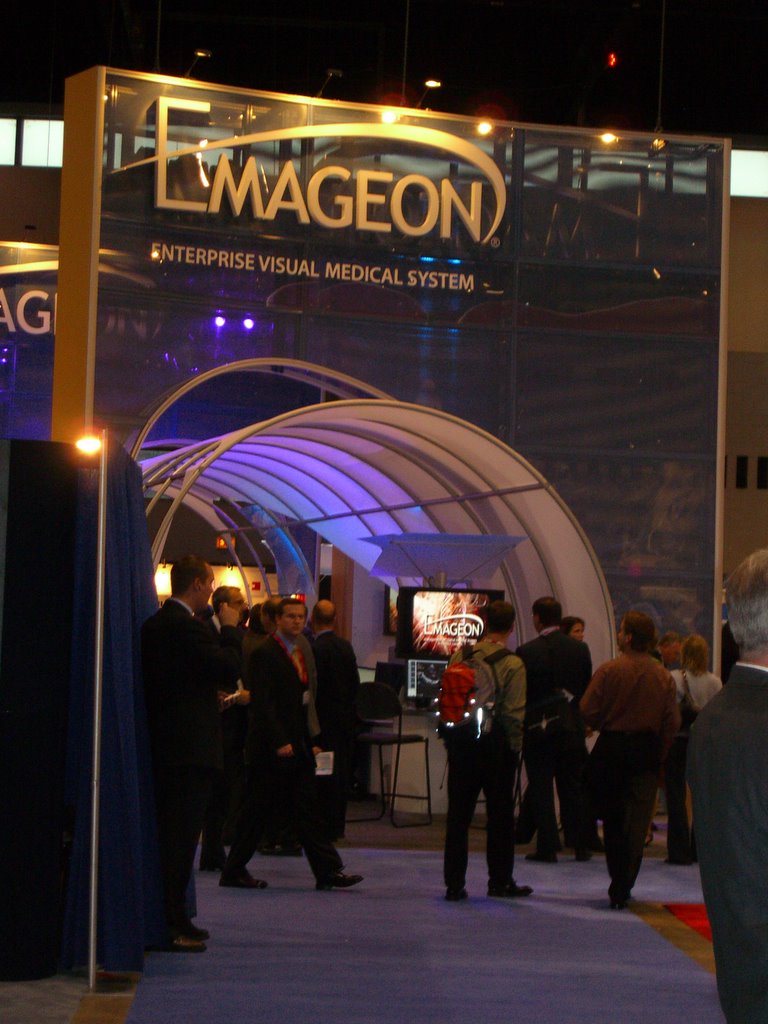
These are some of my favorite booths. I don't have enough blog space to show photos of the Siemens and GE displays, which were each something like a city-block in area...well, almost, anyway. Check out the Emageon "Tunnel of PACS Love".


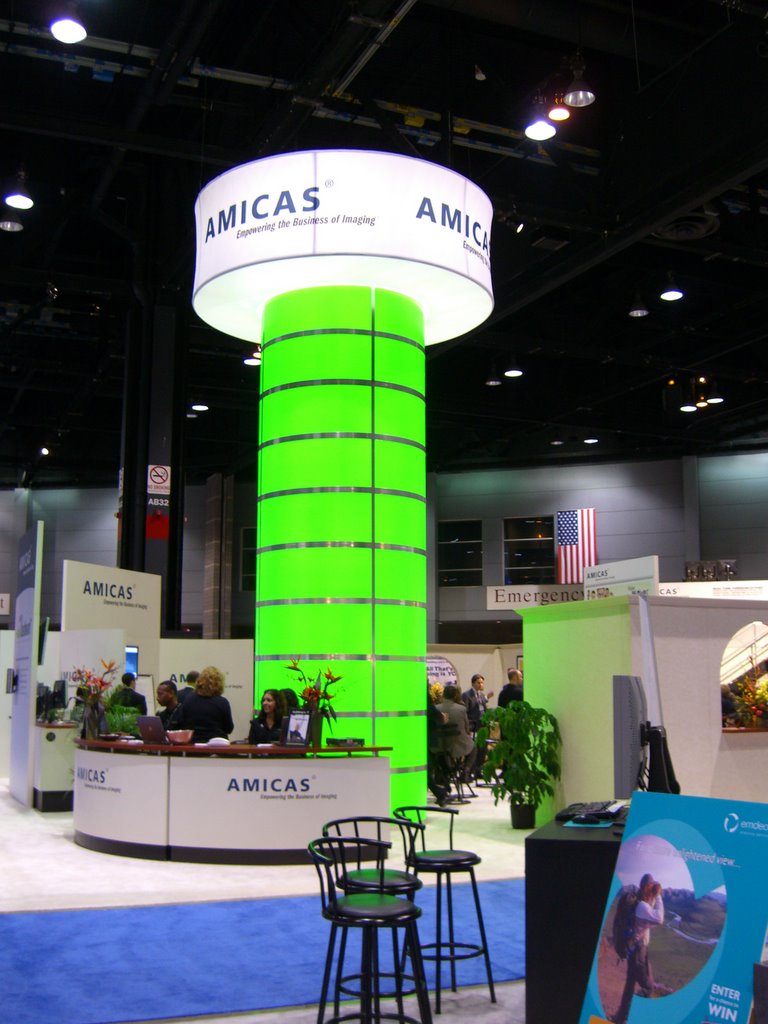
The Amicas booth was way in the back, and one needed this big green, um, symbol, to help find it.

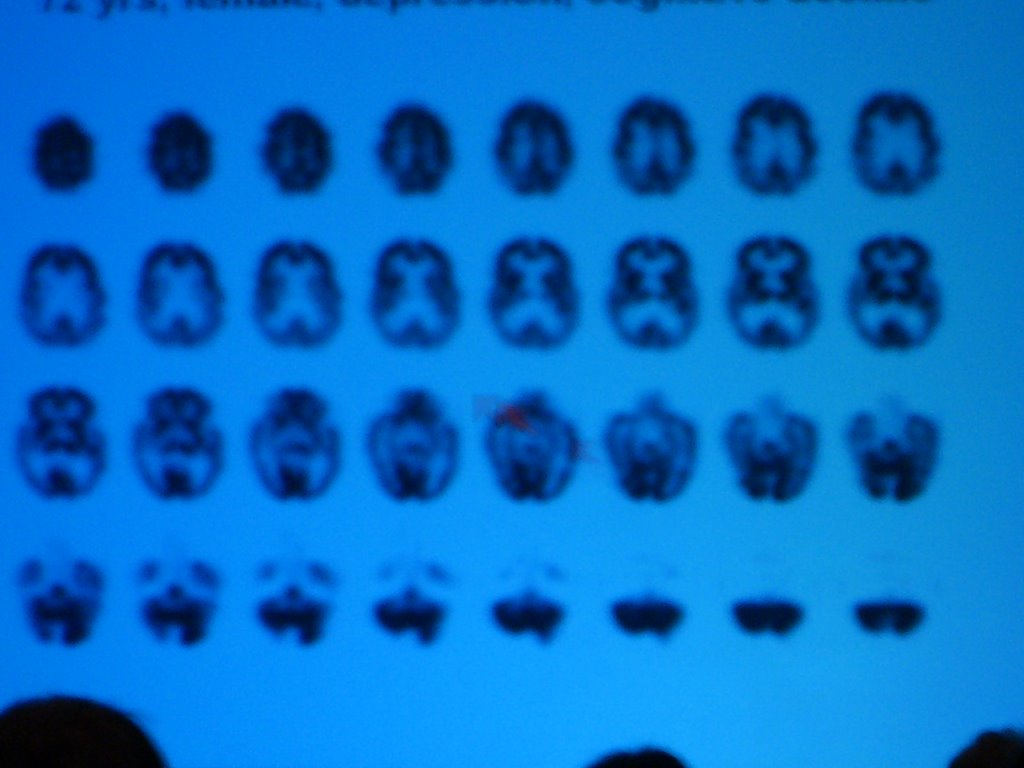
I liken RSNA to taking a drink from a firehose. There are at least 50 things going on at any one time that you would like to attend. I did make it to a few educational sessions, including one about PET and SPECT brain imaging. Below is a PET scan from a patient with Alzheimer's Disease, photographed from the back of the lecture hall (obviously). My brain probably looks like this about now:


One of the vendors told me what RSNA actually means:

Real Software Not Available


That actually was the case here and there, with various products and upgrades set for release sometime in the future. The majority of what I looked at was available now, or so I was told.
RSNA has just about reached critical mass to this small-town boy. There were lines and crowds everywhere. Thirty minute waits for cabs, trains, lunch, etc., were the norm. Fortunately, McCormick Place has a zillion bathrooms, so no lines there. One observation you won't see anywhere else: At least one in three or four cellphone users on the exhibit floor were using Palm Treo 650's. Personally, I prefer my PPC 6600, but to each his own.
There was a tremendous variety of PACS available on the exhibit floor, and I was only able to get an in-depth view of a few. I'll be reporting on these shortly, along with the Agfa Impax 6.0 addendum you've all been waiting for.....

Thursday, December 01, 2005

Impax 6.0: My New Favorite.....

....just kidding. Had you guys from Agfa going there, didn't I?

Seriously, I got in at 3AM this morning, thanks to Mesa Airlines, an illegitimate offspring of United, which cancelled my flight home after delaying it three hours. I will post much, much more on this and related topics from my RSNA visit. Stay tuned!

Wednesday, November 23, 2005

ITL Arrives Warped

Image Technology Laboratories has finally got its PACS system up and running at the imaging center we cover. It is only three or four months late. This is because the management did not like the workflow of the scheduling component and made ITL rewrite the whole module. We'll see how management feels about the fact that the Radiology workflow is totally out of whack.

The key to the WarpSpeed PACS is also the reason it will not be accepted by the rads. Instead of using the mouse and cursor that we have all grown to know and love since Apple sent the cute girl through Big Brother's image in 1984, WarpSpeed uses a touchplate with smaller images to control everything. The worst part of this is that you have to take your eyes off the image and look at the darn touchplate. Every ergonomic study done since the dawn of man says that you shouldn't have to take your eyes off what you are doing! But, ITL asked their one sponsoring radiologist in New York if this was OK, and he said it was, so the rest of the world be damned. Add to this the lack of usable tools and logical controls, and you have a system the rads aren't going to use. Bargains aren't bargains if they sit in a corner unused; they are very expensive doorstops.

Sorry, guys. I tried to explain this and more well before the thing even arrived, but the price spoke louder than I could.

Sunday, November 20, 2005

Tell Doctor Dalai Where To Go....

Ah, the temptation....

I will be at RSNA this year, and I would like to visit as many PACS vendors as possible. I have Agfa, Amicas, BRIT Systems, Dynamic Imaging, GE, and a few others on my list already. What else should I see?

Saturday, November 19, 2005

5000 Visitors!


Congratulations to visitor 5000, who comes to us from Cincinnati via fuse.net. And the beat goes on!

Thursday, November 17, 2005

Dalai's Back On Aunt Minnie!


My second article was just published on AuntMinnie.com. Click the picture to get there. It is an expanded version of the "LogMeIn to Napster PACS" entry below. At least the good people at AuntMinnie like what I write!

As per the tag line at the end of the article, Mike Cannavo and I will be available in person Monday afternoon at RSNA in the Aunt Minnie booth (4901) on Monday, November 28, anytime between 1 and 3 p.m. I'll be wearing a bullet-proof vest. Come by and say hello! We thought at first AuntMinnie.com would pop for T-shirts, but I don't think that will happen after all. I did hear that Agfa and ScImage were going to team up and make one just for me...with a very large target on the back.

Friday, November 11, 2005

Mercury Computer Systems Get SoHard......



I generally don't make this stuff up, folks. It seems that Mercury Computer Systems wanted to get deeper into the medical game, so they bought a German company called SoHard that makes a web-based PACS among other things. I can't even begin to deal with the possibilities here. Use your imagination. OK, just one....will their workstation be called Viagra?

Friday, November 04, 2005

I Have Seen The Future...


I have just returned from Amicas Headquarters, which by some strange coincidence is located in the New Balance Building in Cambridge. My favorite PACS, my favorite shoes. Must be karma.

I had the chance to meet a number of the great folks at Amicas, and I certainly hope they weren't too disappointed in the "Dalai Lama".

I was privileged to glimpse the next generation of Amicas PACS. I will say only this: I have seen the future. Come RSNA 2006, everything else will be obsolete. I am dead serious.

By the way, I do NOT own any Amicas stock. Have a nice day.

Sunday, October 16, 2005

Portable Patients? LogMeIn to Napster PACS

From Penner Patient Care (http://www.pennerpatientcare.com)


Of the thousand daily frustrations I experience as a radiologist, perhaps the most painful is that of the portable patient. You see, patients migrate from hospital to hospital, from clinic to clinic, from office to office. They may be in search of a second opinion, a specialist, the answer they want to hear, convenience, drugs, or some combination of the above. As often as not, they acquire a mountain of imaging studies along the way. When asked why they had a particular study at a particular site, the answer is invariably, "My doctor told me to have it there." Add to that the dependence on our ER's for emergent (or subemergent, or impatient care, as I like to call it), and the ER's love of imaging studies. Put it together and what have you got? No, Cinderella, not Bippity Boppity Boo (my daughter made us watch that tape about a thousand times, and it stuck), but rather a collection of the patient's imaging studies spread across a city or even a state.

Americans place a tremendous amount of trust in their physicians. I think it is well-deserved, for the most part. But I must editorialize for a moment. You are all aware of the huge number of imaging devices being placed in clinicians' offices. With declining revenues, the docs had to turn somewhere to keep their incomes steady, and imaging is nothing short of a cash cow. Now, every last one of these installations is placed solely for the benefit of the patients, or so I'm told. It is just so much more convenient for them to have their scan right there in the doctor's office, rather than trudge down the block to the cold, impersonal hospital where parking is at a premium and the waiting room smells funny. It should not be shocking to learn that utilization of imaging resources doubles, triples, or even quadruples if it is in the physician's office. This is simple human nature. Mrs. Jones has a pain. To scan her or not to scan her. Hmmmmm. To generate technical revenue or not to generate revenue. Well, OK, maybe the thought process isn't so blatant as that, and most likely every single scan on an individual basis is justified. Still, the statistics bear out that the coin in this case lands on "heads" significantly more often than "tails". Here is a quote from our literature:

As shown in this article, the empiric literature reveals that self-referral constitutes approximately 60-90% of nonhospital radiography and sonography and smaller percentages of imaging in other modalities and settings. Nonradiologists performing their own imaging are at least 1.7-7.7 times as likely to order imaging as non—self-referring physicians in the same specialty who see patients with the same problems. When self-referral consists of referral to an outside facility in which the referring physician has a financial interest, imaging is increased by as much as 54%, depending on the modality. Nonradiologists' interpretation of images is usually less accurate than that of radiologists; the practical significance of this difference in some instances is debated. Other important deficiencies, such as in image quality or patient safety, are up to 10 times as common among nonradiologists as among radiologists, although a very few specialties, particularly cardiology and orthopedics, have records approximating those of radiologists. The limited evidence available generally indicates that increased financial incentives, such as those in self-referral, lead to more imaging and that self-referral involves overutilization.

B. E. Kouri, R. G. Parsons, and H. R. Alpert. Physician Self-Referral for Diagnostic Imaging: Review of the Empiric Literature. Am. J. Roentgenol., October 1, 2002; 179(4): 843 - 850.

There is great debate amongst the radiological community about this sort of thing. We are really upset when clinicians install scanners in their offices and read the output themselves. Now, what about the situation of clinician-owned scanners feeding scans to radiology groups that contract to read them, or even participate in the scanner equity? Well, whatever your opinion about all of this, two factors are evident: First, the insurance companies, our sometime friends, are hemorrhaging money over this issue, and will likely be the ones to put a stop to anything smacking of self-referral. Second, it is here for the time being, so, add to the list of patient exams those performed in their physicians' offices.

Back to things technical. Mrs. Jones, our patient with abominable, I mean abdominal pain, has undergone the following imaging studies within the last week (and whilst this patient is fictional, the list is shorter than some in the real world):

  1. Abdominal and Pelvic CT, SestaMIBI myocardial perfusion scan, and Gastric Emptying Study at County General
  2. Barium Enema at Baptist Memorial
  3. Gallbladder Ultrasound done in the ER at East Methodist
  4. HIDA scan at University Hospital
  5. Repeat CT at her internist's office machine
  6. Corpora Cavernosagram inadvertently ordered by intern at University Hospital

Obviously, she didn't get #6. Still, this is quite a bit of imaging, not to mention radiation. I'll avoid the obvious controversy as to why Mrs. Jones had the repeat CT. Let's assume her pain got worse and her internist wanted to monitor her progress. To accomplish this, it is critical to have the old scan available to compare to the new. I deal with this scenario several times a day. The ideal situation would, of course, have the patient get all her studies at one location, which somehow never happens. Sometimes the patient brings old studies on a CD-ROM or even on (yucch) film. Others have studies on varying other PACS systems in town. At last count, we use the following systems which we may have to access for comparison studies:

  1. Agfa Impax 4.5 at our two largest hospitals
  2. Amicas LightBeam 4.0.0.255 at our two next largest hospitals
  3. GE Centricity 2.0 at an Oncology clinic we cover
  4. ScImage PicomOnline for remote reading of studies from a 64-channel CT at a Cardiology clinic
  5. GE Centricity Web 2.0 for comparisons at the Oncology clinic from the one hospital in town we don't cover
  6. MedView 5.0 from StorComm for remote viewing of musculoskeletal MRI from an Orthopedic clinic.
  7. Amicas LightBeam for importing imaging from various physician-owned scanners (MRI, CT, etc.) scattered around the state (work in progress...still need a guru!)

The Oncology clinic seems to be the nexus of this mess at the moment, and our viewing rooms there each have 7 monitors and three computers. Looks rather like the bridge of the Enterprise, but somehow my phasers won't blast the clinicians no matter how hard I squeeze the trigger. Comparing CTs slice by slice between the study on the monitors in front of me and those behind me is a real pain, and this is certainly a set-up for disaster. It would be a terrific advantage to be able to pull up the comparison within the PACS I am currently using to read today's study.

You see the problem. So, what to do? I propose a rather bold solution: a city-wide, a state-wide, or even a national PACS system. Before you fall off your chair laughing, keep in mind that even Cuba has a national PACS, IMAGIS. On a smaller scale, Austin Radiology had wired up their 9 hospitals and imaging centers together with one unified Fuji Synapse system as of a couple of years ago. (Their web-page mentions 14 sites today.) They specified that studies had to arrive at point B from point A within 3 seconds, and at that point they were paying quite dearly for the communication network to accomplish this. But the important thing to remember is that they did indeed network the town together.

I proposed this radical idea of a city-wide PACS to the powers-that-be, and was told, "You can't expect us to work with that other hospital that's suing us..." referring to the acrimony generated by a competing hospital's challenge of a certificate of need. Petty politics scuttled a potential savings of several million dollars, and compromised patient care. This sort of stuff has to be overcome somehow. All I can do is to point out the economy of scale, that a big PACS might be cheaper than two smaller PACS, and more importantly, that mobile patients need to have their imaging studies equally transportable.

I've been dealing on a small scale with the problem of networking widespread scanners and disparate PACS systems. I am not well versed in DICOM, and I could probably express myself better in this venue if I studied this more. (Someday, I would like to have even a tenth of the respect DICOM guru David Clunie enjoys in this field.) My simplistic view of connectivity is that you have to establish some sort of TCP/IP connection, usually via VPN, and you must know the AE titles, ports, and IP addresses of the origin and destination systems. I find myself trying to remember IP addresses from a dozen sites, and if I'm off by one digit, we accidentally send Mrs. Jones' scan to the ChiComms or someone equally distasteful. There has to be a better way.

I've been looking for ideas for another AuntMinnie article, and my friend Mark (I know at least three Mark's in the PACS business, by the way, but this Mark knows who he is...) suggested the intriguing idea of "Napster PACS": Let the network figure out who is where and what is what, like the old Napster peer-to-peer network. This is the better way. But, we have more security issues than Napster ever did due to patient confidentiality and HIPAA. But here's the solution to that: an automatically-tunneling network on the order of LogMeIn.com. In their white paper, the LogMeIn.com approach is compared to a more standard VPN. Since LogMeIn folks wrote it, they win, but look over their arguments and you will agree. Basically, with proper ID and password authorization, you can tunnel into another computer. I've been using their system to maintain all the computers under my domain (about 20 or so), and it works like a charm for remote control, file transfer,maintenance, and the like.

Now, I assume this approch would require at least minor, and possibly major revisions to the way we do things, possibly some surgery to DICOM itself. But in my simplistic world, wouldn't it be nice to "LogMeIn" at the remote site, scanner, etc., and have the receiving PACS system instantly recognize you as a friendly source of data?

The final piece of the puzzle requires matching patients. Is today's Mrs. Jones at the Oncology clinic the same Mrs. Jones that was scanned at University Hospital last month? There are a number of ways to figure this out, but sooner or later we are going to have to have some sort of universal identifier for all of us. The Social Security number is probably the best bet for this, although we have to deal with the situation of multiple people using the same number, something that happens a lot, I'm told, among immigrants whose legal status in this country is questionable. Perhaps we could append the patient's initials and/or date of birth onto the SSN ('Social as it's called here in the South) to individualize it further.

I think this idea has the potential to markedly simplify the way we connect, and to solve the problem of the portable patient. I await the bashing of the experts.

The Nuclear Family


Personalized license plates are relatively cheap here in South Carolina (which is where I live if you didn't already know), and I've taken advantage over the years. I guess the next series will include "PACS" and "DALAI".

Saturday, October 08, 2005

http://www.doctordalai.com

Yes, I finally followed the lead of Mr. HisTalk and purchased my very own domain name, www.doctordalai.com. I guess that puts me on the map, huh? However, it's rather the same situation as we saw many years ago when ESSO became EXXON: New name, same old gas. The blog remains hosted with Blogger.com at the same old place, but I just had to join the dot com revolution. Better late than never. But the best part is that my good friend and colleague (whom we shall refer to as Dr. X, although Dr. Z might be more appropriate) will no longer have to run a Google search to find me. I did it for you, pal!

Wednesday, October 05, 2005

Garbage In, Garbage Out


(Image by Tim Jensen as seen on http://www.dpchallenge.com)

The "C" in PACS stands for "Communications", and that doesn't just mean bandying the "Pictures" in the "Archive System" back and forth. For the radiologist, the picture is worth a thousand words, and on a Medicare patient, at least ten cents.

I realize this discussion will border on RIS/PACS integration, and that is not really where I want to go with it. I'm going to concentrate on two narrow areas, getting documents into the system so I can see them associated with the images, and getting my preliminary report out to the clinician that ordered the study.

Document scanning has been around a while. I was first introduced to the concept in 1990 when I went to visit a little company in Birmingham that had the idea to use a scanner to digitize paper and store the images. I don't know what became of that particular company, but the concept sure caught on nicely. Today, in the PACS world, a company called PacsGear sells PacsSCAN software that lets you scan in a document and transfer it to the patient's study as an additional sequence of the exam. This seems to be the most popular method of accomplishing this task. There are some other software packages, and even Merge has a module to do this, eFilm Scan, which does about the same thing. It would be nice to have this functionality built in to a reading station, or at least a QA station, but the only system I know of that does this is the MedView client from StorComm, and I think I've made my feelings about that thing pretty clear elsewhere. PacsGear also has a similar program to "print" into a DICOM study, which might allow placement of a graph or a JPEG image of some sort. Until we reach the Nirvana of a completely paperless hospital (excluding the bathrooms, I would think), paper history sheets and the like will still be around, and we need this sort of solution to at the very least stem the flow of paper to my desk. Hey, it's a start!

The most brilliant radiologist in the world (obviously not me) is worthless if his or her interpretations don't get where they are needed in a timely manner. There are many solutions to this little problem, some of which are actually practical:
  1. Call the result to the ordering clinician. They love it when I do this, but you just can't call each and every case and still have time to read the day's stack/pile/worklist.
  2. Yell it out to your secretary/aide/resource person so they can call it in for you.
  3. Dictate it and press some sort of priority key which, in theory, is connected to a buzzer or electroshock equipment somewhere in the vicinity of your transcriptionists to alert them to drop everything and transcribe your study first. They are then to fax it or read it over to the phone to the illustrious ordering physician, or at least to one of his/her minions.
  4. Dictate into a voice-recognition system, edit the report, autofax it to said illustrious clinician.
  5. Type a brief preliminary report into the appropriate field in the PACS system; the clinician knows to look here as soon as the exam is toggled as "read".

Of all these wonderful options, I like the one where I yell at my helper, but good helpers are hard to find these days, especially if you yell at them constantly. From various threads on the VR topic, I am firmly convinced that it is not ready for prime time, and has the potential for administrative abuse in replacing transcriptionists with radiologists who are forced to do all the editing themselves. Sorry, I have enough going on during the day that I don't need yet another job-title. I suppose the absolute ideal would be a transcription pool so vast, fast, and accurate that the minute I press "end", the report is en route to its destination. All that takes is a tremendous amount of money, right? No problem. Oh well, it looks like Option 5 seems to be the best compromise, at least for stat call reports to the ER and to others similarly equipped with PACS viewers.

This should be a simple task, but alas, it isn't as easy as it looks. The big question is where do you put this "comment window", and how do you signal the docs that there is something to be read? Rather than give you the blow-by-blow (or the yawn-by-yawn) of which company does what, let me create the image in your mind of the perfect woman, oops, I mean perfect comment system...had you going there, yes? Personally, I'm a one-stop shopper. Give me the Mall of America with a zillion stores under one roof rather than Michigan Avenue where I have to walk outside in Chicago weather, which ain't pretty around RSNA time. I want a complete, combined demographic and comment window, with a field for me to type in my own, well, comments. There should be a flag on the worklist to show if there are comments from the technologists and/or the radiologist. If your worklist doesn't take up the entire screen, it would be nice for this window to live below the worklist, and be populated with the proper information for the active study. Otherwise, it could be a floating window that appears when you click the study for display. Simple enough, yes? OK, someone go program this and let me know when its done. I'm going to go yell at my helpers.

Addendum...
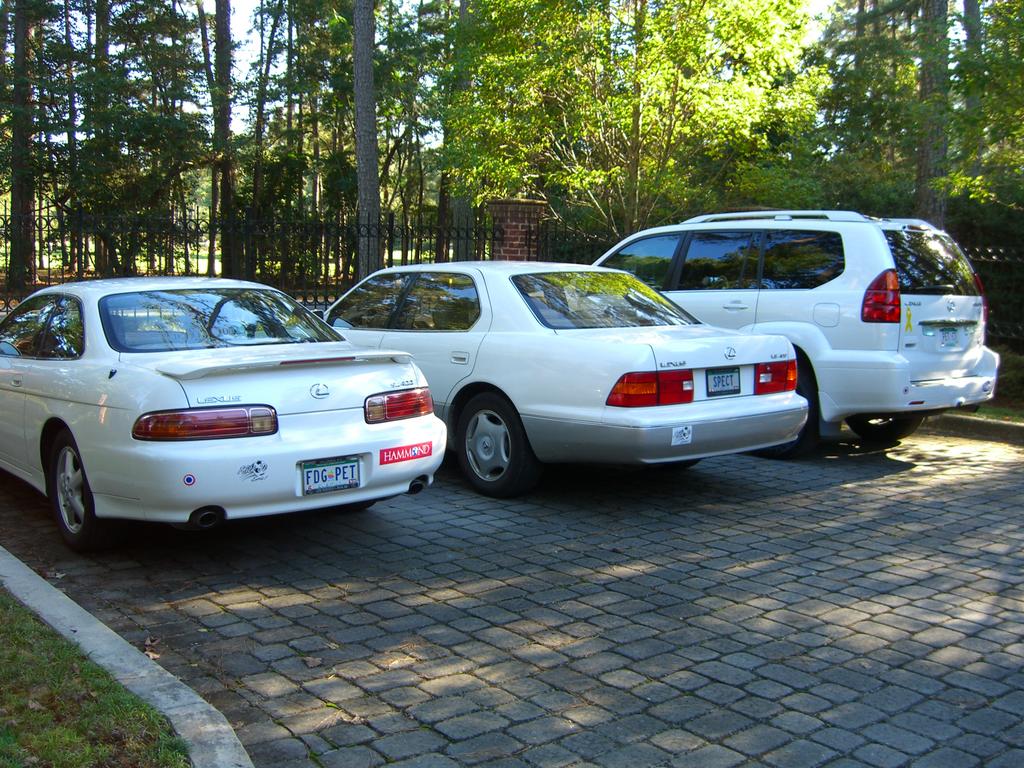
I think I need to flesh this out just a little more. We are having a bit of a discussion with Amicas about whether or not this Super Duper Whiz Bang Master Comment, Demographic, and Preliminary Report window should pop up all by itself or not. My PACS admin thinks it should, but frankly, I really am not all that concerned. I like to have the option to do it myself. The auto-pop-up thing acts too much like a pop-up ad for my taste, plus it usually ends up covering something I want to see anyway. I would just as soon click a button to get it. BUT, I would like to see a flag on the worklist to show if there is a technologist or a radiologist comment to be viewed.
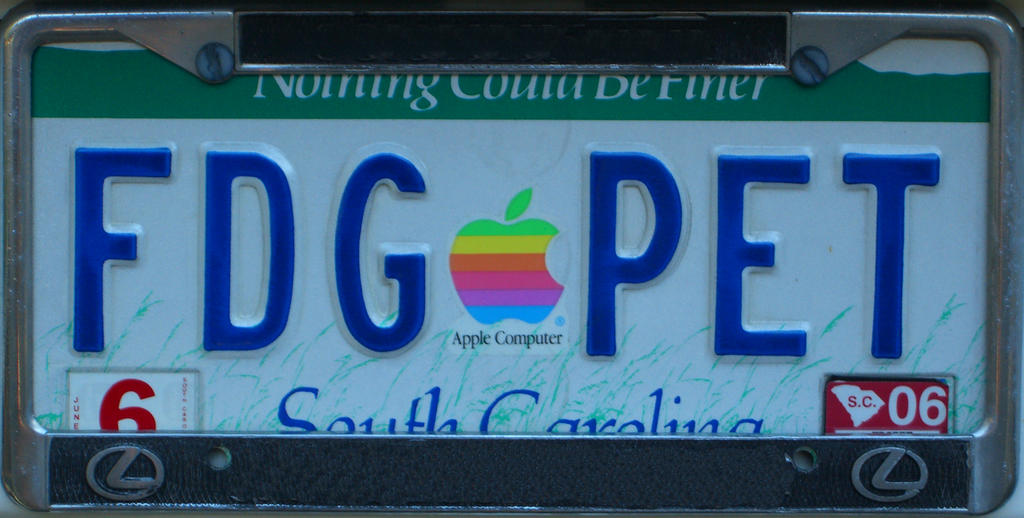
Agfa has a potentially useful addition to its comment field: precanned preliminaries. This saves you from typing the same thing 5,000 times a day. It's a good idea, but their implementation is typically harder to use than it has to be. (Are you listening, Waterloo?) You click in the comment window which spawns a second comment window which in turn has three panes (as in window panes). The top pane has the precanned report selection, the middle is a free-form area to write your own, and the bottom shows the conglomerate of your selections. The odd thing is, you can type directly into the bottom, final pane, so why the middle one? I must be missing something. When finished, you must click Save, which places your beautiful prose back into its proper field in the information window. Ducky. Why can't we just type straight into that area, huh? Doesn't allow for precans you say? Well, how about making the precans available by via right-clicking in the field? I like it, although if you have too many precans you might end up with a famous case of Dalai's Right-Click-O-Rrhea. It's worth the risk in my opinion. All systems need to autostamp with ID, time, and date, and that has to be permanent. No fair going back and changing all of your partner's preliminaries to "normal" or "31 week gestation". OK, guys and gals...get programming!