Image Technology Laboratories has finally got its PACS system up and running at the imaging center we cover. It is only three or four months late. This is because the management did not like the workflow of the scheduling component and made ITL rewrite the whole module. We'll see how management feels about the fact that the Radiology workflow is totally out of whack.
The key to the WarpSpeed PACS is also the reason it will not be accepted by the rads. Instead of using the mouse and cursor that we have all grown to know and love since Apple sent the cute girl through Big Brother's image in 1984, WarpSpeed uses a touchplate with smaller images to control everything. The worst part of this is that you have to take your eyes off the image and look at the darn touchplate. Every ergonomic study done since the dawn of man says that you shouldn't have to take your eyes off what you are doing! But, ITL asked their one sponsoring radiologist in New York if this was OK, and he said it was, so the rest of the world be damned. Add to this the lack of usable tools and logical controls, and you have a system the rads aren't going to use. Bargains aren't bargains if they sit in a corner unused; they are very expensive doorstops.
Sorry, guys. I tried to explain this and more well before the thing even arrived, but the price spoke louder than I could.
Wednesday, November 23, 2005


Sunday, November 20, 2005
Tell Doctor Dalai Where To Go....
Ah, the temptation....
I will be at RSNA this year, and I would like to visit as many PACS vendors as possible. I have Agfa, Amicas, BRIT Systems, Dynamic Imaging, GE, and a few others on my list already. What else should I see?
I will be at RSNA this year, and I would like to visit as many PACS vendors as possible. I have Agfa, Amicas, BRIT Systems, Dynamic Imaging, GE, and a few others on my list already. What else should I see?
Saturday, November 19, 2005
5000 Visitors!

Congratulations to visitor 5000, who comes to us from Cincinnati via fuse.net. And the beat goes on!
Thursday, November 17, 2005
Dalai's Back On Aunt Minnie!

My second article was just published on AuntMinnie.com. Click the picture to get there. It is an expanded version of the "LogMeIn to Napster PACS" entry below. At least the good people at AuntMinnie like what I write!
As per the tag line at the end of the article, Mike Cannavo and I will be available in person Monday afternoon at RSNA in the Aunt Minnie booth (4901) on Monday, November 28, anytime between 1 and 3 p.m. I'll be wearing a bullet-proof vest. Come by and say hello! We thought at first AuntMinnie.com would pop for T-shirts, but I don't think that will happen after all. I did hear that Agfa and ScImage were going to team up and make one just for me...with a very large target on the back.
Friday, November 11, 2005
Mercury Computer Systems Get SoHard......


I generally don't make this stuff up, folks. It seems that Mercury Computer Systems wanted to get deeper into the medical game, so they bought a German company called SoHard that makes a web-based PACS among other things. I can't even begin to deal with the possibilities here. Use your imagination. OK, just one....will their workstation be called Viagra?
Friday, November 04, 2005
I Have Seen The Future...

I have just returned from Amicas Headquarters, which by some strange coincidence is located in the New Balance Building in Cambridge. My favorite PACS, my favorite shoes. Must be karma.
I had the chance to meet a number of the great folks at Amicas, and I certainly hope they weren't too disappointed in the "Dalai Lama".
I was privileged to glimpse the next generation of Amicas PACS. I will say only this: I have seen the future. Come RSNA 2006, everything else will be obsolete. I am dead serious.
By the way, I do NOT own any Amicas stock. Have a nice day.
Sunday, October 16, 2005
Portable Patients? LogMeIn to Napster PACS


Of the thousand daily frustrations I experience as a radiologist, perhaps the most painful is that of the portable patient. You see, patients migrate from hospital to hospital, from clinic to clinic, from office to office. They may be in search of a second opinion, a specialist, the answer they want to hear, convenience, drugs, or some combination of the above. As often as not, they acquire a mountain of imaging studies along the way. When asked why they had a particular study at a particular site, the answer is invariably, "My doctor told me to have it there." Add to that the dependence on our ER's for emergent (or subemergent, or impatient care, as I like to call it), and the ER's love of imaging studies. Put it together and what have you got? No, Cinderella, not Bippity Boppity Boo (my daughter made us watch that tape about a thousand times, and it stuck), but rather a collection of the patient's imaging studies spread across a city or even a state.
Americans place a tremendous amount of trust in their physicians. I think it is well-deserved, for the most part. But I must editorialize for a moment. You are all aware of the huge number of imaging devices being placed in clinicians' offices. With declining revenues, the docs had to turn somewhere to keep their incomes steady, and imaging is nothing short of a cash cow. Now, every last one of these installations is placed solely for the benefit of the patients, or so I'm told. It is just so much more convenient for them to have their scan right there in the doctor's office, rather than trudge down the block to the cold, impersonal hospital where parking is at a premium and the waiting room smells funny. It should not be shocking to learn that utilization of imaging resources doubles, triples, or even quadruples if it is in the physician's office. This is simple human nature. Mrs. Jones has a pain. To scan her or not to scan her. Hmmmmm. To generate technical revenue or not to generate revenue. Well, OK, maybe the thought process isn't so blatant as that, and most likely every single scan on an individual basis is justified. Still, the statistics bear out that the coin in this case lands on "heads" significantly more often than "tails". Here is a quote from our literature:
As shown in this article, the empiric literature reveals that self-referral constitutes approximately 60-90% of nonhospital radiography and sonography and smaller percentages of imaging in other modalities and settings. Nonradiologists performing their own imaging are at least 1.7-7.7 times as likely to order imaging as non—self-referring physicians in the same specialty who see patients with the same problems. When self-referral consists of referral to an outside facility in which the referring physician has a financial interest, imaging is increased by as much as 54%, depending on the modality. Nonradiologists' interpretation of images is usually less accurate than that of radiologists; the practical significance of this difference in some instances is debated. Other important deficiencies, such as in image quality or patient safety, are up to 10 times as common among nonradiologists as among radiologists, although a very few specialties, particularly cardiology and orthopedics, have records approximating those of radiologists. The limited evidence available generally indicates that increased financial incentives, such as those in self-referral, lead to more imaging and that self-referral involves overutilization.
B. E. Kouri, R. G. Parsons, and H. R. Alpert. Physician Self-Referral for Diagnostic Imaging: Review of the Empiric Literature. Am. J. Roentgenol., October 1, 2002; 179(4): 843 - 850.
There is great debate amongst the radiological community about this sort of thing. We are really upset when clinicians install scanners in their offices and read the output themselves. Now, what about the situation of clinician-owned scanners feeding scans to radiology groups that contract to read them, or even participate in the scanner equity? Well, whatever your opinion about all of this, two factors are evident: First, the insurance companies, our sometime friends, are hemorrhaging money over this issue, and will likely be the ones to put a stop to anything smacking of self-referral. Second, it is here for the time being, so, add to the list of patient exams those performed in their physicians' offices.
Back to things technical. Mrs. Jones, our patient with abominable, I mean abdominal pain, has undergone the following imaging studies within the last week (and whilst this patient is fictional, the list is shorter than some in the real world):
- Abdominal and Pelvic CT, SestaMIBI myocardial perfusion scan, and Gastric Emptying Study at County General
- Barium Enema at Baptist Memorial
- Gallbladder Ultrasound done in the ER at East Methodist
- HIDA scan at University Hospital
- Repeat CT at her internist's office machine
- Corpora Cavernosagram inadvertently ordered by intern at University Hospital
Obviously, she didn't get #6. Still, this is quite a bit of imaging, not to mention radiation. I'll avoid the obvious controversy as to why Mrs. Jones had the repeat CT. Let's assume her pain got worse and her internist wanted to monitor her progress. To accomplish this, it is critical to have the old scan available to compare to the new. I deal with this scenario several times a day. The ideal situation would, of course, have the patient get all her studies at one location, which somehow never happens. Sometimes the patient brings old studies on a CD-ROM or even on (yucch) film. Others have studies on varying other PACS systems in town. At last count, we use the following systems which we may have to access for comparison studies:
- Agfa Impax 4.5 at our two largest hospitals
- Amicas LightBeam 4.0.0.255 at our two next largest hospitals
- GE Centricity 2.0 at an Oncology clinic we cover
- ScImage PicomOnline for remote reading of studies from a 64-channel CT at a Cardiology clinic
- GE Centricity Web 2.0 for comparisons at the Oncology clinic from the one hospital in town we don't cover
- MedView 5.0 from StorComm for remote viewing of musculoskeletal MRI from an Orthopedic clinic.
- Amicas LightBeam for importing imaging from various physician-owned scanners (MRI, CT, etc.) scattered around the state (work in progress...still need a guru!)
The Oncology clinic seems to be the nexus of this mess at the moment, and our viewing rooms there each have 7 monitors and three computers. Looks rather like the bridge of the Enterprise, but somehow my phasers won't blast the clinicians no matter how hard I squeeze the trigger. Comparing CTs slice by slice between the study on the monitors in front of me and those behind me is a real pain, and this is certainly a set-up for disaster. It would be a terrific advantage to be able to pull up the comparison within the PACS I am currently using to read today's study.
You see the problem. So, what to do? I propose a rather bold solution: a city-wide, a state-wide, or even a national PACS system. Before you fall off your chair laughing, keep in mind that even Cuba has a national PACS, IMAGIS. On a smaller scale, Austin Radiology had wired up their 9 hospitals and imaging centers together with one unified Fuji Synapse system as of a couple of years ago. (Their web-page mentions 14 sites today.) They specified that studies had to arrive at point B from point A within 3 seconds, and at that point they were paying quite dearly for the communication network to accomplish this. But the important thing to remember is that they did indeed network the town together.
I proposed this radical idea of a city-wide PACS to the powers-that-be, and was told, "You can't expect us to work with that other hospital that's suing us..." referring to the acrimony generated by a competing hospital's challenge of a certificate of need. Petty politics scuttled a potential savings of several million dollars, and compromised patient care. This sort of stuff has to be overcome somehow. All I can do is to point out the economy of scale, that a big PACS might be cheaper than two smaller PACS, and more importantly, that mobile patients need to have their imaging studies equally transportable.
I've been dealing on a small scale with the problem of networking widespread scanners and disparate PACS systems. I am not well versed in DICOM, and I could probably express myself better in this venue if I studied this more. (Someday, I would like to have even a tenth of the respect DICOM guru David Clunie enjoys in this field.) My simplistic view of connectivity is that you have to establish some sort of TCP/IP connection, usually via VPN, and you must know the AE titles, ports, and IP addresses of the origin and destination systems. I find myself trying to remember IP addresses from a dozen sites, and if I'm off by one digit, we accidentally send Mrs. Jones' scan to the ChiComms or someone equally distasteful. There has to be a better way.
I've been looking for ideas for another AuntMinnie article, and my friend Mark (I know at least three Mark's in the PACS business, by the way, but this Mark knows who he is...) suggested the intriguing idea of "Napster PACS": Let the network figure out who is where and what is what, like the old Napster peer-to-peer network. This is the better way. But, we have more security issues than Napster ever did due to patient confidentiality and HIPAA. But here's the solution to that: an automatically-tunneling network on the order of LogMeIn.com. In their white paper, the LogMeIn.com approach is compared to a more standard VPN. Since LogMeIn folks wrote it, they win, but look over their arguments and you will agree. Basically, with proper ID and password authorization, you can tunnel into another computer. I've been using their system to maintain all the computers under my domain (about 20 or so), and it works like a charm for remote control, file transfer,maintenance, and the like.
Now, I assume this approch would require at least minor, and possibly major revisions to the way we do things, possibly some surgery to DICOM itself. But in my simplistic world, wouldn't it be nice to "LogMeIn" at the remote site, scanner, etc., and have the receiving PACS system instantly recognize you as a friendly source of data?
The final piece of the puzzle requires matching patients. Is today's Mrs. Jones at the Oncology clinic the same Mrs. Jones that was scanned at University Hospital last month? There are a number of ways to figure this out, but sooner or later we are going to have to have some sort of universal identifier for all of us. The Social Security number is probably the best bet for this, although we have to deal with the situation of multiple people using the same number, something that happens a lot, I'm told, among immigrants whose legal status in this country is questionable. Perhaps we could append the patient's initials and/or date of birth onto the SSN ('Social as it's called here in the South) to individualize it further.
I think this idea has the potential to markedly simplify the way we connect, and to solve the problem of the portable patient. I await the bashing of the experts.
The Nuclear Family
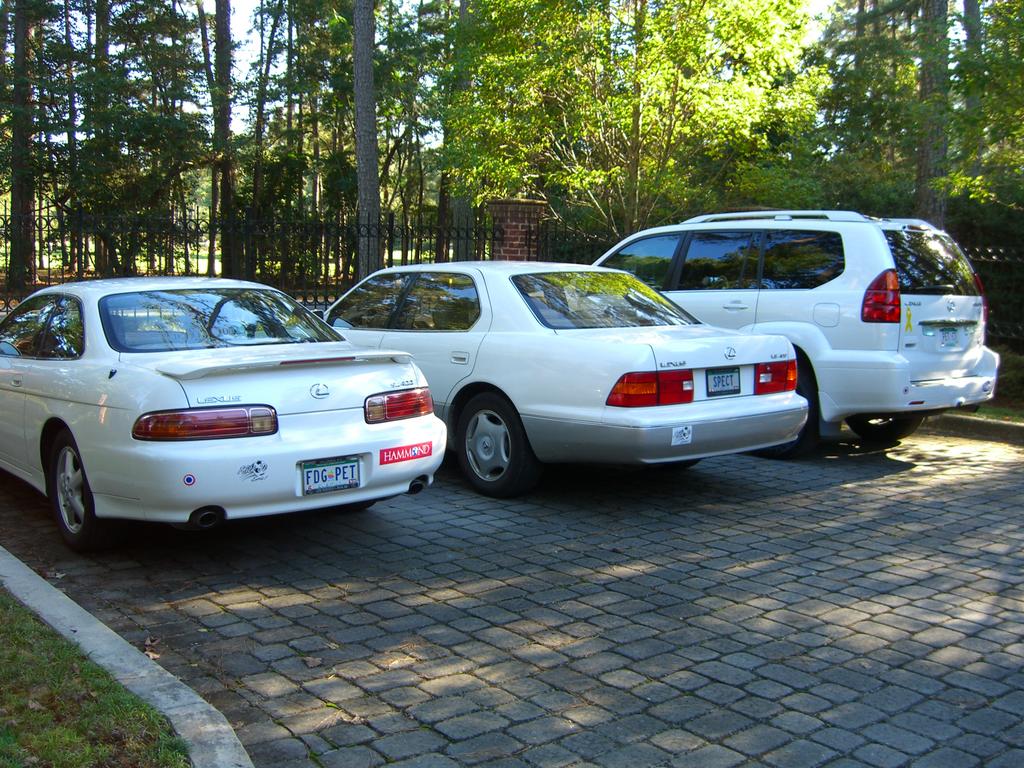
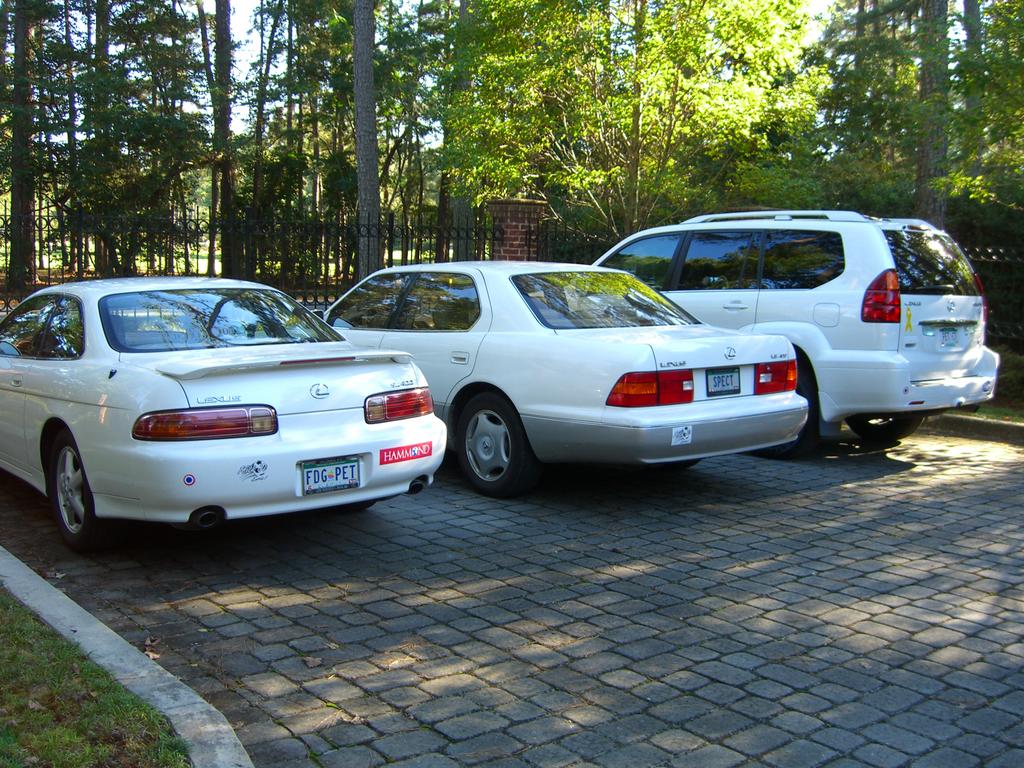
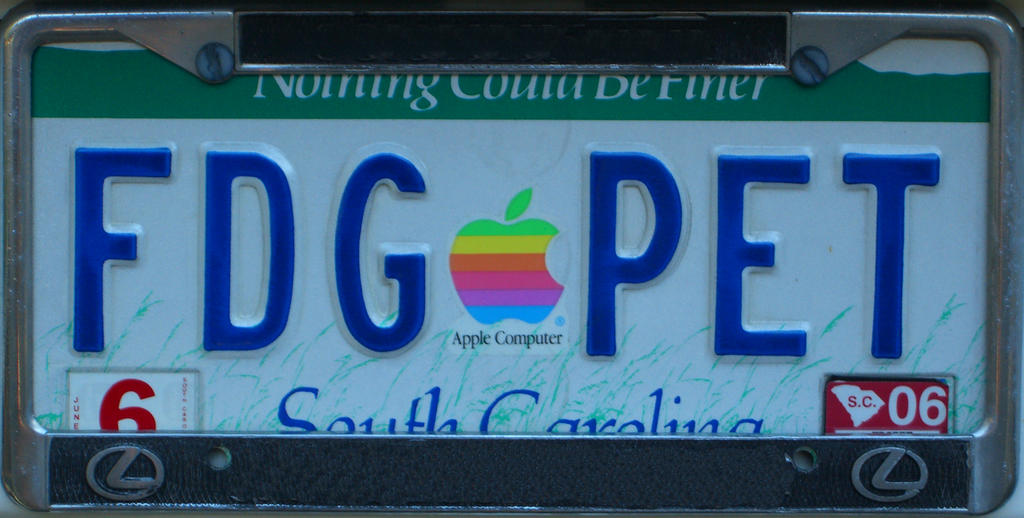


Personalized license plates are relatively cheap here in South Carolina (which is where I live if you didn't already know), and I've taken advantage over the years. I guess the next series will include "PACS" and "DALAI".
Saturday, October 08, 2005
http://www.doctordalai.com
Yes, I finally followed the lead of Mr. HisTalk and purchased my very own domain name, www.doctordalai.com. I guess that puts me on the map, huh? However, it's rather the same situation as we saw many years ago when ESSO became EXXON: New name, same old gas. The blog remains hosted with Blogger.com at the same old place, but I just had to join the dot com revolution. Better late than never. But the best part is that my good friend and colleague (whom we shall refer to as Dr. X, although Dr. Z might be more appropriate) will no longer have to run a Google search to find me. I did it for you, pal!
Wednesday, October 05, 2005
Garbage In, Garbage Out
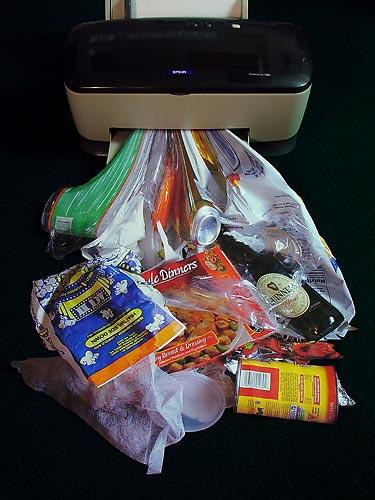
The "C" in PACS stands for "Communications", and that doesn't just mean bandying the "Pictures" in the "Archive System" back and forth. For the radiologist, the picture is worth a thousand words, and on a Medicare patient, at least ten cents.
I realize this discussion will border on RIS/PACS integration, and that is not really where I want to go with it. I'm going to concentrate on two narrow areas, getting documents into the system so I can see them associated with the images, and getting my preliminary report out to the clinician that ordered the study.
Document scanning has been around a while. I was first introduced to the concept in 1990 when I went to visit a little company in Birmingham that had the idea to use a scanner to digitize paper and store the images. I don't know what became of that particular company, but the concept sure caught on nicely. Today, in the PACS world, a company called PacsGear sells PacsSCAN software that lets you scan in a document and transfer it to the patient's study as an additional sequence of the exam. This seems to be the most popular method of accomplishing this task. There are some other software packages, and even Merge has a module to do this, eFilm Scan, which does about the same thing. It would be nice to have this functionality built in to a reading station, or at least a QA station, but the only system I know of that does this is the MedView client from StorComm, and I think I've made my feelings about that thing pretty clear elsewhere. PacsGear also has a similar program to "print" into a DICOM study, which might allow placement of a graph or a JPEG image of some sort. Until we reach the Nirvana of a completely paperless hospital (excluding the bathrooms, I would think), paper history sheets and the like will still be around, and we need this sort of solution to at the very least stem the flow of paper to my desk. Hey, it's a start!
The most brilliant radiologist in the world (obviously not me) is worthless if his or her interpretations don't get where they are needed in a timely manner. There are many solutions to this little problem, some of which are actually practical:
- Call the result to the ordering clinician. They love it when I do this, but you just can't call each and every case and still have time to read the day's stack/pile/worklist.
- Yell it out to your secretary/aide/resource person so they can call it in for you.
- Dictate it and press some sort of priority key which, in theory, is connected to a buzzer or electroshock equipment somewhere in the vicinity of your transcriptionists to alert them to drop everything and transcribe your study first. They are then to fax it or read it over to the phone to the illustrious ordering physician, or at least to one of his/her minions.
- Dictate into a voice-recognition system, edit the report, autofax it to said illustrious clinician.
- Type a brief preliminary report into the appropriate field in the PACS system; the clinician knows to look here as soon as the exam is toggled as "read".
Of all these wonderful options, I like the one where I yell at my helper, but good helpers are hard to find these days, especially if you yell at them constantly. From various threads on the VR topic, I am firmly convinced that it is not ready for prime time, and has the potential for administrative abuse in replacing transcriptionists with radiologists who are forced to do all the editing themselves. Sorry, I have enough going on during the day that I don't need yet another job-title. I suppose the absolute ideal would be a transcription pool so vast, fast, and accurate that the minute I press "end", the report is en route to its destination. All that takes is a tremendous amount of money, right? No problem. Oh well, it looks like Option 5 seems to be the best compromise, at least for stat call reports to the ER and to others similarly equipped with PACS viewers.
This should be a simple task, but alas, it isn't as easy as it looks. The big question is where do you put this "comment window", and how do you signal the docs that there is something to be read? Rather than give you the blow-by-blow (or the yawn-by-yawn) of which company does what, let me create the image in your mind of the perfect woman, oops, I mean perfect comment system...had you going there, yes? Personally, I'm a one-stop shopper. Give me the Mall of America with a zillion stores under one roof rather than Michigan Avenue where I have to walk outside in Chicago weather, which ain't pretty around RSNA time. I want a complete, combined demographic and comment window, with a field for me to type in my own, well, comments. There should be a flag on the worklist to show if there are comments from the technologists and/or the radiologist. If your worklist doesn't take up the entire screen, it would be nice for this window to live below the worklist, and be populated with the proper information for the active study. Otherwise, it could be a floating window that appears when you click the study for display. Simple enough, yes? OK, someone go program this and let me know when its done. I'm going to go yell at my helpers.
Addendum...
I think I need to flesh this out just a little more. We are having a bit of a discussion with Amicas about whether or not this Super Duper Whiz Bang Master Comment, Demographic, and Preliminary Report window should pop up all by itself or not. My PACS admin thinks it should, but frankly, I really am not all that concerned. I like to have the option to do it myself. The auto-pop-up thing acts too much like a pop-up ad for my taste, plus it usually ends up covering something I want to see anyway. I would just as soon click a button to get it. BUT, I would like to see a flag on the worklist to show if there is a technologist or a radiologist comment to be viewed.
Agfa has a potentially useful addition to its comment field: precanned preliminaries. This saves you from typing the same thing 5,000 times a day. It's a good idea, but their implementation is typically harder to use than it has to be. (Are you listening, Waterloo?) You click in the comment window which spawns a second comment window which in turn has three panes (as in window panes). The top pane has the precanned report selection, the middle is a free-form area to write your own, and the bottom shows the conglomerate of your selections. The odd thing is, you can type directly into the bottom, final pane, so why the middle one? I must be missing something. When finished, you must click Save, which places your beautiful prose back into its proper field in the information window. Ducky. Why can't we just type straight into that area, huh? Doesn't allow for precans you say? Well, how about making the precans available by via right-clicking in the field? I like it, although if you have too many precans you might end up with a famous case of Dalai's Right-Click-O-Rrhea. It's worth the risk in my opinion. All systems need to autostamp with ID, time, and date, and that has to be permanent. No fair going back and changing all of your partner's preliminaries to "normal" or "31 week gestation". OK, guys and gals...get programming!
Thursday, September 29, 2005
The Missing Link

Once in a while (a GREAT while, it seems, for me), one is struck with a simple solution to a complex problem. I have mentioned in earlier posts that linking between a new and an old CT (or MR for that matter) is critical for interpretation. This would be an easy proposition if patients could be very precisely positioned at the same spot on the gantry every single time, and of course if they held completely still. Then there's the breathing aspect, but I've found in general that patients who don't breathe at all tend not to pay their bills, so we have to live with that.
In the good old days, a couple of years ago that is, the only real option for comparing studies was to link by image number. In other words, if you scrolled down three slices on the new, you would scroll down three slices on the old. This would be OK if your scans were both performed with the same slice thickness. That is not always the case, especially if you have installed a new scanner since the patient's last exam. So, the modern systems (except, of course, for our friends at Image Technology Laboratories, who don't think this situation ever occurs) match scans by table position. This represents a considerable improvement, although all it really does is advance the old study intermittently to more or less match the position of the pertinent slice of the new scan. One still has to orient one study with the other. I try to pick some landmark, say the carina, or the SMA, find the slice on each study that demonstrates it well, and then I link the two together.
OK, here's where my idea comes in. I won't bother to try to patent it, because it is really just an extension (or a subset) of the fusion software used to match PET's and CT's. Those get automatically matched these days because the gantries are combined and the patient (hopefully) doesn't move much. We have a computer from Hermes that supposedly will stretch and deform and magnify the PET to conform to the CT. Sadly, it doesn't work very well unless you tweak it to death. But it tries to match without any real help from humans.
My idea is to use a simplified version of this approach to link new and old scans. Instead of having the computer grind away forever trying to match the scans, let the user do it: mark congruent points on each study, say the sternal notch, the carina, the SMA, and the symphysis, just to use my personal favorites. In the simplest implementation, slice incrementation could be adjusted to match the position relative to those marked points, rather than table position per se. The more points you place, the better the match, although I assume most people aren't going to want to place more than three. The wider the distribution in the z-axis (head-to-toe), the better the match as well. In a really whiz-bang set-up, the scans could be treated as volumes and the old one morphed to the points marked. Some folks from Voxar hinted to me that they were working on a surface-mapping approach to this problem, but so far, several years later, no such luck. My approach is a lot easier, and therefore cheaper, and therefore more likely to appear on a PACS near you.
If someone gets the volumetric approach down, the next step would of course be linked 3D studies, including MPR's and volume renderings. Again, I have heard that Siemens was working on that sort of thing for InSpace (courtesy of Eliot Fishman responding to my question on CTIsUs.com), but again, this has yet to see the light of day. My pals at ScImage did create a dual-MPR display (one can do the same with GE AW4.1 and Philips, I mean Sectra). ScI's program suffers from their usual confusion as to where it thinks you have clicked, not to mention half-a-dozen other problems, and using the dual-MPR is so tedious that I don't bother with it. Now, watch them be the first to run with my idea. That's OK, as long as everyone else does so as well.
Phew. Having ideas is hard work. I think I'll go back to bashing.
Thursday, September 22, 2005
I've Seen This Happen....

Yes, a colleague of ours uses a REAL magnifying glass to look at his screen. No kidding.
Wednesday, September 21, 2005
Caught in the Act
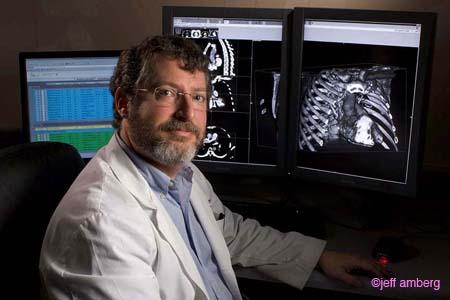
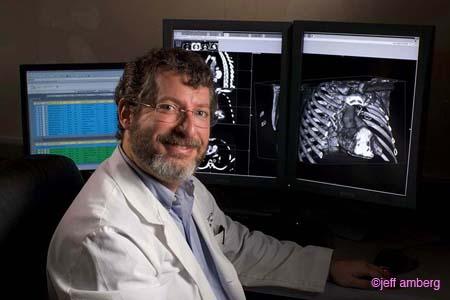
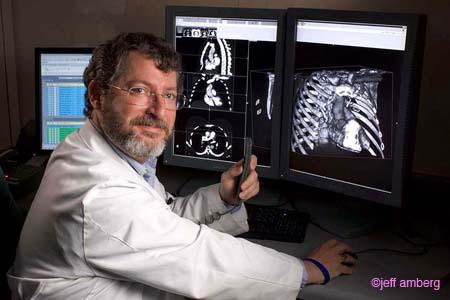

I happened to be in the right place at the right time (or the wrong place at the wrong time, depending upon how you look at it), and I became part of a hospital publicity campaign. Note the PACS system in the background. Free publicity...worth every cent!
Tuesday, September 20, 2005
A Visit From The General
Three lovely ladies from GE just stopped by our Centricity site to say hello and listen to me whine. And whine I did. Putting on my pompous a$$ hat, I declared that Centricity does several things that are totally unacceptable in a PACS:
- It only allowing two measurements on screen at any one time
- All caps and a space after the comma are required for searches; without these elements, you are informed that there are no matching studies.
- There is very slow refresh on manual cine'ing through linked studies
- No 3D.
They listened very politely, and didn't even laugh. That's the good news. The better news is that whines 2 and 3 are supposed to be fixed in Centricity 2.1, and we will at least be allowed to demo a 3D package, the long-awaited port of AW software. The number of measurements on a screen problem may take a while, however.
Now dear Dalai has nothing to offer but his credibility. I don't just bash because it's fun (although sometimes it is fun), but when I hit a brick wall with a product (or an airline), I can at least vent here on the blog. I promised my visitors that I will accurately relate any and all fixes to my problems. The flip side of course is that I will accurately report if things don't get fixed. I mentioned my blog (even I have to have a little pride), and you should have seen their faces....
"YOU'RE the Dalai Lama?????"
Really, I thought everyone at GE knew. Maybe they were expecting someone better looking. But wait, my photo is over to the left... Oh well, there goes my hiding. Maybe I need a new identity.....how about "Beelzebub's PACS Blog?"
Monday, September 19, 2005
Wanted: PACS Guru
 Beard and baggy pants optional. My projects are suffering due to the other obligations of hospital personnel, and a few other reasons I won't go into at the moment. I need someone with proven expertese in PACS, RIS, networking, computers, and especially in dealing with whiny doctors. Experience with Amicas products would be a distinct advantage. My project currently consists of an Amicas server piggy-backed onto an Amicas database SAN at one of our hospitals. I need to expand this, and ultimately create a free-standing system, located off of hospital grounds. This position is equal opportunity for those of all species and planetary origins. It includes full benefits. Salary is commensurate with experience, but unless you are the CIO at your place, it will likely be higher than what you are making now. Please send preliminary responses to "nucleon(at)gmail.com". (If you don't know what to do with the "at", you ain't no guru!)
 I have had several leads on gurus that didn't work out, mainly because many of the possible candidates wanted to stay where they were for some strange reason. Some likely possibilities just didn't yet have the adequate level of expertese to hit the ground running.
This is your chance, folks, to work side by side by side (look at the avatar!) with the most horrible, oops, I mean most honorable, Dalai Lama of PACS! Chances like this don't come around twice! Well, maybe not three times?
Thursday, September 15, 2005
Two, Four, Six, Eight,
This Is How We Mensurate!
mensurate
\Men"su*rate\, v. t. [L. mensuratus, p. p. of mensurare. See Measure, v.] To measure. [Obs.]
Source: Webster's Revised Unabridged Dictionary, © 1996, 1998 MICRA, Inc.
Now that we have that straight....
Measurement is one of the most tedious, yet critical operations we radiologists perform on our images. It is very important to know the size of various items, such as (unfortunately) tumors, and whether or not they have changed from the last time they were examined. As with other things in life, size is not the only important issue, and additional factors, such as angle or density might also need evaluation.
The early PACS GUI's had simple ruler tools. Click the button, point the cursor to one margin of the object in question, left-click-and-drag to the other margin, let go, and voila! The length in centimeters of the badness is produced, though often the number was plopped right over the lesion, just where you didn't want it.
Many of the newer systems put the numerical measurement somewhere else. I actually like the way ScImage does this to some extent. (That thud you felt was everybody in Los Altos fainting). You click and drag and then drag again to place the number wherever you want it to be. So far, so good, but sadly it doesn't stop there. ScI's PICOM viewer has tremendous state problems, i.e., you have to left click in each window or toolbar before it recognizes where you are and what you wish to do. With their version of the venerable ruler (magnificently represented on the tool bar by a line on the button), you can't let go without deliberate effort. Left click on the first point, then left click again on the second, then left click again to place the number which is (nicely, I might add) flagged to the line of measurement. Personally, I prefer the click and drag routine. Amicas does this, with a fixed-position numerical "flag". Now, neither lets you reposition the line of measurement. You can erase it, or with Amicas you can actually move the whole line, but you can't resize it. With Centricity, you can resize by selecting the arrow tool and then pointing at one end of your line. By the way, GE does something completely unacceptable with measurements: only two numbers are displayed on the screen at one time. If you have three (or thirty-seven, for that matter), you must use the arrow and point to the one you wish to see. GE says this is to keep the screen clear. BS. If I want thirty-seven measurements on my screen at once, that's my problem, and GE should not enforce it's will on me. But that's the way GE thinks.
Agfa has some good and bad elements in its ruler tool. You left-click and drag after toggling the tool "on", then you have the option to click on a grab-box in the center of the line that will let you drag the numerical measurement elsewhere if you wish. Good idea. But you have to right-click to drop the measurement, and two right-clicks drop the tool. Potential for problems with that. Agfa labels each measurement A, B, C, etc, which is helpful as there is no dotted line connecting the number to the line of measurement. GE uses numerals for this.
Now, here is my idea for the perfect ruler... I like the simple left-click-and-drag approach for the measurement itself, and I like the option to move the scalar somewhere else if desired. So, combine Amicas' and ScImage's approach to that point. It also would be nice if you could click a line with the ruler tool if you need to adjust it. Here is my great innovation....add magnification to the mix. As noted on an earlier entry, Agfa uses the mouse wheel to magnify within the zoom tool. How about enabling this functionality for the ruler? Amicas actually won't let you drop a line if it does not cover a sufficient distance (basically if you didn't move the mouse more than a few pixels), so how about giving you the ability to zoom in on the area of interest while still within the same ruler tool? I think this would work quite well. Who's going to be the first to implement it???
I'm going to ignore the angle tool. Most systems let you draw two lines in some fashion and then give the angle between them, useful for Cobb angle measurement. Amicas plans to implement this on the next release of LightBeam. I can't say I've noticed its absence.
The ellipse serves many purposes, mainly highlighting an area or giving the average density within that area. Once you get beyond the toggle mentality, I prefer Agfa's approach. Left-click for the center of the ellipse, left-click-and-drag for one axis, and again for the second. Until the tool is dropped with a right-click, the ellipse can be rotated and resized to your heart's content. The ellipse grows from the center, not an edge, which turns out to be more intuitive.
Any votes for my next tool-ish remarks?
Tuesday, September 13, 2005
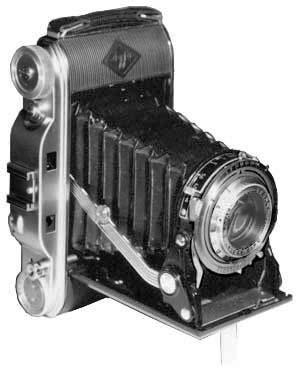
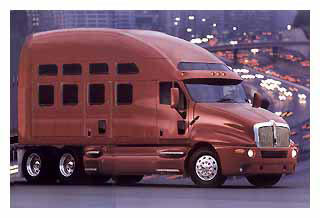
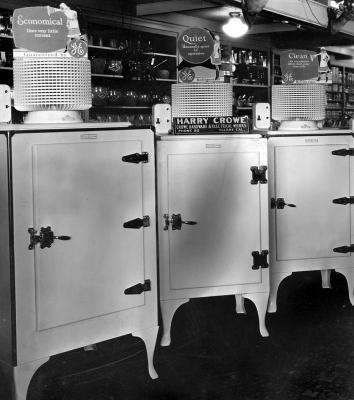
And You Thought They Were PACS Companies!
These are all unretouched photos harvested from the Internet.....
AGFA

Amicas


DR Dominator (both vehicles are called "Dominator")

Fuji






General Electric

McKesson



Philips

Sectra

Stentor

Addendum...Marc from Mitra, I mean Agfa, says he's seen one of these driving about:

Anonymous sent this one:

AGFA

Amicas


DR Dominator (both vehicles are called "Dominator")

Fuji






General Electric

McKesson



Philips


.jpg)
Sectra


Stentor

Addendum...Marc from Mitra, I mean Agfa, says he's seen one of these driving about:

Anonymous sent this one:

Thursday, September 08, 2005
3000 Visitors...and some Firefox Woes
Congratulations to visitor number 3000, who comes to us from Karolinska University Hospital in Stockholm, Sweden. Tack själv för besöka min blog!
Anonymous, from Copenhagen, Denmark, via TDC Bredbaand, notes that with Firefox, the venerable blog looks like "rubbish". Now we can't have that, can we? I must confess to using Internet Explorer 6.0, mainly out of sloth, since our good friends at Microsoft do try to update it almost as fast as the hackers crack it, and their updates come automatically. To check out my Danish friend's complaint, I did download and install Firefox. I'm working with it right now, as a matter of fact. The only glitch I am seeing involves the sidebar, where the Google Group and Search windows are overlapping the adjacent text. If no one minds, I'll simply delete those two items, and all should be well. Anonymous is using UNIX, but hopefully that won't make any difference. Tak for lån , Anonym , nemlig lade mig kende herom!
Anonymous, from Copenhagen, Denmark, via TDC Bredbaand, notes that with Firefox, the venerable blog looks like "rubbish". Now we can't have that, can we? I must confess to using Internet Explorer 6.0, mainly out of sloth, since our good friends at Microsoft do try to update it almost as fast as the hackers crack it, and their updates come automatically. To check out my Danish friend's complaint, I did download and install Firefox. I'm working with it right now, as a matter of fact. The only glitch I am seeing involves the sidebar, where the Google Group and Search windows are overlapping the adjacent text. If no one minds, I'll simply delete those two items, and all should be well. Anonymous is using UNIX, but hopefully that won't make any difference. Tak for lån , Anonym , nemlig lade mig kende herom!
Wednesday, September 07, 2005
Chocolate-Covered Rants
A couple of things just got my goat, so I feel compelled to share them.
First, I received my very first "blog spam". This is where spammers use the comment field of a blog to advertise their garbage. I left a telephone message on the number listed for the owner of the advertised site, nicely requesting that she cease and desist from this behaviour. If it happens again, I'll consider publishing her number...well, that wouldn't be nice, but I'll think of something effective. In the meantime, I have turned on the "word verification" function, so anyone interested in leaving a comment must type in the word they see in a distorted picture before the post will be accepted. I apologise in advance, but I'm sick of spam!
Second, I have just signed in to ScImage PicomOnline for the 20th time today. Guys, the HIPAA regulation refers to a period of INACTIVITY! You are not checking to see how long your program has been idle! Please, please, PLEASE fix this! I know you can do it!
Rant over. Thank you very much.
First, I received my very first "blog spam". This is where spammers use the comment field of a blog to advertise their garbage. I left a telephone message on the number listed for the owner of the advertised site, nicely requesting that she cease and desist from this behaviour. If it happens again, I'll consider publishing her number...well, that wouldn't be nice, but I'll think of something effective. In the meantime, I have turned on the "word verification" function, so anyone interested in leaving a comment must type in the word they see in a distorted picture before the post will be accepted. I apologise in advance, but I'm sick of spam!
Second, I have just signed in to ScImage PicomOnline for the 20th time today. Guys, the HIPAA regulation refers to a period of INACTIVITY! You are not checking to see how long your program has been idle! Please, please, PLEASE fix this! I know you can do it!
Rant over. Thank you very much.
Tool Time Part II:
Magnifying Your Problems,
Zooming Around,
And Panning for Gold

Does anyone actually use the Magnifying Glass tool? You know, the one that lets you hover a magnified window over your image? Some of these are pretty complex, as seen with Centricity and Impax, giving the user the ability to adjust the size of the "glass" and the degree of magnification. Those controls would be pretty cool on a physical magnifying glass. However, I usually just use the zoom and pan functions.
You wouldn't think there is much new with zooming and panning; you just, well, zoom and pan, right? Well, that's about all Centricity and Picom let you do with these functions. Agfa and Amicas have a little different take on this classic. Instead of just zooming from the center of the image, both zoom from the location of the cursor. This takes some getting used to, but it sure makes more sense than zooming, selecting another tool, and then panning. Agfa takes this one step further in Impax 4.5: The zoom/pan tool is effectively combined. You pan with the left mouse button, and zoom with the mouse wheel. This actually works very well. The Amicas tool simply zooms. You can pan with this tool in a round-about way by zooming out, selecting another point on the image, and zooming in again. There is an alternative pan-only tool available.
I would give Agfa the win on this tool as it stands. I do have a major disagreement, however, with the way Impax deploys many of its controls. You have to select the tool either from the top tool bar or the right click menu by left-clicking it. It then stays on until you right-click, which "drops" it. As noted, the wheel does the zooming. So far, so good. Sadly, this approach is not consistent throughout their entire tool pallette, and that drives me insane (well, more insane). With the window/level tool, you left-click, and then you must left-click again to toggle the tool into active mode, then left-click yet again to toggle it off. But you don't have to do so with every tool. This toggle-on/toggle-off stuff gets old. Therefore, the ideal zoom/pan tool in my book combines the best of Amicas and Agfa: Select the tool from the toolbar, left-click and drag pans, mouse-wheel zooms with the cursor as the origin. Easy. I would like to have this tool replace the pan-only and zoom-only tools Amicas now uses, and it should of course go on the "short-right-click" rotation that brings up the most commonly used tools without a trip to the toolbar.
Tune in next time when we shred rulers and other measurement devices on "This Old PACS", I mean Tool-Time!
Subscribe to:
Posts
(
Atom
)