
Congratulations to Visitor 6000 from Accelerated Data Works of Gainesville, Florida, who seems particularly interested in my ScImage postings. I'll be glad to answer any questions directly. Just post a contact address in the comment field below.
Wednesday, December 14, 2005


Sunday, December 04, 2005
Another Look At Impax 6.0
I don't think anything I have ever authored has stirred up as much interest (trouble?) as the post about Impax 6.0. My blog received hundreds of hits from Agfa sites around the world, including Belgium, Ontario (my friends at the old Mitra operation in Waterloo), Massachusetts, and even right here in South Carolina. Wow. If only I got paid per view.
Meeting with the Agfa folks at RSNA was somewhat surreal. Everyone on the Agfa staff could not have been nicer and more helpful. My questions were answered promptly, and several folks spent a great deal of time with me, which I truly appreciate. However, there was obvious tension in the air. I don't really think they are afraid of lil' ol' me, but I know they would have been happier if I hadn't posted my little ditty on the web. I felt rather as though (please forgive me, gentle reader) I had, um, passed flatus in front of everyone. We could all smell it, but no one wanted to actually mention it. There were one or two rather cryptic references to "stuff posted on the internet" to which I demurely replied, "no one really looks at the internet, do they?" So, before I go farther, I will ask a favor of all of you. If you look down a bit, you will see a comment button. That is your connection to me. If you have something to say about what I post here, by all means let me know. If I find I have written something in error, or there is more information germaine to the problem at hand, a retraction or addendum will be posted ASAP. I am not doing this for money or even fame. I get great enjoyment out of sharing my thoughts and observations, and I hope I've helped clarify things here and there. It never ceases to amaze me that people really do read this stuff.
Another preamble...I need to clarify as well my position on Agfa. Given the limitations placed on our PACS selection by IT (we had to choose between Agfa, Fuji, and GE to replace our Impax 3.5), I was convinced that Agfa was the lesser of the evils, and the 6.0 demo gave me hope that they were on the right track for the future. Bob Pryor's "we dropped the ball" speech really "got me right there", as they say, although some of our upper level administrators have since laughed at my naivety, suggesting that this is a common tactic. Oh well, it sounded good at the time. We will have lived with Impax 4.5/5.2 for 15 months before we are to get 6.0. The older product is rather uninspired compared to the up-and-comers today, and has glitches that have not been fixed, and apparently will not be fixed with 6.0 coming online. These glitches include little annoyances like the cursor disappearing from the screen when you type a comment (I accidently discovered that you bring it back by pressing the "TAB" key), impossible-to-deploy hanging protocols, cryptic approaches to worklist wizards, intermittent prefetching of priors, waits of 5-55 minutes for manual retreival of priors, and a host of other things. Add to that promises of rapid database migration and merger of a whole lot of data from our two Agfa hospitals that now need to be on one system which so far appear significantly delayed at best (all the more poignant since my group now has the contract at the other place as well) and you can see why I continue to be wary.
All that being said, what follows serves mainly to add additional information. In my opinion, I actually had the majority of it right the first time, and that without any direct data from Agfa. Here is more of the story, this time with their help.
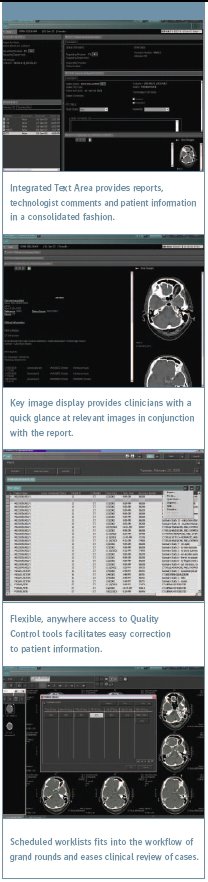
You may find it amusing that Agfa has finally posted information about Impax 6.0 on their site, which was not there when I wrote the original article. Within you will find actual screen-shots, although they are rather small and do not reproduce well (I tried, obviously.)
OK. First off, let's talk fundamentals. Impax 6.0 is built on the .NET platform, and is written in Common Runtime Language. For better or worse, this is the main approach Microsoft is pushing, and since we are all running Windows, that does represent an advantage. As with all things Microsoft, there will be a torrent of updates. Agfa tells me that CRL 1.1 is currently shipping with .NET, but 2.0 is in the works. Therefore, "....we intend to stay current with Microsoft updates. We'll need to, since many Windows users have computers set to autodownload updates from Microsoft." What happens, I wonder, if CRL x.x gets downloaded before Impax is ready? I guess that isn't supposed to happen. The .NET/CRL approach does indeed get rid of Java, but don't think there won't be some similar problems with CRL.
Early users had reported stablility problems; one site told me their Impax 6.0 (which was used in appended fashion on top of 4.5) was up "at least 80% of the time". This is what scared me the most. At RSNA, Agfa assured me that the problem was solved with "a Microsoft patch". To be fair, Impax 6.0 was deployed at most of the computers in the Agfa booth, and I didn't see any obvious crashes. Our demo went off without a crash or a lock-up.
There are three beta sites currently running in the US, with 20+ sites in Canada and Europe. The deployment strategy (and of course it was planned this way all along) is that new sites get 6.0 starting early 2006, with us groady old legacy sites set for upgrade June 2006 or so.
At least three servers will be required: one to for the SQL database, one for HL7 traffic, and one managing curation of the data and the .NET structures. I have seen examples of a five server configuration with an additional .NET server. The system is supposed to handle approximately 100 concurrent users per server (I assume per .NET server). Yes, it is web-deployable, and you can set it to work with anything from one through five monitors.
Once you sign on to the system, the main screen is the worklist and messaging center. I had forgotten that it has a dark grey-green theme, which is a little easier on the eyes that total black and white. There is a "Communication" tool that gives login messages, tip of the day (e.g., don't buy GE), case of the week, etc. This is controlled by the role of the user, and much of what you can access also is based on your role, i.e., physician, tech, CIO. You can edit how each role works, allowing easier adjustments than if you had to change the functions of each individual.
To the left on the main screen are found the worklists, which are customizable by the user. You can set it up just about any way you like and have it change by the day, or maybe even the hour. I can establish Dr. Dalai's Special worklist, for example, that pipes all MRI studies to me on Thursdays from 10:00AM to 10:14:32AM, sends me all Nuclear Medicine, and retains every exam on patients with insurance, leaving the uninsured to be read by my colleague down the hall. OK, I'm joking about that last one, but you get the idea. There are "pseudo-Boolean" operators available to allow something like, "Study CONTAINS CT, or Patient Name IS NOT Joe GEUser. You can drag an individual study from one worklist to another, say to set up a peer consultation or something like that. You can drag the columns around and they "stick" where you left them. In an article to come, I'll share my views about this sort of hyper-customization. It does give the user unprecedented power to create really detailed worklists, but to be honest, I probably won't do much more with it than simply select "Everything New Today".
A button labeled "Relevance" (should this be "Relevants"?) determines if prior studises are listed. There is also a "Refresh" button. Although I assumed the worklist would refresh instantly via Instant Messenger-type mechanisms, we were told that one might set the system to poll for new studies every 5 minutes or so, and you might want to "refresh" to catch a study in between. Hmmmmm. OK.
When you actually get to the point of double-clicking a study, the viewer launches, and the main display shifts to show study highlight, the order, the study information, report and key-images if these exist, and a list of prior exams. The study highlight box is supposed to be everything you need at one glance to get rolling, like reason for study, ordering jerk, I mean honored clinician, the tech that performed the study, etc. This can be individualized to the role or even the individual level with dragging and dropping various elements. Same with the Order pane. "Study" shows modality information. All panes can be resized ad nauseum, much like a web-page with movable frames.
The viewer itself has a new look as compared to older Agfa products. There are 9 BIG buttons on top, 5 of which have adjacent drop down arrows (actually inverted triangles) in buttons almost as big. These are supposed to cover most functions. This toolbar can be set to autohide, much like the Windows Task-Bar. There is still deep access to a myriad of functions with a heirarchical right-click menu. Multiple patient windows can be opened and you keep track of them with tabs on the bottom of the screen. The system keeps track of the last 20 patients, so if you get that lightning bolt a hour later that a particular bone probably shouldn't be in three pieces after all, you can go back and review said study. There is one-click access to Voxar 3D, and images generated within can be saved as additional sequences of the study. There is right-click access to export by CD-ROM, e-mail, and disk-save, the latter in whatever format you choose (jpeg, tiff, crayon, etc.) There is nearly infinite customization possible, somewhat like 4.5/5.2 today, and hopefully it is a little easier to set up. I did not ask about hanging protocols, but they couldn't be worse than what we have now, which is totally unusable.
My earlier post noted that spine-labelling, CT linking, cross-referencing on orthogonal planes, remote administrative access, etc., were going to be available only on a later version. These were present on our demo (or were said to be in the case of remote admin, and I do not doubt that this is so). My information may have related to a much earlier beta version, perhaps, or they did a whole lot of work on the thing before RSNA. Spine labelling is still pretty primitive however, and I was told that they were getting "beat up" over this by everyone who looks at it. Expect improvements eventually. There is no longer a "simple" MPR tool; if you want MPR, you use Voxar.
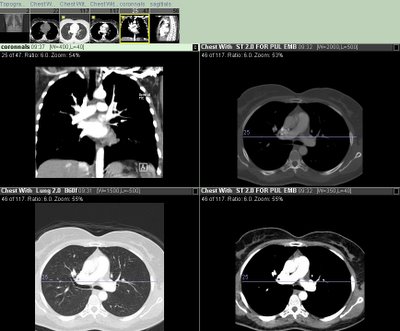
When I first saw the Impax 6.0 demo, way back in 2003, I had not had any time on the older 4.5/5.2 systems. In the end, the 6.0 viewer, while certainly improved, does show deep down its heritage. Case in point: the clone window. With the majority of new systems, you can drag a sequence to any frame/pane/viewport, and do so as many times as you want. Personally, I like to view my CT's with multiple windows. I view a chest CT, for example, with the same sequence displayed in triplicate, using lung, mediastinal and bone windows. The fourth port in a 2x2 display gets the scout or coronal reconstruction with cross-reference lines. Here is what that looks like (NOTE...this is a screenshot from Amicas LightBeam, NOT IMPAX!!!):
Meeting with the Agfa folks at RSNA was somewhat surreal. Everyone on the Agfa staff could not have been nicer and more helpful. My questions were answered promptly, and several folks spent a great deal of time with me, which I truly appreciate. However, there was obvious tension in the air. I don't really think they are afraid of lil' ol' me, but I know they would have been happier if I hadn't posted my little ditty on the web. I felt rather as though (please forgive me, gentle reader) I had, um, passed flatus in front of everyone. We could all smell it, but no one wanted to actually mention it. There were one or two rather cryptic references to "stuff posted on the internet" to which I demurely replied, "no one really looks at the internet, do they?" So, before I go farther, I will ask a favor of all of you. If you look down a bit, you will see a comment button. That is your connection to me. If you have something to say about what I post here, by all means let me know. If I find I have written something in error, or there is more information germaine to the problem at hand, a retraction or addendum will be posted ASAP. I am not doing this for money or even fame. I get great enjoyment out of sharing my thoughts and observations, and I hope I've helped clarify things here and there. It never ceases to amaze me that people really do read this stuff.
Another preamble...I need to clarify as well my position on Agfa. Given the limitations placed on our PACS selection by IT (we had to choose between Agfa, Fuji, and GE to replace our Impax 3.5), I was convinced that Agfa was the lesser of the evils, and the 6.0 demo gave me hope that they were on the right track for the future. Bob Pryor's "we dropped the ball" speech really "got me right there", as they say, although some of our upper level administrators have since laughed at my naivety, suggesting that this is a common tactic. Oh well, it sounded good at the time. We will have lived with Impax 4.5/5.2 for 15 months before we are to get 6.0. The older product is rather uninspired compared to the up-and-comers today, and has glitches that have not been fixed, and apparently will not be fixed with 6.0 coming online. These glitches include little annoyances like the cursor disappearing from the screen when you type a comment (I accidently discovered that you bring it back by pressing the "TAB" key), impossible-to-deploy hanging protocols, cryptic approaches to worklist wizards, intermittent prefetching of priors, waits of 5-55 minutes for manual retreival of priors, and a host of other things. Add to that promises of rapid database migration and merger of a whole lot of data from our two Agfa hospitals that now need to be on one system which so far appear significantly delayed at best (all the more poignant since my group now has the contract at the other place as well) and you can see why I continue to be wary.
All that being said, what follows serves mainly to add additional information. In my opinion, I actually had the majority of it right the first time, and that without any direct data from Agfa. Here is more of the story, this time with their help.
You may find it amusing that Agfa has finally posted information about Impax 6.0 on their site, which was not there when I wrote the original article. Within you will find actual screen-shots, although they are rather small and do not reproduce well (I tried, obviously.)
OK. First off, let's talk fundamentals. Impax 6.0 is built on the .NET platform, and is written in Common Runtime Language. For better or worse, this is the main approach Microsoft is pushing, and since we are all running Windows, that does represent an advantage. As with all things Microsoft, there will be a torrent of updates. Agfa tells me that CRL 1.1 is currently shipping with .NET, but 2.0 is in the works. Therefore, "....we intend to stay current with Microsoft updates. We'll need to, since many Windows users have computers set to autodownload updates from Microsoft." What happens, I wonder, if CRL x.x gets downloaded before Impax is ready? I guess that isn't supposed to happen. The .NET/CRL approach does indeed get rid of Java, but don't think there won't be some similar problems with CRL.
Early users had reported stablility problems; one site told me their Impax 6.0 (which was used in appended fashion on top of 4.5) was up "at least 80% of the time". This is what scared me the most. At RSNA, Agfa assured me that the problem was solved with "a Microsoft patch". To be fair, Impax 6.0 was deployed at most of the computers in the Agfa booth, and I didn't see any obvious crashes. Our demo went off without a crash or a lock-up.
There are three beta sites currently running in the US, with 20+ sites in Canada and Europe. The deployment strategy (and of course it was planned this way all along) is that new sites get 6.0 starting early 2006, with us groady old legacy sites set for upgrade June 2006 or so.
At least three servers will be required: one to for the SQL database, one for HL7 traffic, and one managing curation of the data and the .NET structures. I have seen examples of a five server configuration with an additional .NET server. The system is supposed to handle approximately 100 concurrent users per server (I assume per .NET server). Yes, it is web-deployable, and you can set it to work with anything from one through five monitors.
Once you sign on to the system, the main screen is the worklist and messaging center. I had forgotten that it has a dark grey-green theme, which is a little easier on the eyes that total black and white. There is a "Communication" tool that gives login messages, tip of the day (e.g., don't buy GE), case of the week, etc. This is controlled by the role of the user, and much of what you can access also is based on your role, i.e., physician, tech, CIO. You can edit how each role works, allowing easier adjustments than if you had to change the functions of each individual.
To the left on the main screen are found the worklists, which are customizable by the user. You can set it up just about any way you like and have it change by the day, or maybe even the hour. I can establish Dr. Dalai's Special worklist, for example, that pipes all MRI studies to me on Thursdays from 10:00AM to 10:14:32AM, sends me all Nuclear Medicine, and retains every exam on patients with insurance, leaving the uninsured to be read by my colleague down the hall. OK, I'm joking about that last one, but you get the idea. There are "pseudo-Boolean" operators available to allow something like, "Study CONTAINS CT, or Patient Name IS NOT Joe GEUser. You can drag an individual study from one worklist to another, say to set up a peer consultation or something like that. You can drag the columns around and they "stick" where you left them. In an article to come, I'll share my views about this sort of hyper-customization. It does give the user unprecedented power to create really detailed worklists, but to be honest, I probably won't do much more with it than simply select "Everything New Today".
A button labeled "Relevance" (should this be "Relevants"?) determines if prior studises are listed. There is also a "Refresh" button. Although I assumed the worklist would refresh instantly via Instant Messenger-type mechanisms, we were told that one might set the system to poll for new studies every 5 minutes or so, and you might want to "refresh" to catch a study in between. Hmmmmm. OK.
When you actually get to the point of double-clicking a study, the viewer launches, and the main display shifts to show study highlight, the order, the study information, report and key-images if these exist, and a list of prior exams. The study highlight box is supposed to be everything you need at one glance to get rolling, like reason for study, ordering jerk, I mean honored clinician, the tech that performed the study, etc. This can be individualized to the role or even the individual level with dragging and dropping various elements. Same with the Order pane. "Study" shows modality information. All panes can be resized ad nauseum, much like a web-page with movable frames.
The viewer itself has a new look as compared to older Agfa products. There are 9 BIG buttons on top, 5 of which have adjacent drop down arrows (actually inverted triangles) in buttons almost as big. These are supposed to cover most functions. This toolbar can be set to autohide, much like the Windows Task-Bar. There is still deep access to a myriad of functions with a heirarchical right-click menu. Multiple patient windows can be opened and you keep track of them with tabs on the bottom of the screen. The system keeps track of the last 20 patients, so if you get that lightning bolt a hour later that a particular bone probably shouldn't be in three pieces after all, you can go back and review said study. There is one-click access to Voxar 3D, and images generated within can be saved as additional sequences of the study. There is right-click access to export by CD-ROM, e-mail, and disk-save, the latter in whatever format you choose (jpeg, tiff, crayon, etc.) There is nearly infinite customization possible, somewhat like 4.5/5.2 today, and hopefully it is a little easier to set up. I did not ask about hanging protocols, but they couldn't be worse than what we have now, which is totally unusable.
My earlier post noted that spine-labelling, CT linking, cross-referencing on orthogonal planes, remote administrative access, etc., were going to be available only on a later version. These were present on our demo (or were said to be in the case of remote admin, and I do not doubt that this is so). My information may have related to a much earlier beta version, perhaps, or they did a whole lot of work on the thing before RSNA. Spine labelling is still pretty primitive however, and I was told that they were getting "beat up" over this by everyone who looks at it. Expect improvements eventually. There is no longer a "simple" MPR tool; if you want MPR, you use Voxar.
When I first saw the Impax 6.0 demo, way back in 2003, I had not had any time on the older 4.5/5.2 systems. In the end, the 6.0 viewer, while certainly improved, does show deep down its heritage. Case in point: the clone window. With the majority of new systems, you can drag a sequence to any frame/pane/viewport, and do so as many times as you want. Personally, I like to view my CT's with multiple windows. I view a chest CT, for example, with the same sequence displayed in triplicate, using lung, mediastinal and bone windows. The fourth port in a 2x2 display gets the scout or coronal reconstruction with cross-reference lines. Here is what that looks like (NOTE...this is a screenshot from Amicas LightBeam, NOT IMPAX!!!):
Agfa doesn't work this way. You can do something similar with their "clone window" concept, that does link the windows together (which it should since it is the very same data), but doesn't let you link them to a prior. This is a serious lack in my book, and this is exactly the way the older Impax platforms function. I am left with the nagging sensation that Viewer 6.0 is much closer to Viewer 4.1/4.5/5.2 than I would have guessed.
Our demo was choreographed by Bob, Agfa's Senior Marketing Manager, and he did a very good job, I might add. He made one statement that I keep replaying in my mind: "We worked with 12 doctors on this, and they agreed it was perfect!" I can't get any two of my partners to agree that the sky is blue, let alone anything of more substance. I will make a little side-wager that those 12 docs had used mainly Agfa PACS for a long time. We all tend to become a little inbred, and happier with the familiar. That would explain the "perfect" designation of a product that does things in somewhat similar manner to the old way. This is a path to stasis. There are a lot of new ways of doing things that are work very well, and it is important to seek opinions of those who use the "other guys'" stuff as well as your own loyal customers. Now don't feel like I'm picking on you, guys, I've told this to Amicas and GE and everybody else who will listen.
Impax 6.0 is without question a significant improvement over its predecessors. Will it really become my favorite PACS? Likely not, but I will give it a fair shot, I promise. We have yet to see whether or not it will get in my way.......
Sunday Morning Rants:
Sour Fuji Apples, and Meditech Blues
 Fuji Apple Photo Courtesy of New York Apple Association
© New York Apple Association
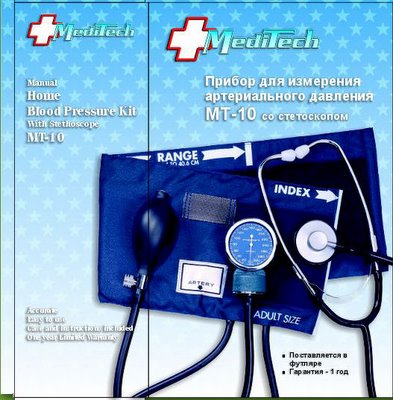
It's easy to find an image for Fuji, but I had to search far and wide for something to go with Meditech. Here is a Russian blood pressure cuff, and I could stand to have my BP checked about now.
For over a year, I have complained to our powers-that-be about our Fuji CR. The images show poor contrast and cannot be adequately adjusted on my workstation. Many are just barely of diagnostic quality, and some don't even make the "barely" category.
As usual with this sort of thing, there is much finger-pointing. Fuji says their system works, but the Amicas PACS is the culprit. Amicas, of course, says just the opposite. Numerous posts on AuntMinnie.com indicate that there are settings within the CR that make it work better with Synapse; these have to be enabled (or disabled or whatever) for the CR to work with other vendors.
After a year of whining, I am fed-up, and I am really frightened by the possibility that I'm missing things due to the poor image quality. Therefore, I recently had a tantrum and declared that if this thing isn't fixed by the end of 2005, it's outta here. By that, I mean forklift removal and full refund. Enough is enough, guys. We have had much better luck with our Agfa CR over at the Agfa hospital. Could that be due to the fact that we have Agfa PACS over there? Could be, but they may get the chance to show how well their CR works with Amicas PACS in the near future. In the meantime, I would suggest that anyone considering the purchase of Fuji CR put that idea ON HOLD until I can tell you that our problem has been resolved.
Meditech gives me a different set of frustrations. The IT types at our Amicas/Meditech hospital decided in their infinate wisdom to purchase the Magic HIS/RIS instead of the client-server version. They felt the latter was not stable. Naturally, we were told about the purchase after all decisions were made; why would anyone want input from the people who will be using the product? (We actually do use the client-server flavor at a little suburban place, and it works just fine, thanks.) Magic is anything but. Basically, it is a port of their very old dumb-terminal software. Only the shortest reports can be seen on one (minature) screen, and it takes several key-strokes to view an entire report. Basically, sign-off time is tripled or quadrupled because of this antiquated approach. Trying to find an old report is an exercise in agony.
So, all I want for Christmas (or Hanukkah) is (to keep) my two front teeth, and to replace the Fuji CR and the Meditech Magic systems. Do I need to ask Santa for all this? At least I could get a candy-cane with that approach.
ADDENDUM: After having my tantrum to our imaging director this morning, I come to find that Fuji had already "fixed" the system last week. It seems that numerous settings were incorrect, including an interesting situation of the CR trying to send 14-bit data into an 8-bit PACS display. That's the good news. The bad news is that a very significant portion of the 200 or so studies I read over the weekend were still pretty awful. We would have tried to work on this more today, but it seems that Fuji won't let us have any of the manuals. Oh well.
NEW ADDENDUM, 12/21/05: Fuji has been slaving away on this problem, and the CR images are tremendously improved to the point that I can remove my "ban". I do have to admit that the prettiest images I have seen to date are from the combination of Agfa CR and GE Centricity PACS. See? I do give credit where credit is due...
Fuji still seems to harbor thoughts of blaming Amicas for the problems. I think that would be somewhat of a mistake. First, Amicas does not post-process the data, and secondly, we displayed a Fuji CR through an eFilm viewer, and it looked just as bad. Add this to the fact that Fuji was able to effect some improvement, and I must conclude that the problems lie with Fuji alone. Sorry, folks.
Saturday, December 03, 2005
Pictures At An Exhibition...
Here are a few of my photos from RSNA:
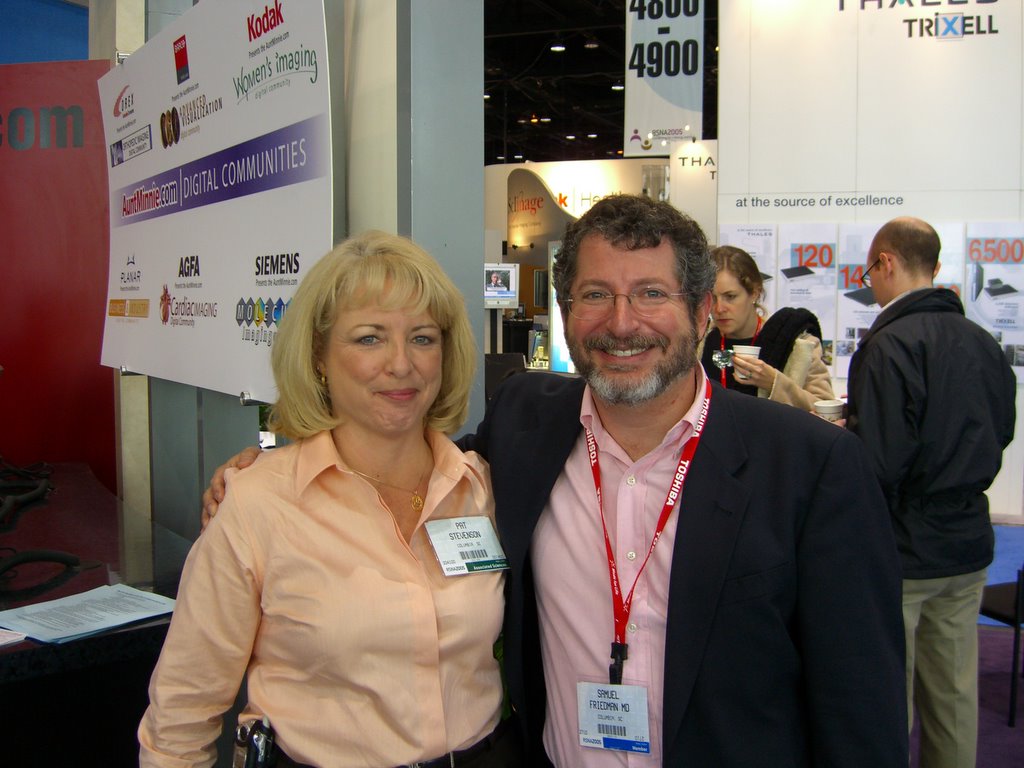
First, of course, we have the PACSMan, Mike Cannavo, and Dr. Dalai, together at the AuntMinnie.com booth. We were overwhelmed with visitors for our "Meet and Greet" session...at least three or four of our fans showed up, and fortunately none brought rotton vegetables. Maybe the close proximity to the ScImage booth (visible just to my left) drove the rest away.
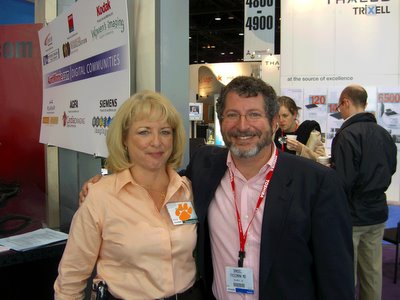
MissPat, one of our PACS administrators did come by to lend moral support, for which I will be forever grateful.
These are some of my favorite booths. I don't have enough blog space to show photos of the Siemens and GE displays, which were each something like a city-block in area...well, almost, anyway. Check out the Emageon "Tunnel of PACS Love".
The Amicas booth was way in the back, and one needed this big green, um, symbol, to help find it.
I liken RSNA to taking a drink from a firehose. There are at least 50 things going on at any one time that you would like to attend. I did make it to a few educational sessions, including one about PET and SPECT brain imaging. Below is a PET scan from a patient with Alzheimer's Disease, photographed from the back of the lecture hall (obviously). My brain probably looks like this about now:
One of the vendors told me what RSNA actually means:
That actually was the case here and there, with various products and upgrades set for release sometime in the future. The majority of what I looked at was available now, or so I was told.

First, of course, we have the PACSMan, Mike Cannavo, and Dr. Dalai, together at the AuntMinnie.com booth. We were overwhelmed with visitors for our "Meet and Greet" session...at least three or four of our fans showed up, and fortunately none brought rotton vegetables. Maybe the close proximity to the ScImage booth (visible just to my left) drove the rest away.
MissPat, one of our PACS administrators did come by to lend moral support, for which I will be forever grateful.
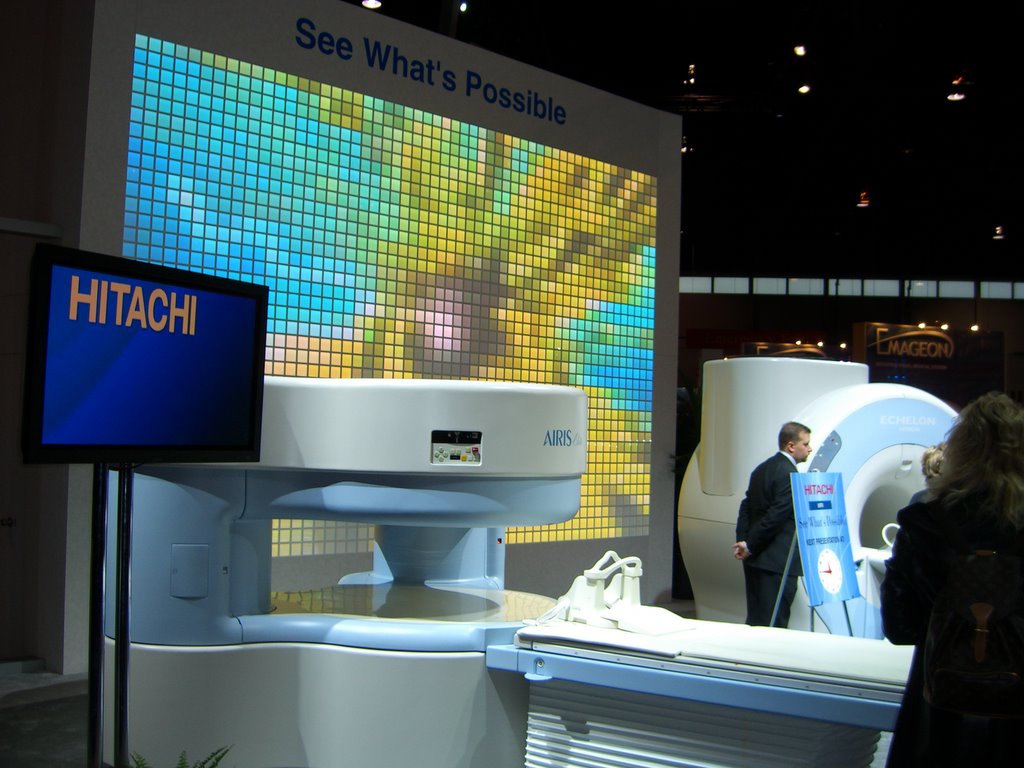

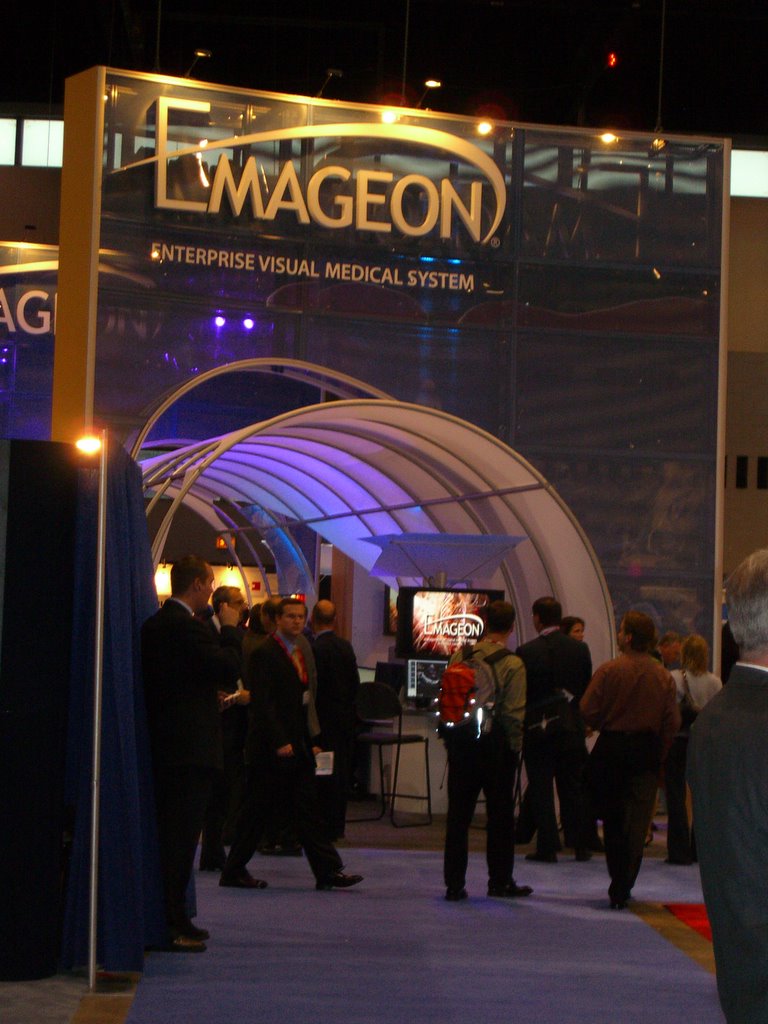
These are some of my favorite booths. I don't have enough blog space to show photos of the Siemens and GE displays, which were each something like a city-block in area...well, almost, anyway. Check out the Emageon "Tunnel of PACS Love".
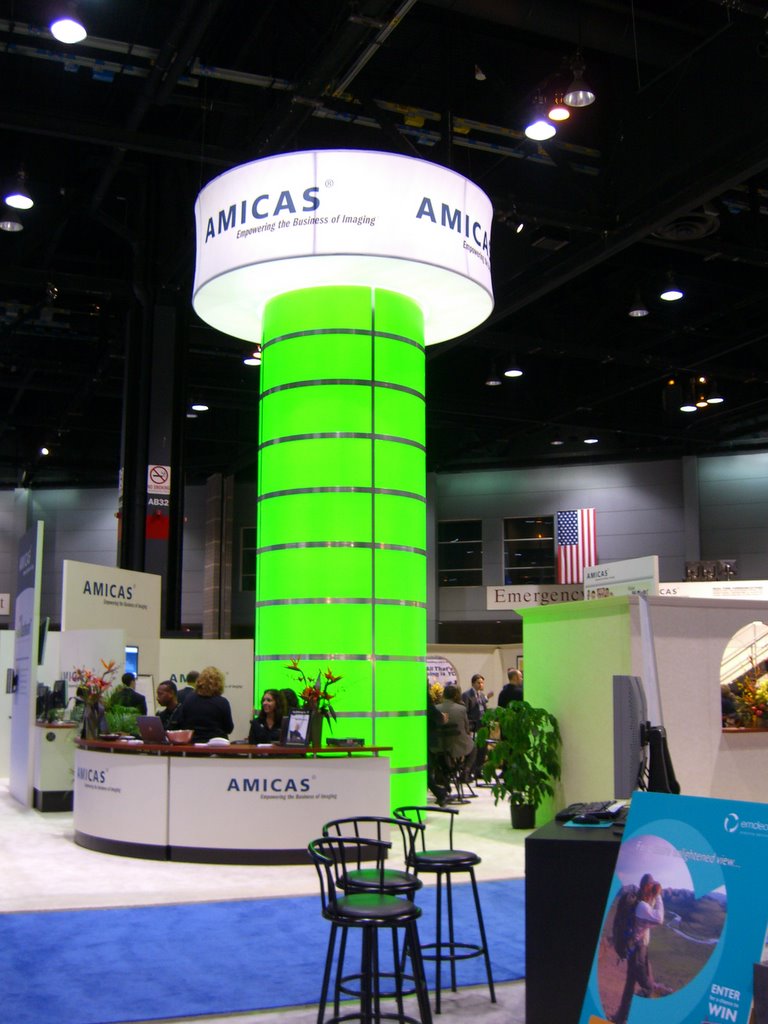
The Amicas booth was way in the back, and one needed this big green, um, symbol, to help find it.
I liken RSNA to taking a drink from a firehose. There are at least 50 things going on at any one time that you would like to attend. I did make it to a few educational sessions, including one about PET and SPECT brain imaging. Below is a PET scan from a patient with Alzheimer's Disease, photographed from the back of the lecture hall (obviously). My brain probably looks like this about now:
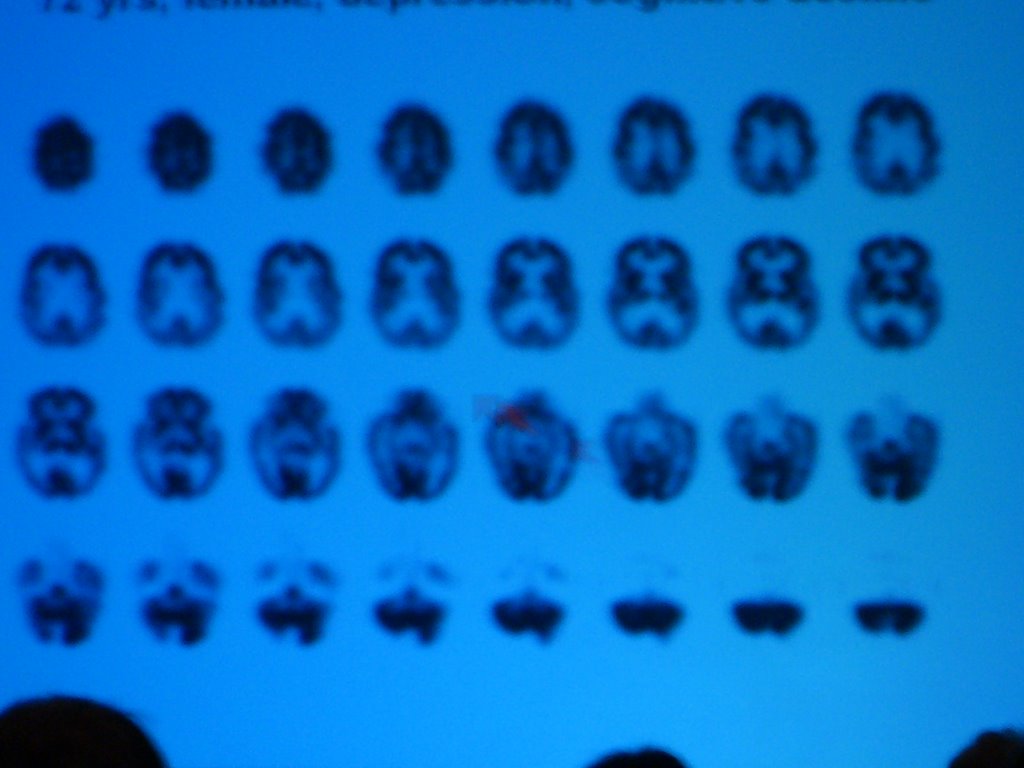
One of the vendors told me what RSNA actually means:
Real Software Not Available
That actually was the case here and there, with various products and upgrades set for release sometime in the future. The majority of what I looked at was available now, or so I was told.
RSNA has just about reached critical mass to this small-town boy. There were lines and crowds everywhere. Thirty minute waits for cabs, trains, lunch, etc., were the norm. Fortunately, McCormick Place has a zillion bathrooms, so no lines there. One observation you won't see anywhere else: At least one in three or four cellphone users on the exhibit floor were using Palm Treo 650's. Personally, I prefer my PPC 6600, but to each his own.
There was a tremendous variety of PACS available on the exhibit floor, and I was only able to get an in-depth view of a few. I'll be reporting on these shortly, along with the Agfa Impax 6.0 addendum you've all been waiting for.....
Thursday, December 01, 2005
Impax 6.0: My New Favorite.....
....just kidding. Had you guys from Agfa going there, didn't I?
Seriously, I got in at 3AM this morning, thanks to Mesa Airlines, an illegitimate offspring of United, which cancelled my flight home after delaying it three hours. I will post much, much more on this and related topics from my RSNA visit. Stay tuned!
Wednesday, November 23, 2005
ITL Arrives Warped
Image Technology Laboratories has finally got its PACS system up and running at the imaging center we cover. It is only three or four months late. This is because the management did not like the workflow of the scheduling component and made ITL rewrite the whole module. We'll see how management feels about the fact that the Radiology workflow is totally out of whack.
The key to the WarpSpeed PACS is also the reason it will not be accepted by the rads. Instead of using the mouse and cursor that we have all grown to know and love since Apple sent the cute girl through Big Brother's image in 1984, WarpSpeed uses a touchplate with smaller images to control everything. The worst part of this is that you have to take your eyes off the image and look at the darn touchplate. Every ergonomic study done since the dawn of man says that you shouldn't have to take your eyes off what you are doing! But, ITL asked their one sponsoring radiologist in New York if this was OK, and he said it was, so the rest of the world be damned. Add to this the lack of usable tools and logical controls, and you have a system the rads aren't going to use. Bargains aren't bargains if they sit in a corner unused; they are very expensive doorstops.
Sorry, guys. I tried to explain this and more well before the thing even arrived, but the price spoke louder than I could.
Sunday, November 20, 2005
Tell Doctor Dalai Where To Go....
Ah, the temptation....
I will be at RSNA this year, and I would like to visit as many PACS vendors as possible. I have Agfa, Amicas, BRIT Systems, Dynamic Imaging, GE, and a few others on my list already. What else should I see?
Saturday, November 19, 2005
5000 Visitors!

Congratulations to visitor 5000, who comes to us from Cincinnati via fuse.net. And the beat goes on!
Thursday, November 17, 2005
Dalai's Back On Aunt Minnie!

My second article was just published on AuntMinnie.com. Click the picture to get there. It is an expanded version of the "LogMeIn to Napster PACS" entry below. At least the good people at AuntMinnie like what I write!
As per the tag line at the end of the article, Mike Cannavo and I will be available in person Monday afternoon at RSNA in the Aunt Minnie booth (4901) on Monday, November 28, anytime between 1 and 3 p.m. I'll be wearing a bullet-proof vest. Come by and say hello! We thought at first AuntMinnie.com would pop for T-shirts, but I don't think that will happen after all. I did hear that Agfa and ScImage were going to team up and make one just for me...with a very large target on the back.
Friday, November 11, 2005
Mercury Computer Systems Get SoHard......


I generally don't make this stuff up, folks. It seems that Mercury Computer Systems wanted to get deeper into the medical game, so they bought a German company called SoHard that makes a web-based PACS among other things. I can't even begin to deal with the possibilities here. Use your imagination. OK, just one....will their workstation be called Viagra?
Friday, November 04, 2005
I Have Seen The Future...

I have just returned from Amicas Headquarters, which by some strange coincidence is located in the New Balance Building in Cambridge. My favorite PACS, my favorite shoes. Must be karma.
I had the chance to meet a number of the great folks at Amicas, and I certainly hope they weren't too disappointed in the "Dalai Lama".
I was privileged to glimpse the next generation of Amicas PACS. I will say only this: I have seen the future. Come RSNA 2006, everything else will be obsolete. I am dead serious.
By the way, I do NOT own any Amicas stock. Have a nice day.
Sunday, October 16, 2005
Portable Patients? LogMeIn to Napster PACS


Of the thousand daily frustrations I experience as a radiologist, perhaps the most painful is that of the portable patient. You see, patients migrate from hospital to hospital, from clinic to clinic, from office to office. They may be in search of a second opinion, a specialist, the answer they want to hear, convenience, drugs, or some combination of the above. As often as not, they acquire a mountain of imaging studies along the way. When asked why they had a particular study at a particular site, the answer is invariably, "My doctor told me to have it there." Add to that the dependence on our ER's for emergent (or subemergent, or impatient care, as I like to call it), and the ER's love of imaging studies. Put it together and what have you got? No, Cinderella, not Bippity Boppity Boo (my daughter made us watch that tape about a thousand times, and it stuck), but rather a collection of the patient's imaging studies spread across a city or even a state.
Americans place a tremendous amount of trust in their physicians. I think it is well-deserved, for the most part. But I must editorialize for a moment. You are all aware of the huge number of imaging devices being placed in clinicians' offices. With declining revenues, the docs had to turn somewhere to keep their incomes steady, and imaging is nothing short of a cash cow. Now, every last one of these installations is placed solely for the benefit of the patients, or so I'm told. It is just so much more convenient for them to have their scan right there in the doctor's office, rather than trudge down the block to the cold, impersonal hospital where parking is at a premium and the waiting room smells funny. It should not be shocking to learn that utilization of imaging resources doubles, triples, or even quadruples if it is in the physician's office. This is simple human nature. Mrs. Jones has a pain. To scan her or not to scan her. Hmmmmm. To generate technical revenue or not to generate revenue. Well, OK, maybe the thought process isn't so blatant as that, and most likely every single scan on an individual basis is justified. Still, the statistics bear out that the coin in this case lands on "heads" significantly more often than "tails". Here is a quote from our literature:
As shown in this article, the empiric literature reveals that self-referral constitutes approximately 60-90% of nonhospital radiography and sonography and smaller percentages of imaging in other modalities and settings. Nonradiologists performing their own imaging are at least 1.7-7.7 times as likely to order imaging as non—self-referring physicians in the same specialty who see patients with the same problems. When self-referral consists of referral to an outside facility in which the referring physician has a financial interest, imaging is increased by as much as 54%, depending on the modality. Nonradiologists' interpretation of images is usually less accurate than that of radiologists; the practical significance of this difference in some instances is debated. Other important deficiencies, such as in image quality or patient safety, are up to 10 times as common among nonradiologists as among radiologists, although a very few specialties, particularly cardiology and orthopedics, have records approximating those of radiologists. The limited evidence available generally indicates that increased financial incentives, such as those in self-referral, lead to more imaging and that self-referral involves overutilization.
B. E. Kouri, R. G. Parsons, and H. R. Alpert. Physician Self-Referral for Diagnostic Imaging: Review of the Empiric Literature. Am. J. Roentgenol., October 1, 2002; 179(4): 843 - 850.
There is great debate amongst the radiological community about this sort of thing. We are really upset when clinicians install scanners in their offices and read the output themselves. Now, what about the situation of clinician-owned scanners feeding scans to radiology groups that contract to read them, or even participate in the scanner equity? Well, whatever your opinion about all of this, two factors are evident: First, the insurance companies, our sometime friends, are hemorrhaging money over this issue, and will likely be the ones to put a stop to anything smacking of self-referral. Second, it is here for the time being, so, add to the list of patient exams those performed in their physicians' offices.
Back to things technical. Mrs. Jones, our patient with abominable, I mean abdominal pain, has undergone the following imaging studies within the last week (and whilst this patient is fictional, the list is shorter than some in the real world):
- Abdominal and Pelvic CT, SestaMIBI myocardial perfusion scan, and Gastric Emptying Study at County General
- Barium Enema at Baptist Memorial
- Gallbladder Ultrasound done in the ER at East Methodist
- HIDA scan at University Hospital
- Repeat CT at her internist's office machine
- Corpora Cavernosagram inadvertently ordered by intern at University Hospital
Obviously, she didn't get #6. Still, this is quite a bit of imaging, not to mention radiation. I'll avoid the obvious controversy as to why Mrs. Jones had the repeat CT. Let's assume her pain got worse and her internist wanted to monitor her progress. To accomplish this, it is critical to have the old scan available to compare to the new. I deal with this scenario several times a day. The ideal situation would, of course, have the patient get all her studies at one location, which somehow never happens. Sometimes the patient brings old studies on a CD-ROM or even on (yucch) film. Others have studies on varying other PACS systems in town. At last count, we use the following systems which we may have to access for comparison studies:
- Agfa Impax 4.5 at our two largest hospitals
- Amicas LightBeam 4.0.0.255 at our two next largest hospitals
- GE Centricity 2.0 at an Oncology clinic we cover
- ScImage PicomOnline for remote reading of studies from a 64-channel CT at a Cardiology clinic
- GE Centricity Web 2.0 for comparisons at the Oncology clinic from the one hospital in town we don't cover
- MedView 5.0 from StorComm for remote viewing of musculoskeletal MRI from an Orthopedic clinic.
- Amicas LightBeam for importing imaging from various physician-owned scanners (MRI, CT, etc.) scattered around the state (work in progress...still need a guru!)
The Oncology clinic seems to be the nexus of this mess at the moment, and our viewing rooms there each have 7 monitors and three computers. Looks rather like the bridge of the Enterprise, but somehow my phasers won't blast the clinicians no matter how hard I squeeze the trigger. Comparing CTs slice by slice between the study on the monitors in front of me and those behind me is a real pain, and this is certainly a set-up for disaster. It would be a terrific advantage to be able to pull up the comparison within the PACS I am currently using to read today's study.
You see the problem. So, what to do? I propose a rather bold solution: a city-wide, a state-wide, or even a national PACS system. Before you fall off your chair laughing, keep in mind that even Cuba has a national PACS, IMAGIS. On a smaller scale, Austin Radiology had wired up their 9 hospitals and imaging centers together with one unified Fuji Synapse system as of a couple of years ago. (Their web-page mentions 14 sites today.) They specified that studies had to arrive at point B from point A within 3 seconds, and at that point they were paying quite dearly for the communication network to accomplish this. But the important thing to remember is that they did indeed network the town together.
I proposed this radical idea of a city-wide PACS to the powers-that-be, and was told, "You can't expect us to work with that other hospital that's suing us..." referring to the acrimony generated by a competing hospital's challenge of a certificate of need. Petty politics scuttled a potential savings of several million dollars, and compromised patient care. This sort of stuff has to be overcome somehow. All I can do is to point out the economy of scale, that a big PACS might be cheaper than two smaller PACS, and more importantly, that mobile patients need to have their imaging studies equally transportable.
I've been dealing on a small scale with the problem of networking widespread scanners and disparate PACS systems. I am not well versed in DICOM, and I could probably express myself better in this venue if I studied this more. (Someday, I would like to have even a tenth of the respect DICOM guru David Clunie enjoys in this field.) My simplistic view of connectivity is that you have to establish some sort of TCP/IP connection, usually via VPN, and you must know the AE titles, ports, and IP addresses of the origin and destination systems. I find myself trying to remember IP addresses from a dozen sites, and if I'm off by one digit, we accidentally send Mrs. Jones' scan to the ChiComms or someone equally distasteful. There has to be a better way.
I've been looking for ideas for another AuntMinnie article, and my friend Mark (I know at least three Mark's in the PACS business, by the way, but this Mark knows who he is...) suggested the intriguing idea of "Napster PACS": Let the network figure out who is where and what is what, like the old Napster peer-to-peer network. This is the better way. But, we have more security issues than Napster ever did due to patient confidentiality and HIPAA. But here's the solution to that: an automatically-tunneling network on the order of LogMeIn.com. In their white paper, the LogMeIn.com approach is compared to a more standard VPN. Since LogMeIn folks wrote it, they win, but look over their arguments and you will agree. Basically, with proper ID and password authorization, you can tunnel into another computer. I've been using their system to maintain all the computers under my domain (about 20 or so), and it works like a charm for remote control, file transfer,maintenance, and the like.
Now, I assume this approch would require at least minor, and possibly major revisions to the way we do things, possibly some surgery to DICOM itself. But in my simplistic world, wouldn't it be nice to "LogMeIn" at the remote site, scanner, etc., and have the receiving PACS system instantly recognize you as a friendly source of data?
The final piece of the puzzle requires matching patients. Is today's Mrs. Jones at the Oncology clinic the same Mrs. Jones that was scanned at University Hospital last month? There are a number of ways to figure this out, but sooner or later we are going to have to have some sort of universal identifier for all of us. The Social Security number is probably the best bet for this, although we have to deal with the situation of multiple people using the same number, something that happens a lot, I'm told, among immigrants whose legal status in this country is questionable. Perhaps we could append the patient's initials and/or date of birth onto the SSN ('Social as it's called here in the South) to individualize it further.
I think this idea has the potential to markedly simplify the way we connect, and to solve the problem of the portable patient. I await the bashing of the experts.
The Nuclear Family
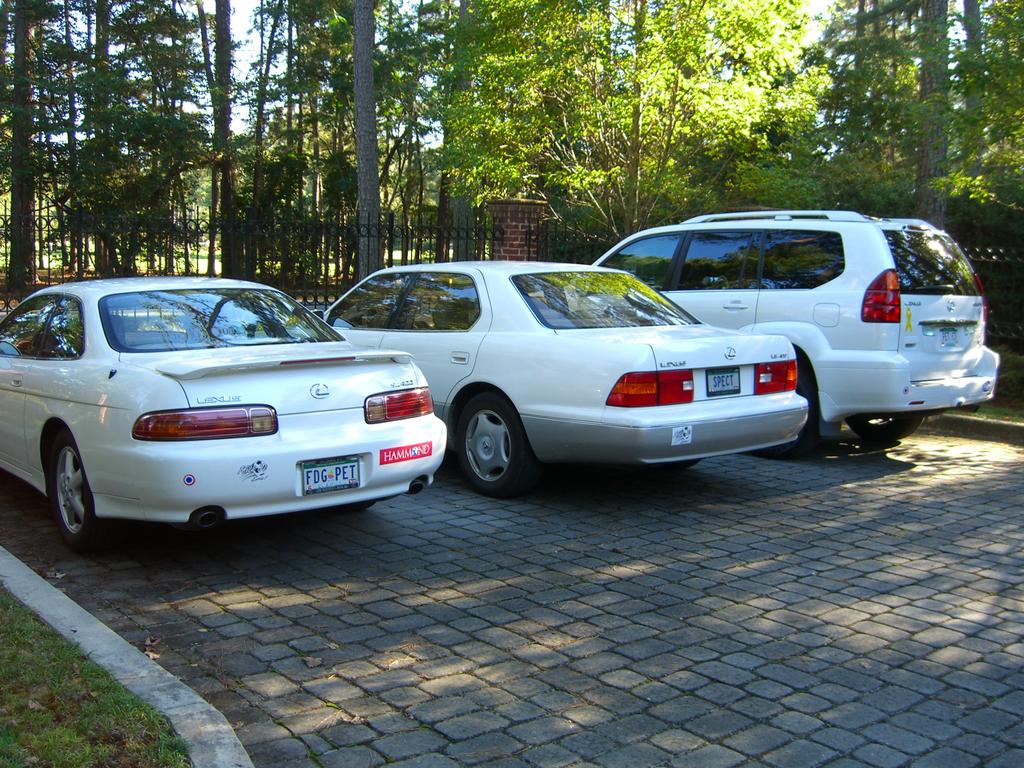
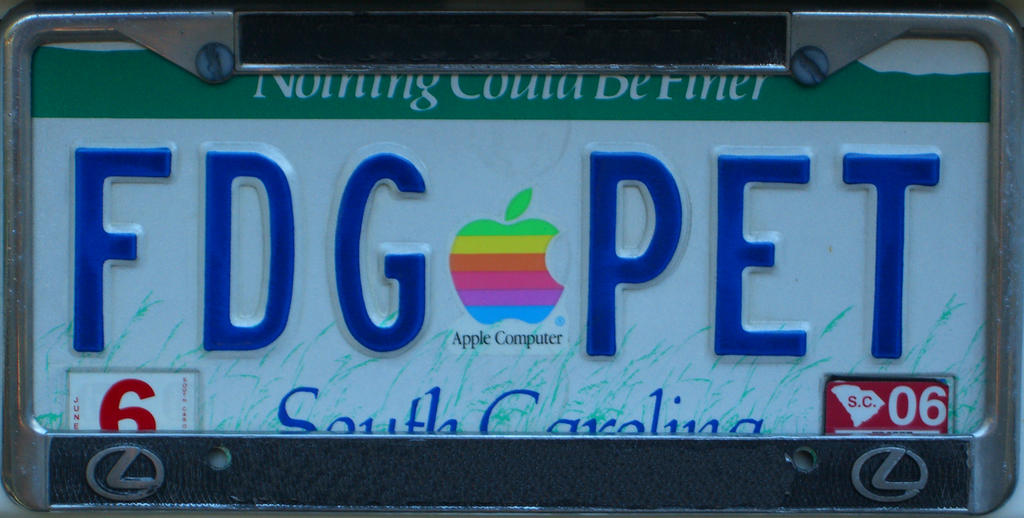


Personalized license plates are relatively cheap here in South Carolina (which is where I live if you didn't already know), and I've taken advantage over the years. I guess the next series will include "PACS" and "DALAI".
Saturday, October 08, 2005
http://www.doctordalai.com
Yes, I finally followed the lead of Mr. HisTalk and purchased my very own domain name, www.doctordalai.com. I guess that puts me on the map, huh? However, it's rather the same situation as we saw many years ago when ESSO became EXXON: New name, same old gas. The blog remains hosted with Blogger.com at the same old place, but I just had to join the dot com revolution. Better late than never. But the best part is that my good friend and colleague (whom we shall refer to as Dr. X, although Dr. Z might be more appropriate) will no longer have to run a Google search to find me. I did it for you, pal!
Wednesday, October 05, 2005
Garbage In, Garbage Out
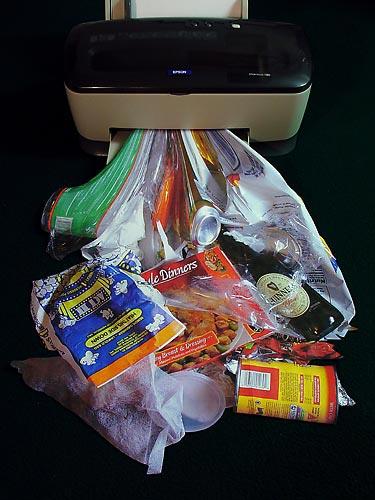
The "C" in PACS stands for "Communications", and that doesn't just mean bandying the "Pictures" in the "Archive System" back and forth. For the radiologist, the picture is worth a thousand words, and on a Medicare patient, at least ten cents.
I realize this discussion will border on RIS/PACS integration, and that is not really where I want to go with it. I'm going to concentrate on two narrow areas, getting documents into the system so I can see them associated with the images, and getting my preliminary report out to the clinician that ordered the study.
Document scanning has been around a while. I was first introduced to the concept in 1990 when I went to visit a little company in Birmingham that had the idea to use a scanner to digitize paper and store the images. I don't know what became of that particular company, but the concept sure caught on nicely. Today, in the PACS world, a company called PacsGear sells PacsSCAN software that lets you scan in a document and transfer it to the patient's study as an additional sequence of the exam. This seems to be the most popular method of accomplishing this task. There are some other software packages, and even Merge has a module to do this, eFilm Scan, which does about the same thing. It would be nice to have this functionality built in to a reading station, or at least a QA station, but the only system I know of that does this is the MedView client from StorComm, and I think I've made my feelings about that thing pretty clear elsewhere. PacsGear also has a similar program to "print" into a DICOM study, which might allow placement of a graph or a JPEG image of some sort. Until we reach the Nirvana of a completely paperless hospital (excluding the bathrooms, I would think), paper history sheets and the like will still be around, and we need this sort of solution to at the very least stem the flow of paper to my desk. Hey, it's a start!
The most brilliant radiologist in the world (obviously not me) is worthless if his or her interpretations don't get where they are needed in a timely manner. There are many solutions to this little problem, some of which are actually practical:
- Call the result to the ordering clinician. They love it when I do this, but you just can't call each and every case and still have time to read the day's stack/pile/worklist.
- Yell it out to your secretary/aide/resource person so they can call it in for you.
- Dictate it and press some sort of priority key which, in theory, is connected to a buzzer or electroshock equipment somewhere in the vicinity of your transcriptionists to alert them to drop everything and transcribe your study first. They are then to fax it or read it over to the phone to the illustrious ordering physician, or at least to one of his/her minions.
- Dictate into a voice-recognition system, edit the report, autofax it to said illustrious clinician.
- Type a brief preliminary report into the appropriate field in the PACS system; the clinician knows to look here as soon as the exam is toggled as "read".
Of all these wonderful options, I like the one where I yell at my helper, but good helpers are hard to find these days, especially if you yell at them constantly. From various threads on the VR topic, I am firmly convinced that it is not ready for prime time, and has the potential for administrative abuse in replacing transcriptionists with radiologists who are forced to do all the editing themselves. Sorry, I have enough going on during the day that I don't need yet another job-title. I suppose the absolute ideal would be a transcription pool so vast, fast, and accurate that the minute I press "end", the report is en route to its destination. All that takes is a tremendous amount of money, right? No problem. Oh well, it looks like Option 5 seems to be the best compromise, at least for stat call reports to the ER and to others similarly equipped with PACS viewers.
This should be a simple task, but alas, it isn't as easy as it looks. The big question is where do you put this "comment window", and how do you signal the docs that there is something to be read? Rather than give you the blow-by-blow (or the yawn-by-yawn) of which company does what, let me create the image in your mind of the perfect woman, oops, I mean perfect comment system...had you going there, yes? Personally, I'm a one-stop shopper. Give me the Mall of America with a zillion stores under one roof rather than Michigan Avenue where I have to walk outside in Chicago weather, which ain't pretty around RSNA time. I want a complete, combined demographic and comment window, with a field for me to type in my own, well, comments. There should be a flag on the worklist to show if there are comments from the technologists and/or the radiologist. If your worklist doesn't take up the entire screen, it would be nice for this window to live below the worklist, and be populated with the proper information for the active study. Otherwise, it could be a floating window that appears when you click the study for display. Simple enough, yes? OK, someone go program this and let me know when its done. I'm going to go yell at my helpers.
Addendum...
I think I need to flesh this out just a little more. We are having a bit of a discussion with Amicas about whether or not this Super Duper Whiz Bang Master Comment, Demographic, and Preliminary Report window should pop up all by itself or not. My PACS admin thinks it should, but frankly, I really am not all that concerned. I like to have the option to do it myself. The auto-pop-up thing acts too much like a pop-up ad for my taste, plus it usually ends up covering something I want to see anyway. I would just as soon click a button to get it. BUT, I would like to see a flag on the worklist to show if there is a technologist or a radiologist comment to be viewed.
Agfa has a potentially useful addition to its comment field: precanned preliminaries. This saves you from typing the same thing 5,000 times a day. It's a good idea, but their implementation is typically harder to use than it has to be. (Are you listening, Waterloo?) You click in the comment window which spawns a second comment window which in turn has three panes (as in window panes). The top pane has the precanned report selection, the middle is a free-form area to write your own, and the bottom shows the conglomerate of your selections. The odd thing is, you can type directly into the bottom, final pane, so why the middle one? I must be missing something. When finished, you must click Save, which places your beautiful prose back into its proper field in the information window. Ducky. Why can't we just type straight into that area, huh? Doesn't allow for precans you say? Well, how about making the precans available by via right-clicking in the field? I like it, although if you have too many precans you might end up with a famous case of Dalai's Right-Click-O-Rrhea. It's worth the risk in my opinion. All systems need to autostamp with ID, time, and date, and that has to be permanent. No fair going back and changing all of your partner's preliminaries to "normal" or "31 week gestation". OK, guys and gals...get programming!
Thursday, September 29, 2005
The Missing Link

Once in a while (a GREAT while, it seems, for me), one is struck with a simple solution to a complex problem. I have mentioned in earlier posts that linking between a new and an old CT (or MR for that matter) is critical for interpretation. This would be an easy proposition if patients could be very precisely positioned at the same spot on the gantry every single time, and of course if they held completely still. Then there's the breathing aspect, but I've found in general that patients who don't breathe at all tend not to pay their bills, so we have to live with that.
In the good old days, a couple of years ago that is, the only real option for comparing studies was to link by image number. In other words, if you scrolled down three slices on the new, you would scroll down three slices on the old. This would be OK if your scans were both performed with the same slice thickness. That is not always the case, especially if you have installed a new scanner since the patient's last exam. So, the modern systems (except, of course, for our friends at Image Technology Laboratories, who don't think this situation ever occurs) match scans by table position. This represents a considerable improvement, although all it really does is advance the old study intermittently to more or less match the position of the pertinent slice of the new scan. One still has to orient one study with the other. I try to pick some landmark, say the carina, or the SMA, find the slice on each study that demonstrates it well, and then I link the two together.
OK, here's where my idea comes in. I won't bother to try to patent it, because it is really just an extension (or a subset) of the fusion software used to match PET's and CT's. Those get automatically matched these days because the gantries are combined and the patient (hopefully) doesn't move much. We have a computer from Hermes that supposedly will stretch and deform and magnify the PET to conform to the CT. Sadly, it doesn't work very well unless you tweak it to death. But it tries to match without any real help from humans.
My idea is to use a simplified version of this approach to link new and old scans. Instead of having the computer grind away forever trying to match the scans, let the user do it: mark congruent points on each study, say the sternal notch, the carina, the SMA, and the symphysis, just to use my personal favorites. In the simplest implementation, slice incrementation could be adjusted to match the position relative to those marked points, rather than table position per se. The more points you place, the better the match, although I assume most people aren't going to want to place more than three. The wider the distribution in the z-axis (head-to-toe), the better the match as well. In a really whiz-bang set-up, the scans could be treated as volumes and the old one morphed to the points marked. Some folks from Voxar hinted to me that they were working on a surface-mapping approach to this problem, but so far, several years later, no such luck. My approach is a lot easier, and therefore cheaper, and therefore more likely to appear on a PACS near you.
If someone gets the volumetric approach down, the next step would of course be linked 3D studies, including MPR's and volume renderings. Again, I have heard that Siemens was working on that sort of thing for InSpace (courtesy of Eliot Fishman responding to my question on CTIsUs.com), but again, this has yet to see the light of day. My pals at ScImage did create a dual-MPR display (one can do the same with GE AW4.1 and Philips, I mean Sectra). ScI's program suffers from their usual confusion as to where it thinks you have clicked, not to mention half-a-dozen other problems, and using the dual-MPR is so tedious that I don't bother with it. Now, watch them be the first to run with my idea. That's OK, as long as everyone else does so as well.
Phew. Having ideas is hard work. I think I'll go back to bashing.
Thursday, September 22, 2005
I've Seen This Happen....

Yes, a colleague of ours uses a REAL magnifying glass to look at his screen. No kidding.
Wednesday, September 21, 2005
Caught in the Act
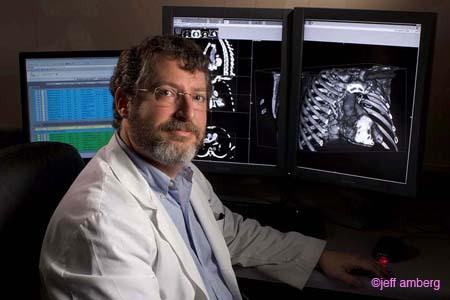
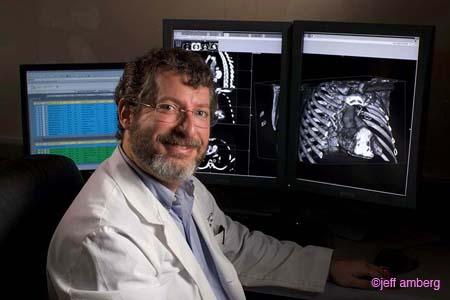
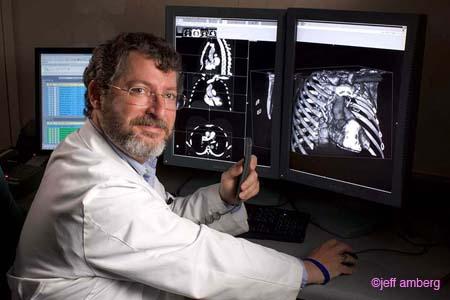

I happened to be in the right place at the right time (or the wrong place at the wrong time, depending upon how you look at it), and I became part of a hospital publicity campaign. Note the PACS system in the background. Free publicity...worth every cent!
Tuesday, September 20, 2005
A Visit From The General
Three lovely ladies from GE just stopped by our Centricity site to say hello and listen to me whine. And whine I did. Putting on my pompous a$$ hat, I declared that Centricity does several things that are totally unacceptable in a PACS:
- It only allowing two measurements on screen at any one time
- All caps and a space after the comma are required for searches; without these elements, you are informed that there are no matching studies.
- There is very slow refresh on manual cine'ing through linked studies
- No 3D.
They listened very politely, and didn't even laugh. That's the good news. The better news is that whines 2 and 3 are supposed to be fixed in Centricity 2.1, and we will at least be allowed to demo a 3D package, the long-awaited port of AW software. The number of measurements on a screen problem may take a while, however.
Now dear Dalai has nothing to offer but his credibility. I don't just bash because it's fun (although sometimes it is fun), but when I hit a brick wall with a product (or an airline), I can at least vent here on the blog. I promised my visitors that I will accurately relate any and all fixes to my problems. The flip side of course is that I will accurately report if things don't get fixed. I mentioned my blog (even I have to have a little pride), and you should have seen their faces....
"YOU'RE the Dalai Lama?????"
Really, I thought everyone at GE knew. Maybe they were expecting someone better looking. But wait, my photo is over to the left... Oh well, there goes my hiding. Maybe I need a new identity.....how about "Beelzebub's PACS Blog?"
Monday, September 19, 2005
Wanted: PACS Guru
 Beard and baggy pants optional. My projects are suffering due to the other obligations of hospital personnel, and a few other reasons I won't go into at the moment. I need someone with proven expertese in PACS, RIS, networking, computers, and especially in dealing with whiny doctors. Experience with Amicas products would be a distinct advantage. My project currently consists of an Amicas server piggy-backed onto an Amicas database SAN at one of our hospitals. I need to expand this, and ultimately create a free-standing system, located off of hospital grounds. This position is equal opportunity for those of all species and planetary origins. It includes full benefits. Salary is commensurate with experience, but unless you are the CIO at your place, it will likely be higher than what you are making now. Please send preliminary responses to "nucleon(at)gmail.com". (If you don't know what to do with the "at", you ain't no guru!)
I have had several leads on gurus that didn't work out, mainly because many of the possible candidates wanted to stay where they were for some strange reason. Some likely possibilities just didn't yet have the adequate level of expertese to hit the ground running.
This is your chance, folks, to work side by side by side (look at the avatar!) with the most horrible, oops, I mean most honorable, Dalai Lama of PACS! Chances like this don't come around twice! Well, maybe not three times?
Subscribe to:
Posts
(
Atom
)