
Tuesday, September 13, 2005

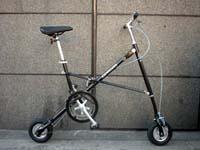
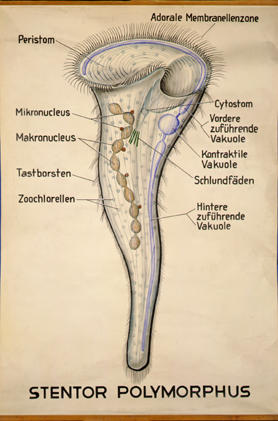
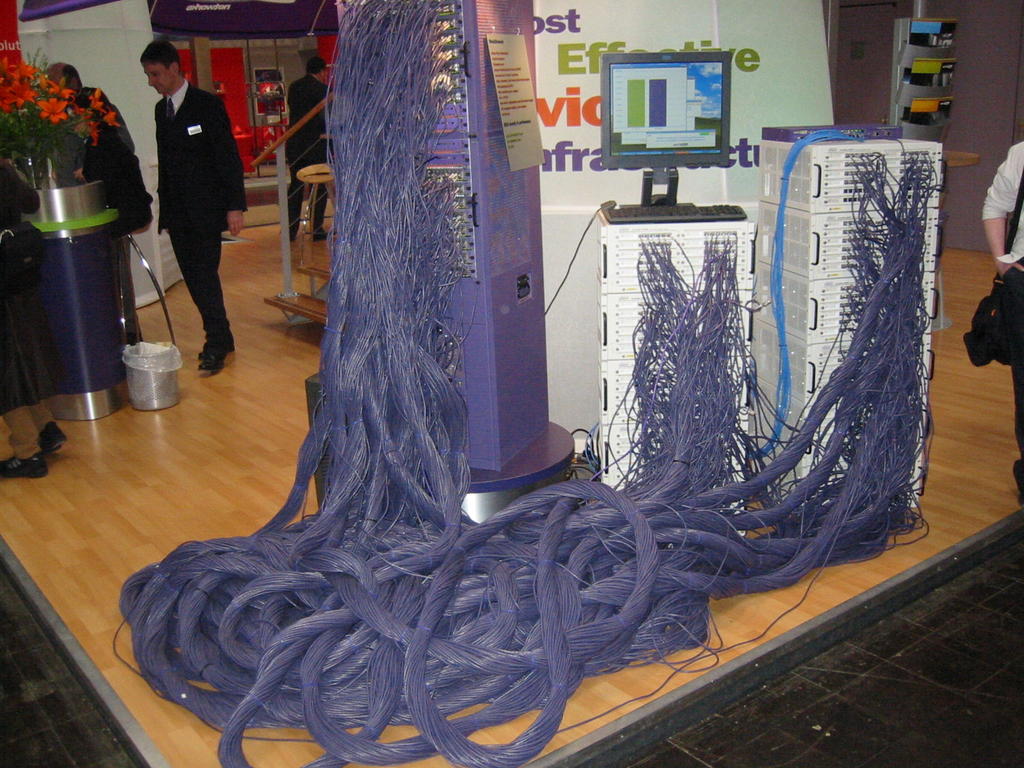
And You Thought They Were PACS Companies!

These are all unretouched photos harvested from the Internet.....

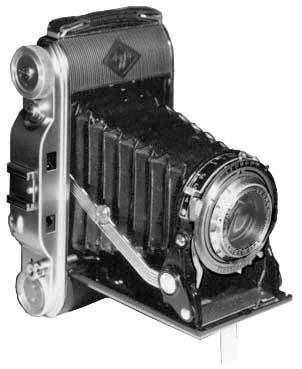
AGFA


Amicas


DR Dominator (both vehicles are called "Dominator")

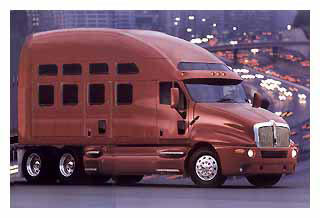

Fuji


General Electric


McKesson



Philips
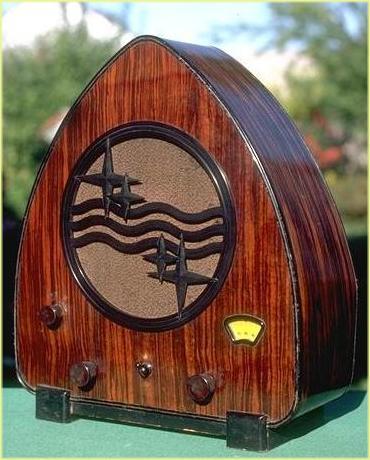
Sectra

Stentor


Addendum...Marc from Mitra, I mean Agfa, says he's seen one of these driving about:


Anonymous sent this one:

Thursday, September 08, 2005

3000 Visitors...and some Firefox Woes

Congratulations to visitor number 3000, who comes to us from Karolinska University Hospital in Stockholm, Sweden. Tack själv för besöka min blog!

Anonymous, from Copenhagen, Denmark, via TDC Bredbaand, notes that with Firefox, the venerable blog looks like "rubbish". Now we can't have that, can we? I must confess to using Internet Explorer 6.0, mainly out of sloth, since our good friends at Microsoft do try to update it almost as fast as the hackers crack it, and their updates come automatically. To check out my Danish friend's complaint, I did download and install Firefox. I'm working with it right now, as a matter of fact. The only glitch I am seeing involves the sidebar, where the Google Group and Search windows are overlapping the adjacent text. If no one minds, I'll simply delete those two items, and all should be well. Anonymous is using UNIX, but hopefully that won't make any difference. Tak for lån , Anonym , nemlig lade mig kende herom!

Wednesday, September 07, 2005

Chocolate-Covered Rants

A couple of things just got my goat, so I feel compelled to share them.

First, I received my very first "blog spam". This is where spammers use the comment field of a blog to advertise their garbage. I left a telephone message on the number listed for the owner of the advertised site, nicely requesting that she cease and desist from this behaviour. If it happens again, I'll consider publishing her number...well, that wouldn't be nice, but I'll think of something effective. In the meantime, I have turned on the "word verification" function, so anyone interested in leaving a comment must type in the word they see in a distorted picture before the post will be accepted. I apologise in advance, but I'm sick of spam!

Second, I have just signed in to ScImage PicomOnline for the 20th time today. Guys, the HIPAA regulation refers to a period of INACTIVITY! You are not checking to see how long your program has been idle! Please, please, PLEASE fix this! I know you can do it!

Rant over. Thank you very much.

Tool Time Part II:
Magnifying Your Problems,
Zooming Around,
And Panning for Gold


Does anyone actually use the Magnifying Glass tool? You know, the one that lets you hover a magnified window over your image? Some of these are pretty complex, as seen with Centricity and Impax, giving the user the ability to adjust the size of the "glass" and the degree of magnification. Those controls would be pretty cool on a physical magnifying glass. However, I usually just use the zoom and pan functions.

You wouldn't think there is much new with zooming and panning; you just, well, zoom and pan, right? Well, that's about all Centricity and Picom let you do with these functions. Agfa and Amicas have a little different take on this classic. Instead of just zooming from the center of the image, both zoom from the location of the cursor. This takes some getting used to, but it sure makes more sense than zooming, selecting another tool, and then panning. Agfa takes this one step further in Impax 4.5: The zoom/pan tool is effectively combined. You pan with the left mouse button, and zoom with the mouse wheel. This actually works very well. The Amicas tool simply zooms. You can pan with this tool in a round-about way by zooming out, selecting another point on the image, and zooming in again. There is an alternative pan-only tool available.

I would give Agfa the win on this tool as it stands. I do have a major disagreement, however, with the way Impax deploys many of its controls. You have to select the tool either from the top tool bar or the right click menu by left-clicking it. It then stays on until you right-click, which "drops" it. As noted, the wheel does the zooming. So far, so good. Sadly, this approach is not consistent throughout their entire tool pallette, and that drives me insane (well, more insane). With the window/level tool, you left-click, and then you must left-click again to toggle the tool into active mode, then left-click yet again to toggle it off. But you don't have to do so with every tool. This toggle-on/toggle-off stuff gets old. Therefore, the ideal zoom/pan tool in my book combines the best of Amicas and Agfa: Select the tool from the toolbar, left-click and drag pans, mouse-wheel zooms with the cursor as the origin. Easy. I would like to have this tool replace the pan-only and zoom-only tools Amicas now uses, and it should of course go on the "short-right-click" rotation that brings up the most commonly used tools without a trip to the toolbar.

Tune in next time when we shred rulers and other measurement devices on "This Old PACS", I mean Tool-Time!

Monday, August 29, 2005

Jog-Shuttles vs. Joysticks, and Other Weird Ideas...


From the cyberworld back to the hardware world for a moment...

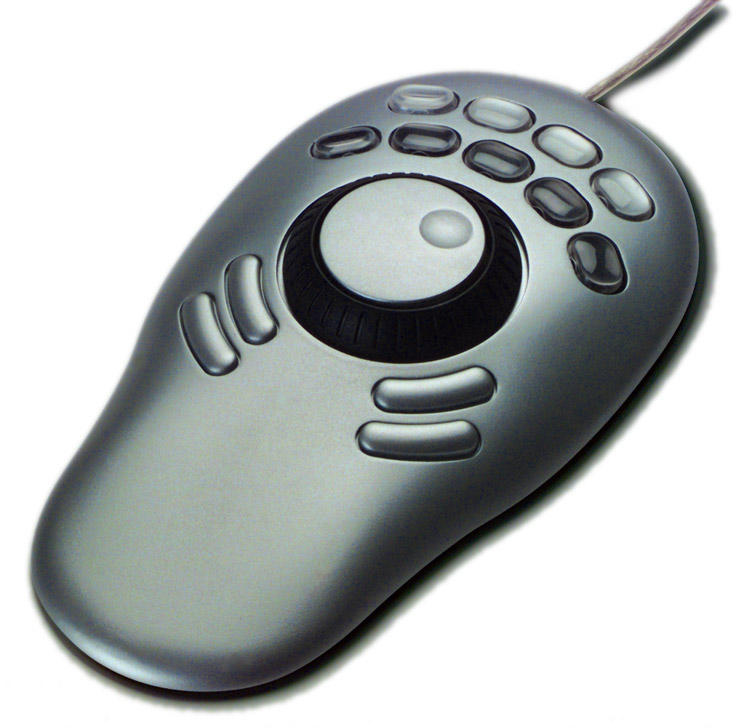
I have yet to get the Contour Jog-Shuttle Wheel (remember Darth Vader's codpiece?) to work the way I would like with my PACS. Fortunately, it does work with my video editing software, so it isn't a total loss.

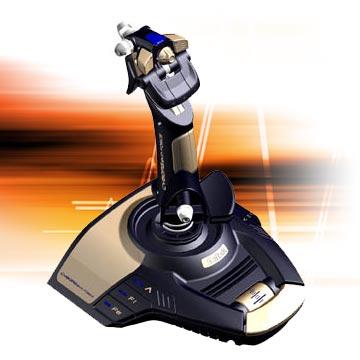
I've been thinking about the problem of navigating a 3D dataset, which can be a dangerous and expensive thing (me thinking, that is). How is this done in real life? First, we have to find an analogous situation. Airplane pilots have to navigate their aircraft through three dimensions, though, in general, they had better be going forward, and they have to deal with gravity. Helicoptors don't have to go forward, but the collective, the up-and-down control, adds complexity to this discussion. So, how about video games where one pilots a spaceship around, well, space, without regard to gravity? Most use some form of joystick navigation, though this might manifest as a limited D-pad on an X-Box or Game-Cube controller. The joystick was the one device Sherbondy did not test for his article.

An overwhelming number of joystick options are available. Take a look at the Saitek "Cyborg evo Force" pictured above. This joystick has lots of buttons as well as mini-joysticks mounted on it, and some of the buttons themselves even have switches. Our younger generation is being prepared for something, although I'm not sure we're going to like it when it arrives. But I digress.

Seems to me that this is the way to pilot through the inner space of the body, and would be especially valuable with virtual colonoscopies. I haven't, of course, worked out the logistics of this approach as yet, but one could use the main stick for navigating the slice you are in, be it axial, coronal, or sagittal, and one of the little mini-joysticks for diving up and down or in and out of the plane you are in at the moment.


My son has an old Sidewinder joystick, and since he has lost his computer priviledges for a week (forgot his homework or some other onerous offense), I'm going to confiscate the stick for my experiments. We'll see how it goes.

Sunday, August 28, 2005

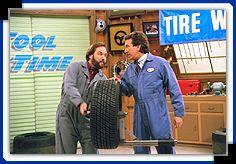
Tool Time!
Part I: Spine labeling

With apologies to Home Improvement...

I am starting a new series of blog-installments discussing various tools within PACS viewers. I'll try to describe the versions of the tool I use, with my (biased) evaluations and suggestions for improvement. At least this gives me material for the forseable future!

Let's start with the spine labeling tool. By the way, here is my stylized icon which I will be glad to sell to any interested PACS company for a really reasonable price:

Hands-down, my favorite incarnation of this tool comes from Amicas. This is the way it should be, simple, intuitive, quick, and effective. You click the button on the menu bar, and then point at the middle of S1 and click. Then you point to the middle of L5 and click...and so on until the spine is labeled. The magic of this is that 3D information within the DICOM header is utilized to deploy labels in the axial plane:
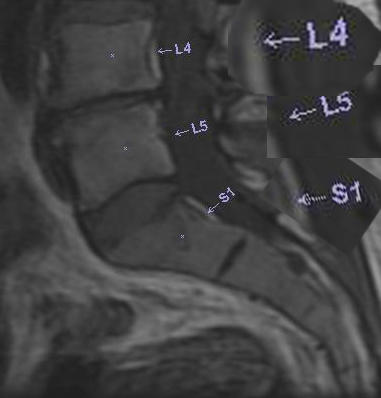
This whole process literally takes 5 seconds.

A drop-down menu gives several options with further control available from the labeling dialogue:
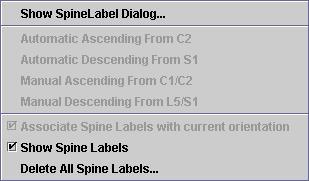
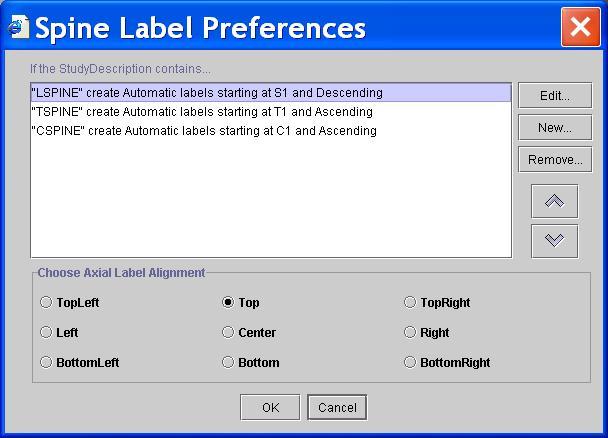
Now this is really neat: "Preferences" lets you set up a degree of automation. If the spine study is properly named(cervical, thoracic or lumbar), the labeling tool automatically starts at the level you choose. (This is actually an unusually deep level of adjustment access for Amicas tools, by the way, and the initial set-up will probably be adequate for the vast majority of users.)
The other systems we use either don't have this tool at all, or have a such a poorly-designed version that using it would take 10 minutes; therefore, we don't.

I don't have any significant improvements to suggest for this tool; Amicas did it right. I would perhaps like to have the ability to change the font, or at least the size, of the labels. It would also be nice if they would propagate to the coronal projections as well if these are available. Finally, it would be really nice (but really difficult to accomplish) to have the labels appear within the embedded Voxar 3D window. I can dream, can't I?

Tune in next time, when Heidi and Al get caught up in the magnification tool!

PACS Porn!!!!


Photo of nekkid PACS components! What were you expecting?

Thursday, August 25, 2005

"Geek Squad" and The Dalai Manifesto On Expert Witnesses

Voice of Reason writes on AM.com:

Sorry to get on a tirade but I just got handed a bill from the Geek Squad serviceman for a service call on my Gateway that I have had for 2 years now. I just had a service call last week where a piece was replaced that was worn out and my contract states that I get 1 service a year for free. Well the hard drive failed as they sometimes do, and I needed it repaired.Here comes the fun part, for a 50 gig hard drive I was charged $667.18. Yes that is correct over 600.00 for a hard drive I could get for less than 100.00. I was charged at a rate of $240.00 per hour to install it which took 3 hours and $325.00 for them to drive to my office which is less than 25 miles from there office here. I was told that all of these are the standard rates.
Well I asked the rep if I charged him 667.18 for a contrast injection would he be upset, he said of course he would, but he has no control over the pricing. As far as I'm concerned this is all horse shit, I'm sick of being charged $95.00/ hour for IT support while they sit at one of my computers and wait 30 minutes for a download to finish or for a program to scan my hard drive. Plus they charge me 1/2 the hourly rate for travel to my office.We (physicians) have been taking in the shorts for way too long and I for one am pissed off ( sorry about the language). I want to organize just like every other business in the free world. I would like to see them put all of us in jail for collusion. I have said it before but it is time to strike!!!!!!!!!!!!!Close the doors for 2-3 days don't answer the phone, all of us go see our families take them fishing or go play golf, round on your hospital patients if you have them, but otherwise stop, Only by a massive shut down will anyone, inscos and gummit, see that we aren't going to take this crap any longer.My prices just went up 50% and no more free work of any kind unless it is something I want to do, not what some patient or inscos think I have or should do!!!!!!!!!Sorry but I'm pissed!


Among other posters, Dalai responds:

Shoulda got a Dell with a 4 year service policy. Or learn to open the can of your computer and swap the drive yourself. 5 minute hardware procedure, 1 hour or so to reload the drive.
On the more serious medical front, I think in the end docs are their own worst enemies. How 'bout them expert witnesses? Without them, the lawyers are SOL. But Google the term "
medical expert witness" (I've made it easy by linking it for you), and you get 40,000+ sites that will connect you with a doc that will say the sun didn't come up this morning if you pay him/her enough. My personal solution is to make it ILLEGAL to pay for such expert testimony beyond travel expenses and such. Some of these plaintiff whores make $5,000-$20,000 per case that goes to trial, so they have every motivation to drag your sorry backside into court, even if there is no case. This must stop. The tort-reform bills going through various state legislatures, and even Congress, are not dealing with this issue as strongly as they should.
For us imagers, the clinicians with their own scanners are presenting an interesting problem. They are generating more imaging business, and the more upstanding of them contract real rads to read their stuff, but their out-of-control self-referral is bringing down the house on ALL of us. This baby doesn't want to go out with the bathwater. Then you have the ERs that order everything but a corpora-cavernosagram in the middle of the night (at least I haven't had to do one yet), and want the answer yesterday, overtaxing the system at that end.
$700 for an hour of work to replace a hard-drive? Maybe I'll join the Geek Squad....

I've been wanting to post something like this for a while, but just never got around to it. I've been sued twice, both for rediculous reasons. Don't get me wrong: I make mistakes, as do all rads and even all doctors, and all human beings in general. However, the tort system in this country, especially with the contingency basis upon which many of these cases are pursued does nothing to correct mistakes, it simply pads lawyers' pockets. In my first case, I and two of my colleagues were accused of missing a lesion on a mammogram that wasn't there. The "expert" was a general radiologist that had been sued 7 times before himself. His deposition would have been funny if it wasn't directed at ME. That case was dropped. The second case, which is awaiting summary judgement, accuses me and another rad of not seeing a chest tube on a radiograph that wasn't there. I kid you not. It is one of those classic "shotgun" suits where every doc that had the bad fortune to get his or her name on the chart was sued, with no regard for level of involvement with the patient. Once I get summary judgement, I will seriously consider seeking sanctions for the litigating attorney. I think he was expecting all NINE of us docs to settle just to make him go away. He is in for a bit of a nasty surprise.

I am very serious about my solution to the "expert witness" problem. Look at it this way: if you can pay for testimony, then it can be bought. If I am called to testify, I refuse payment, and I require a subpoena. Therefore, I am there as a free-agent, not paid by anyone, and I can speak the truth. Period. Now, the standard answer an "expert" gives when asked on the stand how much he is being paid is something like, "(muffled thousand dollars) for the time I put into this case, but I am here to give my expert opinion and payment doesn't change what I'm going to say." Sorry, I don't buy it.

Many professional societies are starting to sanction their members that grossly perjure themselves on the stand. That's a start. However, the ONLY way, in my humble, simplistic opinion, to completely stop the abuse of (and by) the legal system is to decouple the testimony from payment. That is what I practice personally. I have had lawyers look at me like I have three heads when I tell them this, which maybe is indicative of how it impacts them.

I refer to this declaration of independence of testimony from reimbursement as the "Dalai Manifesto". Outrageous? Yes, but I haven't heard a better idea yet.

Saturday, August 20, 2005

RSS Feeds and Fellow Bloggers

There has been a request for RSS feed for my humble blog by Anonymous (I wouldn't admit interest either). I haven't dabbled much in such things, but Blogger publishes the RSS feed as http://doctordalai.blogspot.com/atom.xml. I plugged this into SharpReader, and it appears to work properly.

Docderwood has joined the league of Bloggers with his new blog NuclearVision. Check it out...it is very nicely done. Like me, Doc is a Nuclear Radiologist, double boarded in Radiology and Nucs. His blog is a lot more erudite than mine!

Stentor? Who's That?


Take a look at the former Stentor website....It is now called the "Philips Global PACS Business Unit", and barely refers to Stentor by name at all. The introductory paragraph says it all:

Introducing Philips iSite PACS
Philips iSite® PACS is the leading enterprise-wide medical image and information management system on the market today. iSite® PACS is an innovative image and information management system that delivers on-demand diagnostic-quality images over existing hospital networks, advanced radiology reading stations for radiologists, and "always online" long-term storage.

Sure sounds like Stentor to me. Now don't get me wrong, I have the utmost respect for both companies, but the rapid transition feels a little like Orwellian doublethink. Oh well. Good luck to all Philips users, both the Sectrans and the Stentorians.

Wednesday, August 17, 2005

Hello, Freeman Health System!

I noticed a great deal of traffic today from the Freeman Health System of Joplin, Missouri. They seemed to be particularly interested in my ScImage posts. Freeman bought ScImage for Cardiology and Radiology PACS in 2003. Maybe their experience has been better than mine, and perhaps they got a good laugh out of my ranting. I hope so, anyway, for their sake.

ADDENDUM...I just couldn't resist posting FHS's response....

FHSPACSADMIN said...
We enjoyed your rants about ScImage! Our favorite was "Dear ScImage." Don't know how many times i have had to walk our radiologists over the phone at night how to re-inistall picom client. One them asked in a huff one night...."now why do i have to keep doing this?!?" I do not know sir.We enjoy your site and will most certainly be keeping up with it!Take Care!
Tuesday, August 16, 2005

Tholian Web-Based PACS


Inside joke for Star Trek fans....

This blog is finally starting to stimulate the kind of banter I had in mind. The discussion of web-based PACS has generated even more commentary. You can read the full versions by clicking on the "Comments" link below the last post. Here are some pertinent exerpts:

Anonymous writes:

Once you are in the application (after it is launched), the web is really out of the equation. You are running an application that is installed on your local machine. Most (all I would hope) applications have some capability to auto download new clients as they are available. So, to make a long story short, web or not, if an application can be downloaded and installed/configured from a web browser and if that same application will communicate on standard web ports, then to me everything else is the same."

Peter then comments:

I would much rather see a well designed, small fat client install which uses the internet to communicate to a backend database than...a “thin” web app.....An easily available web site with a small, intuitive install would be so much more preferable to a web app. Limiting the customizations possible by the end-user saves a lot of support time in the long run."

Uhhhh...can a client be small and fat? Sorry, don't set me up with a straight line! I think we all may be talking about the same thing, but with different buzz words. Let's take a look at the way a generic "web-based" system functions, and see where we might have some common ground on this part of the wider issue....

Those I've tried all seem to work a good deal like both Anonymous and Peter suggest. You go to a web-site with your browser which acts as a gateway. Once you have logged in, the actual viewing client is examined and updated if needed, then launched. This client is generally a Java applet or Active X control or the like. A third component acts as a conduit for the image transmission through the web (usually on https port 443), and a worklist of some sort is displayed within the brower, either with HTML or maybe Java. If you have Voxar 3D, that is a completely separate program that either taps your PACS database or intertwines somehow with locally-cached images.

Now, what do we mean by "thin" and "thick" clients? Here is one of the better definitions I found whilst Googling, from
"Solving the ‘thin client’—‘thick client’ dilemma" by Robert Barnett in "A Forms Perspective":


‘Thin Client’
A simple program or hardware device that relies on having most or all of its functionality supplied by a network server. It is similar to a dumb terminal in that it gets all of its information from the network. For example, a simple HTML form filled out in a web browser is considered to be processed by a ‘thin client’ since much of the form's functionality is supplied by the server.


‘Thick Client’ (or ‘Fat Client’)
A program that is stored locally on the user's computer rather than the server. For example, word processing software used to write letters and other documents generally resides on the user's computer rather than the server. Even when the software resides on the server it is actually on space allocated to the user and is, in reality, just an extension of the user's computer. The term can also be hardware related, referring to fast stand alone PC's that have large amounts of memory and high volume hard drives that run programs locally rather than off the server.

I think we will find that essentially all systems use mainly thick clients for viewing. You are not just tunneling into the server and watching the images being manipulated there, but rather you are pulling the images to your client, and playing with them on your very own computer. I can think of two instances in which I have used a thin client, based on the above definition: First, when I was in junior high sometime in the last century, we had the great priviledge of using a mainframe via acoustic-coupled modem over POTS (Plain Old Telephone Service) with a teletype at 110 baud. Much more recently, I have tried out a TeraRecon Aquarius via internet. I loaded a thin client on my laptop, and all the image manipulation was done on the Aquarius, wherever it was. The images were, of course, spectacular, but the process was completely bogged down by bandwidth. Therein lies the problem with thin-clients...while it might be feasible to do all the crunching on a central computer, you still have to get the results out to the viewers in the boonies. Not a big problem in-house, especially with gigabit ethernet, but even DSL or cable speeds may not be up to the task. I'm going to go out on a limb on this one, and come down hard in favor of the thick(er) clients. I just bought a number of Dell Precision 670 computers from the Dell Outlet Site for my group. For $4000 each, we get dual Xeon 3.6 GHz processors with 1 MB cache, 4 GB of RAM, 200 or so GB hard drives, and a 256 MB dual-DVI nVidia graphics card. That's more computer power than all of NASA had at the time of the moon shots (and probably more than the Shuttles themselves have today). These machines can do a great job with 3D processing and cine-style viewing of 8 or 16 windows simultaneously. In the end, they represent a cheaper approach. Bandwidth to accomplish all this would be prohibitive, at least to deliver it outside the main hospital, anyway. So, to me, the thick client approach wins. A thick-client viewer is not bound to a web-browser, but the two can play nicely. Think of Adobe Reader, a client used to read .pdf files. It is downloaded (though the user has to initiate this) from the web, and its various incarnations can work as a plug-in within the browser, or as an independent app. Most importantly (and depending on its timing, sometimes annoyingly), Adobe will give you the opportunity to upgrade to the latest and greatest when such is available. Likewise with PACS viewers: usually they are downloaded with the initial connection, and the opportunity to upgrade is usually given upon subsequent sign-ons.

As far as communications are concerned, many transmission problems have been solved by the internet long ago. The 'net is designed to transmit information from one point to another in packets with self-healing redundancy. If one route is cut, another is found. From the computer's-eye view, the transmission of data via the 'net is not particularly different than through the local intranet; the same TCP/IP protocol is utilized by both. For those who have suffered through dial-up and even ISDN connections, home broadband is nearly a miracle for telerad/remote PACS applications.

I think most of us agree that a web-based system should operate from one main database. There should be direct access to this archive, whether from within the enterprise or without. Here seems to be the main differentiator between classic and web-based systems: The old architecture requires an additional "box" with a partially-mirrored database for outside consumption. I have posted elsewhere that a web-based system should have each slice or image addressed by its URL, thus adhering to the internet's conventions.

The sum of all this drivel is that a web-based PACS system mimics any other web product; it uses the web's protocols and tools rather than reinventing the wheel. The example of Adobe Reader actually is quite pertinent...instead of reading .pdf files, we look at DICOM images with a web-based PACS. Now here is a little riddle for you: If I have a conventional PACS, say, like Agfa IMPAX 4.5, and I put new software on its web appendage, in this case the Web1000, such that this former appendage is now a true web server, tapping the main IMPAX database, what do I have? Answer: IMPAX 6.0. Riddle 2: Is this new system now web-based? Answer: Probably......

Monday, August 15, 2005

Question: What are the Advantages of Web-Based PACS??

In response to the last post about web-based systems, Anonymous says:

"I still do not understand how all of the advantages that Brad describes are gained via a Web based PACS. Whether the PACS is web or not, a system can still be brokerless, flexible, inexpensive, easy to deploy, easy to upgrade, etc. A web based PACS still requires somewhat complex servers and configurations, etc. The advantage for me, and the only one, of a web based system is the ability to 'launch' the application from the web. This opens up opportunities that are endless. Now granted, that is a huge advantage, but I just dont think that people are conveying the advantages of web based PACS very well, and espescially not in this tidbit by Brad. I would love to see data on whether web based PACS perform better, are more reliable, are more secure, etc. And for those requests, I would love to see real examples, and not any high level, marketing focused, buzz word based responses."

I can't answer this question as well as, say, Brad Levin might, but I'll try. As you probably know by now, I have Agfa Impax 4.5 at one hospital, and Amicas LightBeam at another. The former is arguably at the pinnacle of development of a non-web-based system, the latter is typical of the modern breed of web-based architecture. What are the differences to me, the end-user?

If you discount differences in the clients themselves (and I could wax poetic about that for hours and hours), there is no obvious difference in the two approaches (again, from my point of view) whilst working within the hospital. I open the studies and read them. Rocket science here, right? I should add, however, that the Amicas system checks the software on my station upon each sign-on, and allows the installation of any available upgrade (that is already on the server) before the reading session begins. Could this be done with Impax? I suppose it could, but it isn't at the moment.

The real difference to me is how the system works when I am outside the hospital. Deployment of a client is much easier with a web-based system, and there is no discrepancy in the software I use at home, in the hospital, or in Timbuktu (or in the North Woods of Wisconsin if I should happen to be there.) Again, could this be accomplished with Impax? Maybe, but Agfa chooses instead to add another box, the Web1000, as an entirely separate server and client. The later versions of Web1000 look a little more like Impax, but they remain two very separate programs. At 3AM, it is a lot easier to use what you have been using all day than adjust to something different, trust me. Moreover, being able to sit at any computer in the world with broadband Internet access (well, any Windows computer anyway) and be up and running with minimal effort is truly mind-boggling when you think about it.

I'm not well-enough versed in the underlying architecture (or I haven't had enough Versed) to discuss the relative merits of each approach. My rather simplistic view is this: The 'net was designed for rapid, error-proof, interruption-resistant transmission of data. That's what we need for PACS, yes? So why reinvent the wheel?

I think we would all love to hear from experts on both sides of this issue.

Saturday, August 13, 2005

Web-Based PACS

A recent AuntMinnie.com thread rehashes the proper definition of a web-based PACS. This comes up periodically, and in July, 2003, Brad Levin from Amicas posted this lengthy but highly precise description:


First a bit of a disclaimer -- As my screen name explicitly describes, I'm Brad Levin and I'm the Director of Strategic Marketing for AMICAS. Prior to AMICAS, I was a PACS Subject Matter Expert for both Cap Gemini Ernst & Young and prior to that, Xtria Healthcare. I've experienced PACS for 10 years+, as the industry has made generational changes from the earliest military days of MDIS which was highly proprietary PACS (resulting in the Unix guts of most of today's traditional PACS), to the first DIN-PACS which spurred industry to go the route of rudimentary integrated RIS/PACS and heavily brokered systems, and most recently to Web-based PACS.


I'll try to provide you a snapshot of this market segment as it exists today -- it's a long response, but I hope this provides some clarity for you:
What is Web-based PACS? While there is no Webster's definition, Web-based PACS is PACS with the guts of a Web server under the hood. In other words, Web-based PACS delivers images and reports via a URL-based mechanism (e.g., what you typed in your browser to get to AuntMinnie.com). Some Web-based PACS vendors have URLs literally in their graphical user interface (GUI), while others use this mechanism, but choose not to have the URL accessible explicitly in the GUI.
Why Web-based PACS? Traditional approaches to PACS are tried and true - there's no argument there, as every vendor can ultimately move around images and reports. But to continue the automobile metaphor, these methods require significant "elbow grease" to be successful. This level of effort has both frustrated PACS customers and vendors alike. Why? Because these approaches lead to PACS with brokers, multiple databases, multiple operating systems, restrictive Radiology-centric workflow, expensive workstations/clinical viewers, multiple levels of archive, proprietary hardware (purchased through PACS vendors), a separate/non-scaleable Web-server and multiple user interfaces for different PACS viewing applications: telerad, distribution, clinical viewing and diagnostic workstations. The paradigm shift of PACS is challenging enough on its own (e.g., change management, training, system rollout) let alone to be hampered by the technical complexity of these disparate systems that must be implemented, maintained, and synchronized. It's complex because it's inherent in the model.

What has been the result of these valiant efforts for PACS? Vendors have had no choice but to pass through (with profits) the complex development, support and integration costs onto the PACS consumer marketplace. By virtue of real-world experience alone, the majority of industry consultants are most familiar with this complex model of PACS and it is continually demonstrated in their RFPs. RFPs have marginally changed from the early days of PACS despite the significant differences in approaches to PACS. So, rather than make generational changes in architecture, many traditional vendors have continued to deliver "complex" PACS via this model, charging several million dollars per PACS, plus several hundred thousands dollars per year for support. That is why so many traditional PACS buyers have a hard time cost justifying PACS, because ROI (using "hard" numbers) is difficult to achieve in a model that does not have the tools to eliminate the production of film. And if you can't eliminate the film, you'll chase, but never get to ROI. That doesn't mean that PACS can't be justified with this model, because consultants and PACS customers have learned how to be creative using this approach with so called "soft and hard" savings. Just go to any conference or read the mags and you'll learn how. Early adopters have worked the system in this fashion simply because the technology and inherent high costs have led them in this not so pleasant direction.


So why Web-based PACS now? Simply speaking, the market dynamics changed and PACS customers are more demanding - on their terms. While literally one or two vendors have been in Web-based PACS for years, the PACS marketplace has clearly taken a decisive turn in the past 3 years. Today, there are probably a half dozen or more vendors offering Web-based PACS, and a similar handful of RIS vendors offer Web-based solutions as well.


As I said earlier, PACS early adopters (e.g., academics > 400 beds) are in upgrade mode now, but have had great difficulty accepting the costly terms of upgrading their traditional PACS. They are questioning "why spend millions on a model that was created in the early/mid 90s"?. I don't think anyone would purchase a 286/386 PC today. The same rationale exists for PACS, except when you purchase/upgrade your system, you are tied to your purchase for at least 5 years+. Combined with this is the reality that the broader marketplace (e.g., <400>


So, the only way for traditional PACS vendors to address this market opportunity is to come up with a model that meets the "demand" with a "solution" that can be delivered with scale (to provide wide image/report access and thus, allow film printing to nearly cease); reduce architectural complexity to "simplistic" models that can be deployed fast, supported over the Web with minimal resources, upgraded over the Web, etc.; provide integration platforms to electronic medical record (EMR) systems through Web server calls; leverage PACS for the enterprise and not just for Radiology; integrate through brokerless interface engines; and perhaps most important of all, to be able to be sold for less to meet the market demand head on.

And what is the outcome of the above? PACS powered by the Web allows adopters to move to PACS faster, with far greater simplicity, and thus, far more affordably than has historically been the case for PACS. It's a confusing time in the marketplace for sure -- but make no mistake -- the rules for PACS have been and are continuing to be rewritten, allowing ROI to be a reality, not the fallacy from the past. There are many flavors to Web-based PACS out there. Some use proprietary means, others focus on standards. Some offer more restrictive solutions than others for enterprise workflow, integration, off the shelf hardware, etc.


In closing, the main message of my response is that for those who have been in the industry a long time the momentum is fairly obvious -- the Web is clearly the direction of the emerging PACS vendors and most of the traditional vendors are either on board with the Web, have released partial Web-based products, or you can almost certainly be sure the Web will play a part in their future releases. If they don't move, they and their customers will be left behind. And as in the past, one day the market dynamics will have its way with the Web --- it is almost inevitable. But when that day will come is anyone's guess. The wave of the Web is in it's infancy and will likely ride for many years to come. Just remember that the PACS penetration rate outside of the academics is in single digits today, and this is the target market for all of the traditional vendors. Some can play in this space today, others can't.


The real final message is that astute and novice PACS buyers have no choice but to filter out PACS for their own best fit model. The change from the past is that the business of Radiology for the <300~400>


Thanks for listening and I hope this was helpful.
blevin@amicas.com


It was very helpful Brad. Based on what we've seen over the past 2 years, I think he hit pretty close to the mark.

This information has formed the basis of my own definition of web-based PACS, i.e., that it is a web-server at its core, utilizing web technology overall, and not simply adding a server as an appendage to a more traditional architecture.

Note that the top KLAS-mates over the past few years have all been web-based products, Amicas, DR, Stentor. I said in an AM post after SCAR 2003 that most major vendors either had or will have web-based architecture based on the above definition. This seems to be coming true, slowly but surely.

Friday, August 05, 2005

Fahrenheit 731

Anonymous said on July 31 (7/31, get it?):

You must be a huge Michael Moore fan. You seem to employ a similar style.

Jim @ ScImage


Well, now, what can I say about this? First off, I had to realize that ScImage is headquarted in California, so comparing me with Michael Moore might well be a complement. I must admit I am not a fan of Mr. Moore, although there might be some physical resemblence:

Personally, I think I'm better looking, but that's just my humble opinion.
The comment obviously indicates that my little stories about ScImage are not appreciated 'round the fireplace in Los Altos. I guess the obvious implication is that I have twisted the facts to make the story sound better. I will confess to throwing in just a pinch of sarcasm, but the facts of the situation are as stated.
It seems the relationships between customers and vendors have been irrevocably changed by the internet. In the ideal world, one would expect a vendor with a nasty, dissatisfied customer to find out what's wrong and address the issues. Posting cute little comments is non-productive at best.
Oh well, ScImage can take heart: Bush won in spite of Michael Moore's best efforts.

Saturday, July 30, 2005

Dalai's PACS Group

At the bottom of the left column you will find a link to my newest web-feature, Dalai's PACS Group! Sign up and feel free to discuss any (preferably PACS) issue that comes to mind.

Thursday, July 21, 2005

A Note From Sectra

Dr. John Goble, President of Sectra North America, posted this on AuntMinnie.com:


Sectra has been in the US for nearly ten years, and we have a superb service and support team. In addition to Philips Medical Systems, we provide Level II support for our other partners, selected dealers and comprehensive support for our direct sales.


Our PACS products for the Orthopedics and Mammography markets are extremely well received by the US market. While Philips' acquisition of Stentor will undeniably impact our revenue in the short term, we intend to aggressively bid for service on our products and continue to protect the investment of customers who have purchased Sectra PACS... whether under the Philips label or directly from us.


Sectra will continue to innovate and bring industry leading products to market in the US. If you have questions about support for your system, extensions to your Sectra PACS or have a new opportunity, we'd be happy to talk with you.


John Goble, Ph.D., President, Sectra North America, Inc. Call us at 800.307.4425.

Sounds pretty promising for Sectra customers. We'll see how it works.

Wednesday, July 20, 2005

Farewell, Scotty

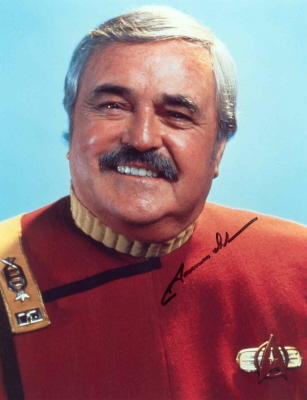
Today, we Star Trek fans say goodbye to James Doohan, who will be forever known as Scotty, the Chief Engineer of the Starship Enterprise. He died of complications from pneumonia and Alzheimer's disease at age 85. His ashes will be rocketed into orbit later this year. (That's not a joke, by the way; he will join Star Trek creator Gene Roddenberry, whose ashes were intered into space several years ago.) I guess we tend to forget that the characters of Star Trek are getting on up there in years. DeForest Kelly, who played Dr. McCoy, died in 1999 at age 79. Even Kirk (William Shatner) and Spock (Leonard Nimoy) are in their early seventies now. I had the chance to spend 10 seconds in their presence last summer at the Star Trek convention (yes, I admit I went), while posing with my son for this photo. I call it three old Jewish guys and a kid.
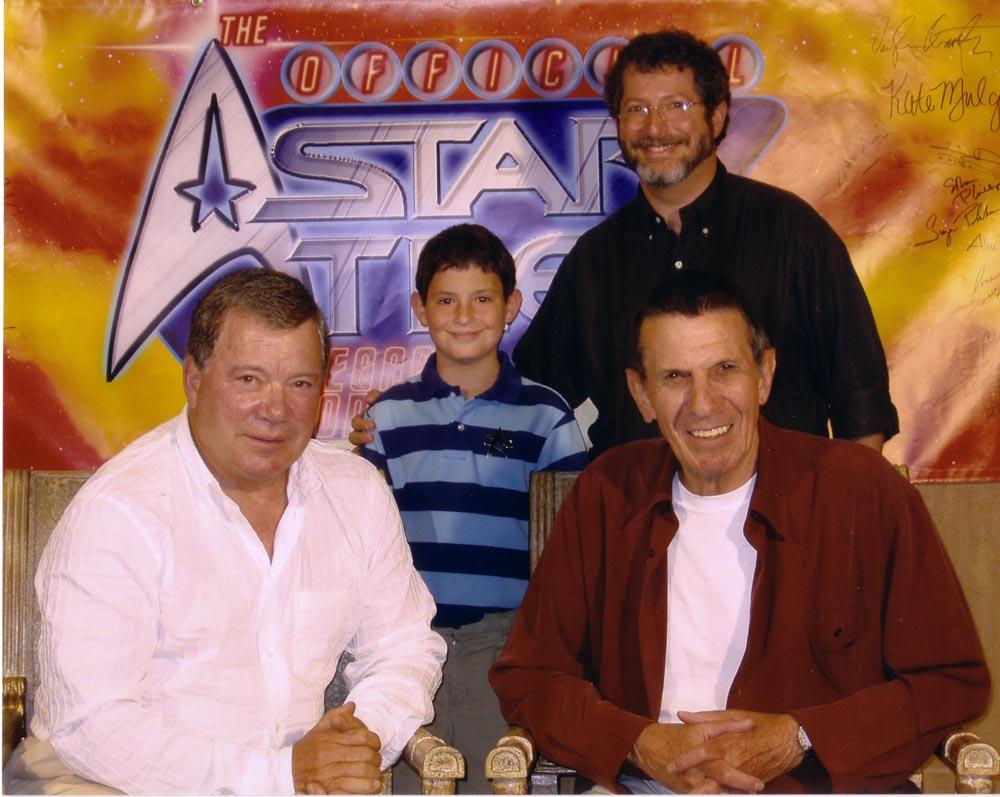
Many say Jimmy Doohan was the most beloved of all the Star Trek actors. I think we can rest assured that he was beamed up and not down to his Final Frontier.

One Brief and Shining Moment....


My apologies to the late Richard Harris....

I am really amazed at the traffic generated by the AuntMinnie.com article. Comments have been generally positive, usually something like, "I didn't know PACS could be funny!" I seem to have the attention of a significant number of those in the PACS community, and I would like to put that to good use while it lasts.

It seems clear that there is a disconnect between the designers and (Radiologist) users of PACS interfaces. I'm not sure why this is the case, as it seems logical to consult your end users before creating a huge software product. I don't want to indict any one particular company, but some do a better job than others of giving us the clear interface and powerful tools we need to slog through the day's work.

For the moment, lots of users, and not a few vendors are dropping by to see what foolish thing I have posted this time. Now I'm sure you all realize that is is possible for you to post comments here, and I really, really, REALLY encourage you to do so. It's simple; just click the word "COMMENTS" at the end of each posting. Perhaps this blog might be considered a "safer" place to post complaints or suggestions for the vendors, and for them to post answers. This happens on the AuntMinnie.com boards to some extent, but I think some are hesitant to post there. So, come here and let it all hang out. Don't hold back, say what you really think. I certainly haven't even begun to describe everything that would go into a perfect system, but if I can get input from as many of you as possible, maybe we can get closer to that ideal product.

Now, if you will excuse me, the boys want me to get back to the Roundtable, I mean my PACS station, and generate some revenue.

Monday, July 18, 2005

Northwest, One Last Time

Ms. Michelle Mohr
Northwest Airlines Complaint Department
Dear Ms. Mohr:

Unfortunately, Northwest was unable to live up to the earlier performance on our trip home. In brief, we were delayed leaving Minneapolis/St. Paul on our flight yesterday due to "weather over Detroit", and we idled on the tarmac for almost an hour before taking off, burning a significant amount of expensive jet fuel. After a very late arrival at DTW, we did manage to make our connecting flight home, but all five of our bags did not. We had to sprint to the departing gate, B19, from A70, the longest possible distance at DTW, but made it with a few moments to spare. The fate agents were courteous, and even apologetic but told us we could not take even a minute to walk across the hall and buy a snack, since the gate was about to close. They asked US if WE knew of anyone else trying to make the flight. As it turns out, there were indeed two stragglers who boarded about 10 minutes after we did, and I would be surprised if your computer did not report that these people had arrived at DTW and were en route to the flight. (One of them had a leg injury and was walking with the aid of crutches.) It was very clear that having the aircraft push back from the gate on time was much more important than letting my family grab a quick snack to take onboard (we had not eaten for 8 hours, anticipating an adequate amount of time to do so at DTW, and this flight didn't even have your now-famous $1.00 trail mix available.) This was the last flight of the day to our destination, and the aircraft had nowhere else to go that evening. Your schedule was likely already in shreds due to the "weather problem"; one more minor delay would not have mattered. As it was, the flight arrived home 10 minutes ahead of schedule. To complete the series of unfortunate events, all five of our checked bags did not make the transfer, forcing us to go through the claims process. The only person available at 12:30 AM was George S., one of the baggage handlers, who clearly was trying very hard to do a good job, but just as obviously had never been trained to use the computer system to file a missing baggage claim. Another baggage-handler finally was able to come to his aid, as did Venus R., whom I believe was a Continental agent. Hopefully, our luggage will be delivered sometime today.

Ms. Mohr, I am sad to report this experience, as I had much greater expectations after my last flight with Northwest. It seems that your people can shine if everything in the system is functioning perfectly, but a glitch, such as bad weather or mechanical failure sends everything into a tail-spin. Staffing has obviously been cut to the bone, and the goal of the airline seems to be to meet the on-time deadline of door-closure and pull-back at the expense of the comfort of the passengers. This will be my last flight on Northwest for the foreseeable future.

Thanks for your time. I know there are many good people working for Northwest; it is unfortunate that they are not allowed to perform to their potential.


Addendum: I do have to add praise where praise is due. Rick, the baggage manager for Northwest in my hometown, personally delivered our 5 bags when the local service couldn't get around to it. I wish Northwest would allow the rest of their employees to go the extra mile as Rick did for us.

Wednesday, July 13, 2005

PACS preferences: How to push a radiologist's buttons

I've finally made the big-time! This was published on AuntMinnie.com today! For radiology, PACS has been nothing short of a complete and total revolution; PACS now quite literally defines how I perform my job. As a nuclear radiologist, I spend at least 85% to 90% of my day with the microphone in my left hand and the mouse in my right hand. If I'm not talking into the former whilst manipulating the latter, I'm not generating revenue for my group.

My goal in life is to do my work and go home; my PACS system should facilitate this and not get in my way. So what are the elements of a usable, unobtrusive PACS according to this humble rad?

Let's start with some general observations on PACS GUIs and their functions. First and foremost, every part of the darn thing has to work every single time, and that includes all those little buttons that you might use once a year.

The vendors will quote you "uptime" rates of 99.999%, but for some distributed systems, if just one workstation is up, well, that counts as uptime. Given that great uptime, please spare me hourly (or more) lockups and reboots. Been there, done that: we used an early form of a small PACS network that would fail literally on every other study. One of my partners (who still likes the product) determined that pressing thus-and-so button, and right-clicking just there, while holding your left hand in the air and howling at the moon would keep the program from crashing. That may be, but most of us just don't have time for a crash-o-matic solution. The system needs to be bulletproof, and the least-technical member of your group should not be able to bring it down, even if he presses all the keys at the same time (I've seen it happen).

The interface must be clear, without distractions. The whole point of the process is to see the images, right? So why do some programs devote tremendous amounts of screen real estate to everything but the image? If I want the old report, or the demographic page, or the Nasdaq stock ticker, let me bring it up somewhere else, not where it invades the current image.
Some PACS systems out there seem to imitate the bridge of the Starship Enterprise up to and including the "gleeps" and "whirrs" from the controls. As a closet Trekker (we prefer that term to Trekkie, by the way), I love that idea, but not while I'm trying to work, please! Cute, but not what I really need.
Graphics on the various buttons can be a little underdone, too; that same crash-o-matic system I mentioned uses some very primitive low-resolution unintuitive icons on its various buttons, and at least one of those symbols seems to have been lifted from another famous non-PACS, but still copyrighted, source.

Make the interface clear and readable, with obvious designations. The same goes for menus. Some of the most sophisticated programs out there suffer from "right-click-orrhea" in which a right-click brings up a huge list of stuff. Now I don't mind if the right-clicker results in a well-organized and helpful submenu, but there are those who pile everything including the kitchen sink into this otherwise hidden area. No thanks. Some systems make that right-click deluge (and about 1,000 additional settings) customizable, and all that for each modality, no less. Most of us would give up and use the default settings that came with the program. Keep it clean, clear, and simple. That's all I ask.

Oh, and by the way, how about having all the buttons work in a consistent manner? It is a real pain if, say, the magnifier works by left-click activation, then actual manipulation with the mouse wheel, while the window/level control is toggled on and off with a left-click and manipulated with moving the mouse immediately thereafter without clicking anything else, etc., etc. See what I mean?

These expensive toys come with a vast number of tools and gadgets, all intended to help us interpret our examinations. Do they really accomplish this goal? Well, let's see. In no particular order, here are some of my favorites (or not as the case may be):

RIS/PACS integration: The new Holy Grail. I don't think this is quite there yet. Yes, it's nice to get your reports brought up within the PACS window, and all systems do that with the appropriate connection. But does the PACS really need to feel the RIS and be the RIS, or could they just go out for dinner and a movie?
Worklist: The unsung hero of PACS. You need to see what you need to read, yes? Well, there's much more to it than that. Tell me what needs reading, what is STAT, what can be put off until after lunch, is someone else reading something so I don't have to, are there prior examinations, and maybe tell me something about the patient like age and what idiot (oops, I mean honored referring clinician) ordered this test.
Hanging protocols: I like to think I'm flexible, but in reality I am set in my ways. I like my studies to come up in the same manner every single time. Hanging protocols are supposed to accomplish this. Properly done, you should simply set up windows and other settings the way you want them for a particular type of exam, click the button, and presto, the next exam comes up in the same way. There are systems out there that require deep, dark, secret programming methods to set up, and somehow, no one ever quite knows how to do it. Hanging protocols can be totally confounded, however, if your techs are inconsistent in labeling the examinations. The PACS is stupid, after all, and can't just look at the image, decide whether it's the patient's head, tail, or something in between, and place it appropriately. Wine and dine your techs and make them swear to label the same image the same way every time. Tell them your happiness is their reward.
3D: Gotta have it for CT and some MRI exams. Period. Some companies have built-in multiplanar reconstruction (MPR), volume rendering, and such, and some let you connect to 3D software (or actual added-on computers). The absolute minimum acceptable to me would be MPR with the ability to do oblique reconstruction, and the ability to MIP (create maximum intensity projections) from there. Volume rendering is really nice to have. It is very helpful to be able to push those renderings back to your PACS, which is often not available without the add-on programs. And by the way, make the included stuff intuitive, if you please. If I point to a lesion on one plane, I want the other planes to show me the same lesion. It's called triangulation, and some of the vendors out there must have slept through that class in high school.
3D cursor: Most MRI studies are done in multiple planes, and the DICOM headers tell you lots of spatial information if you actually look there. A 3D cursor uses this information to triangulate (see above), snapping the images in all sequences to the spot you select. Believe me, this is incredibly helpful.
Spine labeling: Done the easy way using that 3D information there for the taking in multiplanar studies (CT, MRI), I can label the individual vertebral bodies and disk spaces in five seconds. Done the hard way (by another company), it would take me 10 minutes if I were willing to slog through things that way, which I'm not.
Magnification: You thought there wasn't anything new here, right? Surprise! Several companies have figured out that image magnification should not go from the center of the image matrix itself, but should be centered where you select. It doesn't sound like much of a philosophical difference, but it saves the panning step after you've magnified the abnormality off of your screen and have to drag it back.
Linking: If you read a CT or MR that by some miracle has a prior study available, you want to link them together slice by slice. Just about every system will do this based on table position, so if one CT was performed with thicker slices than the other, the images will match up better. A few companies still haven't grasped this simple concept, however. If your potential vendor can't do this, run, don't walk, to the next one. It can be done with one click, especially if you want to display multiple views of the same sequence with different window and level settings, for example. The more clicks, menus, and buttons it takes to make this (or anything else, for that matter) happen, the less likely you are to actually use it. Some systems get bogged down if you link too many windows. That's too bad, because I like to link multiple windows.
Measurement/markup: I have to keep reminding some of my partners not to write on the screens with the red crayons -- that's what the markup tools are for, guys. I like the latest versions that let you place the actual measurement somewhere other than over the thing you're measuring. And if I want to make a hundred measurements on a single slice, I'm going to do just that; one system will only allow two measurements to appear on the screen at once, and that will never do.
Web client: Being rather set in my ways, I really prefer having the same interface at home as I do at work. The Web-based systems allow this; the older model "big-iron" approach is to add on another whole system that taps into the main PACS database (and was usually acquired from some other company anyway).

In my own humble opinion, a PACS needs to let me do my work, and not get in my way. At the same time, it needs to give me a Swiss Army knife (dare I say McGyver-esque?) set of tools to get the job done. These are not mutually exclusive criteria; rather, a properly deployed interface will make my work of interpretation much easier, and make my day much more enjoyable. Well, except for the BEs....

Monday, July 11, 2005

Northwest Redux and Other Random Musings From The North Woods

(My Temporary Shingle)

I try to be flexible when possible, and this week I am playing Pediatrician at my son's camp in northern Wisconsin. The territory up here is nothing short of spectacular, lots of trees and lakes and clear blue skies. The camp itself is a rustic paradise, about as far from a Ritz Carlton as you can get, but still peaceful, placid, and comfortable. Maybe I'll stay up here for a while....

Northwest redeemed itself in getting me here. There were absolutely no glitches whatsoever. Flights were ontime and smooth, and personel were friendly. Special thanks to Sergio at our originating airport, who went out of his way to help us redistribute items in an overweight bag, thus avoiding a penalty. Sergio's behaviour compensated for that of the other Northwest employees to a very significant degree. He "got it" as they say. All I ask is that I be treated with kindness, understanding, and dignity; this is how Sergio treated me, and how I hope I treat my patients.

On the PACS front, the big news is the purchase of Stentor by Philips, for $280 Million. That's a lot of cash, folks. The big question I have is this: What happens to all of those Sectra installs? The Sectra folks seem to be assuming the worst:

Since 1997, Sectra has had a global cooperation with Philips Medical Systems, which has sold Sectra's software for processing digital X-ray images worldwide.

"We have several project agreements with Philips that extend up to ten years and our cooperation will successively be terminated," relates Sectra's President and CEO Jan-Olof Brüer. "We assess that the termination will impact on our sales and earnings in the current fiscal year. At this time, however, it is difficult to provide any reliable view of the financial effects, since this depends on how much time the termination will require."

The change provides Sectra the opportunity to review its sales channels. Sectra's sales of PACS are handled on a proprietary basis in Scandinavia and other selected markets as well as through partners, of which Philips was the largest. Sectra's largest sales together with Philips have been in the US.

"Part of the sales for which Philips is currently responsible will be taken over by other partners that today are active in the same markets as Philips," says Jan-Olof Brüer. "At the same time, we gain the opportunity to advance our positions and will increase our focus on own sales in important key markets, as we do today in Scandinavia, where we have captured more than half of the total PACS market."


Sounds to me like Philips is dropping Sectra (or maybe it will turn out to be the other way around) like a hot potatoe, and Sectra will find some "other way" to service its sites. Uh Oh. I've lived through that sort of thing with our Elscint CT scanners. Elscint sold its CT division to Picker (actually happened while I was visiting their main offices in Haifa, Israel), which then was gobbled up by none other than Philips. Service was pretty good, considering, but it just isn't an optimal situation. In this case, Sectra will have to bring in some other outfit to do its service. Perhaps they should contact Banctec, the outsourced Dell service provider, or maybe the Geek Squad from Best Buy.

I know of several sites that had purchased Philips/Sectra, or were close to doing so. Wouldn't go there at this point, at least until the market stabilizes. If they were buying because of the Philips name, they would of course still get that, but a completely different product. To buy Sectra means diving into a very murky future. I personally wouldn't go near either one for the time being, but that's just me. Your milage may vary.

I had the chance to play with the Philips/Sectra system, and it isn't bad. It was neither my most or least favorite. The team was (and I emphasize was) a formidible player in the PACS field. I've asked people why they liked the PS system so, and invariably I get one of the following answers:
  1. It's made or marketed by a company that makes scanners, so it must be good.
  2. It has an easy pull-down preliminary report menu.
  3. Their embedded 3D lets you select exact slice thickness on MPR.

My answers to the above are probably predictable. First, GE and Siemens make scanners too...I don't consider the PACS product from either company, um, great at the moment. Secondly, one should never, ever make a major purchase based upon one or two perks. Would you buy a Peugot over a Mercedes because it has, say, a prettier hood-ornament? You have to take all factors into account, not the least of which is the overall usability of the entire system. Having the hots for one specific component has the potential to send you down the completely wrong path. Pull-down preliminary report generators are dandy, and I have a rudimentary version on Agfa Impax 4.5. I rarely use it, because I can type my prelim much faster without any help. As far as MPR slice thickness, I don't know anyone who finds knowing the exact numerical value of the thickness that valuable in actual use. Frankly, I suspect a lot of potential PACS purchasers, especially those who are new to the game, are so overwhelmed by whizbang gadgets, they don't stop to think about how they might actually use said toys.

My advice remains this: use the product as much as you can before making a purchase. Web-based systems lend themselves very well to trial-runs in your own office or home setting. Vendors...can you accomidate this?

Anyway. For the moment, all is well in the North Woods. That is until Sick-Call, which is right after dinner.........

Wednesday, July 06, 2005

Pod Casting

I saw this in Walt Mossberg's column in the WSJ and I couldn't resist giving it a try. Just click the "Play" button....

Monday, July 04, 2005

Fuji Synapse Not HIPAA Compliant?

CI writes:

Our group of 7 FTE Radiologists is in an interesting predicament. We have been using Fuji Synapse for over 3 years for in-house PACS and we are filmless for all modalities. We do a total of 140K exams a year. For the last three years our group has been pushing the hospital to provide web access to the referring docs using Synapse and they refused claiming that Synapse, outside of the intranet, is not HIPA compliant. (Synapse uses Internet explorer which can leave copies of the downloaded images on the browsing computer). So, the hospital started looking at Stentor a year and half ago. Initially we were all excited but w found out that Stentor was not able to display the Fuji CR images properly on their system. Stentor was able to fix this for new images comparisons still look pretty bad. Most radiologists also do not like the scrolling in stentor (it is too fast when you hold the mouse down or too slow to scroll one image at a time). Our referring docs are finding it a pain to navigate stentor, and clearly it is not as intuitive as Synapse. The rads want to keep Synapse and the hospital is pushing for Stentor. The rest of the hospitals in our system have gone with Stentor. (interestingly none of them have used Synapse before). Any body out there with any experience with these systems or have any general advice please post.....


This is certainly a new one on me! I replied: Yours is the first complaint of that sort I have ever heard about Synapse. It seems an extreme measure to bring in another (expensive) system to do what Synapse will already accomplish for the cost of connection. Your hospital/IT people have taken a view that is more extreme than any other hospital in the country using any web client. They ALL cache stuff on the home computer in some form. It is possible to clear the cache on any IE set-up, and probably this could be automated with a very simple script, thus saving you literally thousands if not millions of dollars. I'll be glad to collect 10% for my trouble.

If your IT folks are correct, every last system using a web-client for call isn't HIPAA compliant, and millions of dollars are out the window. I really don't think so. Yet another example of IT not totally understanding how something in PACS functions, but shoving their view down our throats anyway. I don't know about the HIPAA regs that specifically mention cached images. In general, (and I am far from an expert on this), the regs are there to make sure that images only are available to the intended viewing party. Thus, there should be nothing limiting the access of your rads at all. The only question would come if they temporarily installed Synapse on, say, a friend's computer. In any case, I think your IT department is way, way off base here.

Addendum: I just did a Google search...I couldn't answer the question specifically, but I came across the instruction sheet to connect to a Synapse system over the web in the manner we are discussing for three separate radiology groups. I am familiar with two of these groups, and I seriously doubt that your IT people have found something these huge groups have neglected. Ask them why they think Stentor is any better in this regard. I am not a fan of the Synapse interface, as I have posted many times before, and in some ways I am a little surprised that you find iSite harder to use. Still, the key to all this may be in the last lines of your first post, "The rest of the hospitals in our system have gone with Stentor." I'm guessing your IT people would rather have just one platform, and are looking for a way to get the product they know into place. (I'm assuming the same IT people cover all your places...)

There's More than One Way to Scan a PET...

Actually, there are numerous options out there for those in the market to purchase a PET scanner. I've directed the purchase of three over the years. My first "PET" scanner was a coincidence device from ADAC, which was replaced with a Siemens ECAT Exact 47, and then with a Siemens Biograph 16 Hybrid PET/CT. As I mentioned in a prior post, GE lobbied me heavily to buy a Discovery ST instead, but I was convinced that the faster LSO crystals in the Biograph made it the best choice.
Fast-forward to the present. My group has today a rather unique situation: we read PET/CT studies from the Siemens I chose, and from a Discovery ST placed several months later at the oncology clinic we cover. So, we can do some near-direct comparisons. I say "near-direct" because we don't have the workstations for the competing systems side by side, and even when a patient has a prior exam, comparisons are done with a CD-ROM or on PACS, which is not the optimal way to do this. (I should, of course, add that about 99% of the time, the new scan is at the clinic and the old was from the hospital, which shouldn't surprise anyone.)

I'll give you the punchline first, and then we'll go into the boring discussion of what's behind it. My educated, although still subjective, opinion is that the Biograph produces better images. Sorry, GE, but Siemens gives us images with less noise which are overall more pleasing and easier to read, again, in my opinion. The faint of heart can leave now.

A word about the proprietary workstations attached to each camera is in order. GE provides the Advantage Workstaton 4.3, the AW, and Siemens uses the Leonardo with eSoft. To be fair, I find the Linux-based AW about the same in ease of use for this application, although it helps that the apps people set me up with my own hanging-protocol. The Windows-based Leo got a slightly different version of my custom display. I don't really like the AW for other purposes, but for PET/CT it works well enough. There are numerous differences in the overall approaches, and I tend to prefer the Leo for CT. Both lack mouse-wheel scrolling, which would be a welcome addition.

The two scanners themselves are quite different in their hearts, their detector crystals, and their approach to the actual acquision of the image.

For those unfamiliar with positron scanning, a very brief primer is in order. Positrons are positively-charged particles that are otherwise identical to negatively-charged electrons. The positron is technically antimatter, which does exist outside of the Star Trek universe. Isotopes that emit positrons when they decay are made by cyclotron, and the most common is 18F, or Flourine-18, which has a half-life of 110 minutes. (Half-life means that half of the stuff is gone or transformed, within that time.) For PET scanning, we label a glucose analogue with 18F to get 18-FDG, fluorodeoxyglucose. This can be used to map metabolism, taking advantage of the fact that most tumors and other bad things burn glucose faster than most normal tissues.

When the 18F decays, it shoots off its positron, which quickly comes in contact with one of the vastly more numerous electrons in the adjacent tissues (or air, or whatever). When a positron meets an electron, they annihilate each other, with a very tiny "bang," and in the process sends out two photons, each with the energy of 511 KeV (Kiloelectron Volts) which just happens to be the amount of energy contained in the mass of the electron or the positron. As it turns out, it is these photons, which are sent out at 180 degrees opposed to each other, which are detected, and not the positrons per se. Thus, we really should call this whole process "Annihilation Imaging" and not PET scanning, but I doubt that anyone would stick their head in an "Annihilation Scanner"!


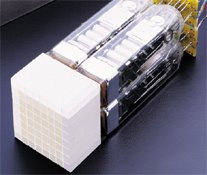
Siemens uses Lutetium Oxyorthosilicate, or LSO, crystals, pictured below, while GE uses Bismuth Germinate (which looks quite similar.)


OK, a crystal is a crystal, right? Well, not really. The purpose of the crystal is to turn those 511 KeV photons into light, which is then turned into an electrical signal, and then into the picture. To make a long story short, LSO does a better job of turning the radiation into light, and does it more quickly than BGO, so it can handle a higher amount of radiation. Now, GE insisted that BGO is just as good, and sent me a barrage of articles to prove this. However, GE is working on its own version of LSO, called LYSO, and rumor has it that Duke, the main showsite for GE PET, will not get another PET/CT scanner until GE can deliver the LYSO unit. (The GE people tell me that they are making LYSO to accomodate future PET pharmaceuticals, and BGO is really great for now.)

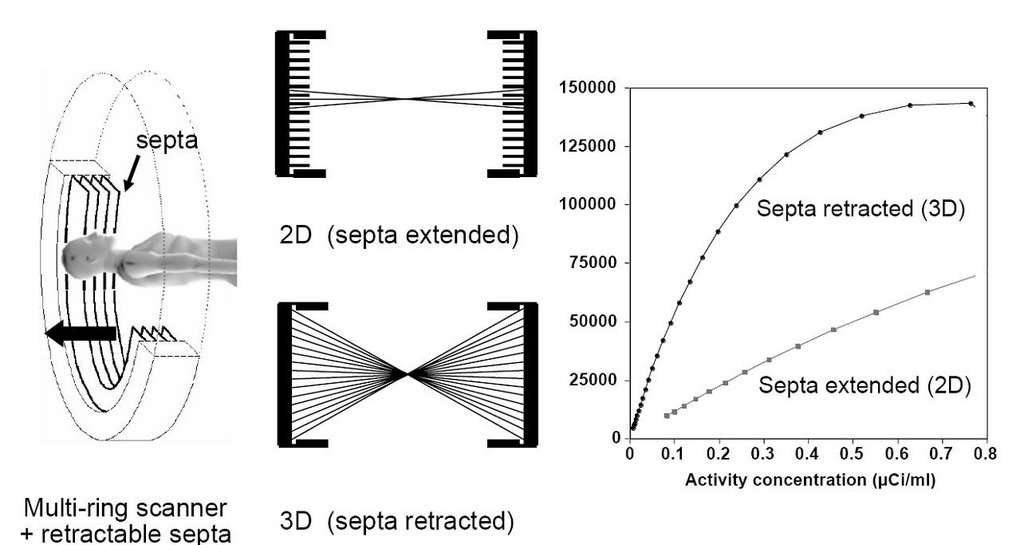
But there's even more to the story. The PET portion of a PET/CT gantry isn't just a big tube-shaped crystal, but rather a collection of smaller crystals arranged in rings. When a detector senses an annihilation photon, it tries to match it to another one that came in at the same time. The simultaneity allows the machine to figure out where the detonation occurred and then it can paint the picture of the distribution of the tracer. But sometimes the radiation gets scattered within the body, or two unconnected (random) photons happen to hit at the same time. To prevent this, thick lead septa are introduced as in the image below..this is the so-called 2-dimensional approach. With faster crystals, it is theoretically easier to discriminate on the time of arrival, and so one can open up the whole array of detectors to receive all possible photons, the so-called 3-dimensional approach. Siemens LSO PET/CT's use 3D exclusively, while GE's BGO machines can run in either 3D or 2D mode.


“From 3D PET to 3D PET/CT: what did we learn?” Peter Valk Lecture given by David W. Townsend, Ph.D.,
Department of Medicine and Radiology University of Tennessee, Knoxville


All well and good. Again, to make a long story very short, the 3D approach allows a lot more scatter radiation and random counts to be, well, counted. On the other hand, 3D picks up a whole lot more photons overall. Do these balance out? The answer depends on the article you read. Here is one from a recent article in the Journal of Nuclear Medicine by Lodge, et. al.:

Comparisons of 2D and 3D performance are very sensitive to the specific conditions under which the data were acquired. Counting rate, scatter, activity outside the field of view, reconstruction algorithm, and scanner characteristics all influence relative performance. In this study 2D and 3D data were compared under clinically realistic conditions and effects that may introduce bias were minimized. The mean ratio of 3D to 2D image values was 0.94 with 95% limits of agreement of 0.63–1.41. All noise comparisons were made under conditions of matched lesion target-to-background ratio as measured in patient images. A statistically significant reduction in image noise was found with 3D acquisition compared with 2D, suggesting reductions in scan duration of 33% or more are feasible.
Italics are mine, as usual. Now GE cited some other articles contradicting this one. One in particular by Laritizien, et. al., states:

In this study, we performed an AFROC analysis to evaluate the impact of the acquisition mode (2D vs. fully 3D) on human observer detection performances. Three acquisition protocols were selected to provide a fair comparison between the acquisition modes. Results showed that the fully 3D acquisition mode allowed better or equivalent detection performance than the 2D mode for a same injected dose typical of the clinical practice (about 440 MBq) in a standard patient. The 2D acquisition protocol combined with higher injected doses (about 740 MBq) resulted in higher detectability than those achieved with the fully 3D acquisition mode for approximately half the injected dose. Changing the patient size or the PET scanner model will potentially change the lesion detectability results of this study.

Now, wait just a second. This says you have to double the dose to get 2D to work better in the clinical setting than 3D! That's problematic enough, but, BGO has a slower response than LSO, and the "dead time", the time it takes the crystal to "recover" from the last event could get to be a problem if you really crank up the dose. I won't even go into the wisdom of doubling the radiation dose, although 18F is short-lived. Basically, we are not comparing apples and apples here.

One way to improve your pictures with either system is to scan longer. We had a 2D BGO system, as you may recall, the Siemens ECAT Exact 47, and we scanned at 7-minutes per bed position, i.e., how long each segment of the patient is within the ring of detectors. GE has advised its Discovery ST customers that 2-3 minutes is plenty adequate. Now, I'll grant you that some significant electronics improvements have occured between the introductions of the two devices, but have there been enough to drop scan time by more than half (not counting the time for the attenuation scan, either with the old germanium transmission or with the faster CT version)? I don't know. What I do know is that the images from the Biograph are better, at least to me, than those from the Discovery. That's my story, and I'm sticking to it.

GE made a last ditch effort to change our minds by reminding us that they won the Frost & Sullivan Market Leadership Award for the PET/CT in 2004. This is a monumental achievement, true, but take a look at the press release from Frost & Sullivan:
Frost & Sullivan’s recent analysis, U.S. PET and PET-CT Markets, selected GE Healthcare as the recipient of the 2004 Market Leadership Award. This Award acknowledges the company’s exceptional marketing strategies that helped it capture the largest percentage of the U.S. positron emission tomography-computed tomography (PET-CT) market in 2003 and maintain its robust lead since the market’s inception.
I have to agree 100%. GE certainly has exceptional marketing strategy. No question about that. But I don't think Frost & Sullivan is really qualified to evaluate the scanners themselves. That needs to be left to those of us who actually have to interpret the images. You might ask, "Will the Discovery fail to demonstrate something that the Biograph would show?" Now that's one question I can't honestly answer, and it's probably the most important of all. Time will tell on that one. But you can bet it will become obvious eventually.

Friday, July 01, 2005

1999 Happy Visitors; One Less So

Congratulations to visitor number 2000, from Mesa, Arizona. Maybe someone from AuntMinnie.com?

Sadly, not all of my readers seem to be enjoying my musings. "Anonymous" posted this comment on my entry about the KLAS survey just this afternoon:

Did you ever consider that Blogging in a medical environment would be so crude as to bash vendors. Besides, it is easy to jump on a bandwagon of the top 1, 2 or 3 with little market share and history, yet to bash others in a cowardly fashion is outright fake. What is your total combined compensation (including free meals) for promoting the top 3? Just need to know so I can budget for this when we crush them with slow steady forward progress and you turn your vote. This will remain anonymous so long as you continue to hide your identity behind an outrageous title that should belong to people to have acutally contributed something to the medical profession.
Cheers!

Gee, where do I start? I hate to dignify such a posting with a response, but what the heck. I have to note at the outset that Anonymous' IP localizes him to Milwaukie, WI, the home of GE Medical systems. Coincidence? Gotta wonder... As to the rather personal comments....I would just as soon keep my name off of the blog, but my full name is revealed in the AuntMinnie article, so I am not "hiding" behind anything, thank you. If Anonymous had bothered to read some of the other entries, he would have found that I do indeed deny being in any company's pocket. Adding up all dinners and so on received from PACS vendors (which include Agfa, Amicas, Fuji, and GE) over the past five years would yield the grand total of $500. If I can be bought, it would take a lot more than that! Finally, as to my contributions to medicine, I am responsible for the introduction of PET imaging to South Carolina. Tell me, Anonymous, what have you contributed?

Sigh. I guess you just can't please everyone. But I'll keep trying anyway.

I can't directly link Anonymous to GE, and I should mention that GE PACS headquarters is in Chicago. Perhaps Anonymous owns GE stock (I do too, by the way). He is obviously worried about my "bashing" of big-iron vendors, but in reality, the only vendors I "bash" regularly are GE, Fuji, and ScImage (sorry, guys). I don't push Stentor or DR. My only experience with Stentor was at a past RSNA, where I went through an excellent demo, but concluded that the pricing structure was not what was needed for the hospital that ultimately went with Amicas. We called upon DR Systems once to see if they would be interested in providing an "interim solution" for multislice CT reading. They responded that if they couldn't sell us a full system, we were not worth their time.

I "bash" whom I "bash" usually due to my dislike of their interfaces, which is the part of the PACS I actually use. It is clear in many cases that the products were designed and tested by engineering types (I can say that because I am one) and perhaps a few docs who didn't actually try to do their day-to day work with the system. This is why I am calling for an open exchange of ideas about PACS GUI's. Every PACS system has room for improvement, and the more we work together, the better things will be for the industry and end-users alike.

Cheers!